
Pioneer KRL-37V: Using the MHEG-5 application (UK Teletext
Using the MHEG-5 application (UK Teletext: Pioneer KRL-37V
Table of contents
- OPERATION MANUAL Contents
- Introduction
- Introduction
- Introduction Controlling other equipment using the supplied remote control unit Presetting manufacture codes Manufacture codes
- Introduction
- Using with other equipment (STB) Using with other equipment (VCR)
- Using with other equipment (DVD/DVR)
- Introduction
- Preparation
- Preparation CAUTION Cautions regarding the remote control unit
- Installation precautions
- Quick guide
- Quick guide Supplying power to the antenna Bundling the cables
- Checking signal strength and channel strength Confirm the following before turning on the power
- Watching TV Daily operation
- Watching TV EPG (Electronic Programme Guide) EPG Overview Useful settings for using EPG
- Selecting a programme using EPG
- Timer recording using EPG
- Using the MHEG-5 application (UK Teletext
- Connecting external devices NOTE
- Connecting external devices HDMI connection Component connection S-VIDEO/VIDEO connection
- Controlling devices with SCART using i/o link.A SCART connection
- Speaker/amplifier connection
- Connecting external devices Inserting a smart card
- HDMI CONTROL Controlling HDMI devices using HDMI CONTROL
- HDMI CONTROL connection
- MODE D’EMPLOI
Buttons for teletext operations
Buttons
Description
P
k
/
l
(
e
/
f
)
Increase or decrease the page number.
Colour (Red/
Green/Yellow/
Blue)
Select a group or block of pages
displayed in the coloured brackets at
the bottom of the screen by pressing
the corresponding
Colour (Red/Green/
Yellow/Blue)
buttons on the remote
control unit.
0–9
Directly select any page from 100 to 899
by using the
0
–
9
numeric buttons.
k
(Reveal
hidden
Teletext)
Reveal or hide hidden information such
as an answer to a quiz.
3
(Freeze/
Hold)
Stop updating teletext pages
automatically or release the hold mode.
[
(Subtitle
for Teletext)
Display the subtitle or exit the subtitle
screen.
Subtitles will not be displayed when
the service does not contain subtitle
information.
•
1
(Subpage)
Reveal or hide subpages.
Red
button: Move to the previous
subpage.
Green
button: Move to the following
subpage.
These two buttons are shown on the
screen by the symbols “
e
”
and “
f
”.
•
•
•
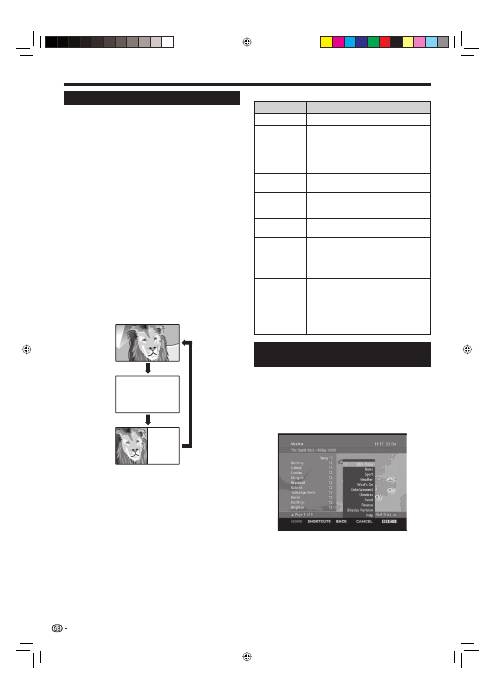
Using the MHEG-5 application (UK
only)
Some services bring you programmes with the MHEG
(Multimedia and Hypermedia Expert Group) application
encoded, letting you experience DTV interactively.
If provided, the MHEG-5 application will start when you
press
m
.
Sample MHEG-5 screen
Watching TV
Teletext
What is Teletext?
Teletext broadcasts pages of information and
entertainment to specially equipped TV. Your TV
receives teletext signals broadcast by a TV network,
and decodes them into graphical format for viewing.
News, weather and sports information, stock
exchange prices and programme previews are among
the many services available.
Turning Teletext on/off
Select a TV channel or external source providing
a teletext programme.
Press
m
to display the Teletext.
Many stations use the TOP operating system, while
some use FLOF (e.g. CNN). Your TV supports both
these systems. The pages are divided into topic
groups and topics. After switching on the teletext, up
to 2,000 pages are stored for fast access.
Each time you press
m
, the screen switches as
shown below.
Press
m
again to display the teletext on the right
screen and the normal image on the left screen.
If you select a programme with no teletext signal, “No
Teletext available” displays.
The same message displays during other modes if no
teletext signal is available.
1
2
•
•
•
•
•
NOTE
Teletext will not work if the selected signal type is
RGB (Page 38).
•
20
TELETEXT
TELETEXT
KRL3237V_GB.indd 20
KRL3237V_GB.indd 20
2008/06/13 14:50:00
2008/06/13 14:50:00
