
Asus EA-N66: Operation modes Ethernet Adapter mode
Operation modes Ethernet Adapter mode: Asus EA-N66
Table of contents
- Package contents A quick look
- Operation modes Ethernet Adapter mode
- Frequently Asked Questions
- Q2: When I set my EA-N66 to Repeater Mode, should I use the same SSID with my parent AP?
English
7
Operation modes
ASUS EA-N66 provides three operation modes: Ethernet Adapter, Access Point
(AP), and Repeater.
NOTE: Please follow the GUI Setup Wizard for these modes.
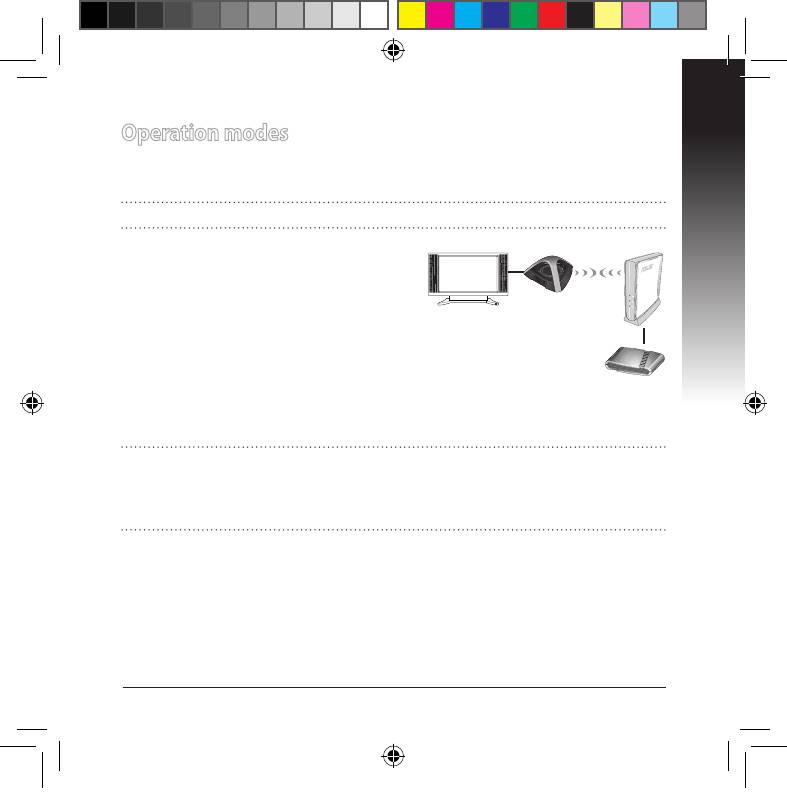
Ethernet Adapter mode
By default, EA-N66 is set to the Ethernet
Adapter mode. In this mode, you can con-
nect any Ethernet-enabled device to your
Internet TV
wireless home network via the
wireless router. This mode is perfect for
home theater devices such as Internet TV,
TiVo, and Blu-ray player.
ADSL/
Cable
modem
IMPORTANT:
• For the best wireless performance, place EA-N66 at a distance of more than 1.5
meters away from the parent Access Point (AP).
• You can adjust the transmission power of EA-N66 from its web interface.
U7020_EA-N66_QSG.indb 7 2012.2.29 2:44:52 PM
Top 10 manuals
100.00
NZXT HALE90 1000W99.99
Samsung SM-R38099.97
AEG BSB 18C99.97
Dell 2700W99.97
Smeg KSEC70X99.96
Beurer HDE 4099.96
Pyramida KH 50 v.299.96
MSI CSM-H81M-P3299.96
AEG HR 562799.95
Melissa 640-048


