
Pioneer CDJ-400: DISC LOADING/UNLOADING
DISC LOADING/UNLOADING: Pioneer CDJ-400
Table of contents
- IMPORTANT VENTILATION CAUTION Operating Environment
- FEATURES
- BEFORE OPERATING (FEATURES) CONTENTS
- DISCS USABLE WITH THIS UNIT Types of discs playable on this unit Playing MP3 files
- BEFORE OPERATING (DISCS USABLE WITH THIS UNIT)
- CAUTIONS REGARDING HANDLING Location Storing Discs Installation Guidelines Condensation Cleaning and Handling Compact Discs Cleaning the Player CD Lens Cleaner
- CONNECTIONS 2. Connecting control cable for relay play
- 3. Connecting to other devices 4. Connecting the power cord
- PANEL FACILITIES 7. HOLD button
- 30. Jog touch indicators Rear Panel
- About TEXT display Removing the jog sheet
- DISC LOADING/UNLOADING
- DJ PLAYER OPERATIONS Starting playback Auto cue function Resume function To stop playback To temporarily interrupt playback
- Track cueing Jog dial functions Rotary search Fast-forward/fast-reverse
- Scratch Jog Effect Digital Jog Break Change playback speed Applying master tempo
- Mixing different tracks Cue point settings
- ADVANCED OPERATIONS Fader start playback Loop playback Scratch play Spin play Reverse play
- Relay play using two players Cue point/loop point memory Writing and reading data
- MIDI SETTING
- TROUBLESHOOTING Symptom
- Error message display
- SPECIFICATIONS
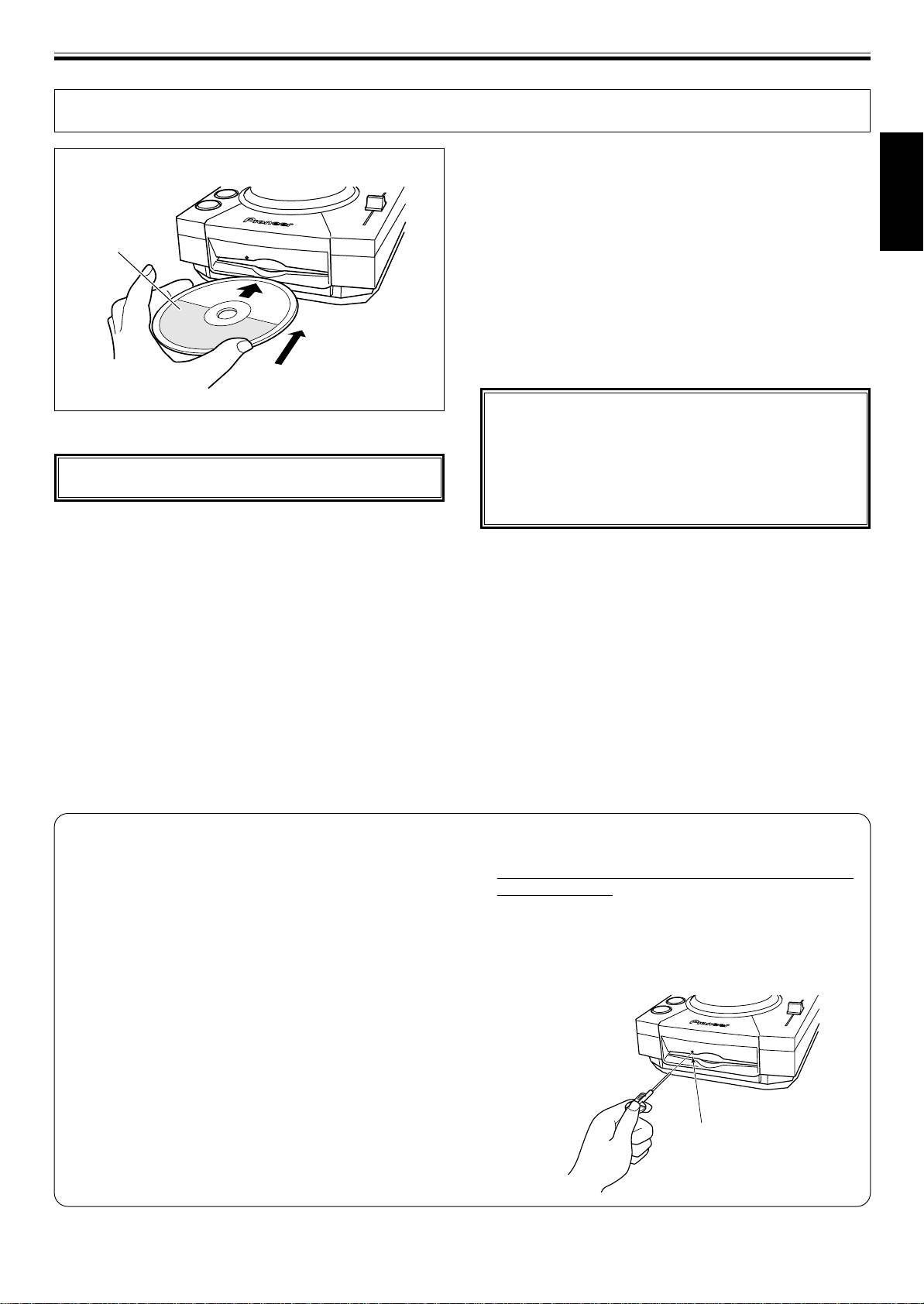
OPERATIONS (DISC LOADING/UNLOADING)
DISC LOADING/UNLOADING
3. Press the EJECT button to remove the disc.
÷ When the EJECT button is pressed, disc rotation stops
and the disc is ejected from the loading slot.
÷ If the disc cannot be ejected with the EJECT button, in-
English
sert a pin in the forced ejection hole on the front panel of
Label surface up
the player.
7 Canceling eject command
In the event the EJECT button is pressed by mistake, if the
PLAY/PAUSE (6) button is pressed immediately (before
[EJECT] is displayed), the eject command will be canceled
and playback will restart from the place immediately
before the EJECT button was pressed (during this time,
sound output will be temporarily interrupted).
Insert straight
CAUTION:
Do not attempt to press a disc back into the slot when
1. Set the rear-panel POWER switch to ON.
the [EJECT] indicator appears. Pressing a disc back into
the slot while the [EJECT] indicator appears may cause
Do not force a disc into the unit when the POWER switch
the player to stop. In this case, press the EJECT button
is set to OFF as this may damage the disc and the unit.
again and wait until the [EJECT] indicator goes out be-
fore reinserting the disc.
2. Insert a disc.
÷ Hold the disc with label surface upwards, and insert into
the front panel disc loading slot.
÷ Only one disc can be loaded at a time. Never attempt to
load more than one disc at the same time, or attempt to
load a second disc when one disc has already been
loaded.
÷ When loading a disc, do not placing any twisting force
on the disc, or try to force the disc into the slot. Also, do
not attempt to interrupt or defeat the motion of the disc
when the player begins to draw a disc into the slot or to
eject a disc, since damage to the disc or player could
occur.
Forced disc ejection
If the EJECT button does not function or the disc cannot
2 Always use the pin provided (Do not use other objects).
be removed, pushing the pin provided into the forced
The provided pin is found in a groove in the bottom sur-
ejection hole on the front panel will enable the disc to be
face of the player.
removed.
When the provided forced eject pin is inserted fully into
When performing forced ejection, be sure to follow the
the forced eject hole on the front panel, the loaded disc
precautions below.
is ejected about 5 mm to 10 mm from the loading slot,
1 Be sure to turn OFF the power of the CD player, and
making it possible to remove it by hand.
check that the disc has stopped rotating. It takes
about 60 seconds for the disc to stop rotating after the
power has been turned OFF.
If forced ejection is performed while the disc is rotating;
÷ As the disc will be ejected outside the CD player rotat-
ing, it may hit your finger and cause injuries.
÷ As the disc will be rotating with the clamp unstable, it
may be scratched.
For the above reasons, never attempt to eject the disc
forcibly while it is rotating.
Forced ejection hole
13
<DRB1451>
En


