
Asus Xonar DX: 1.4.3 Connecting digital speakers 1.4.4 Connecting Line-In audio sources
1.4.3 Connecting digital speakers 1.4.4 Connecting Line-In audio sources: Asus Xonar DX
Table of contents
- 1.1 Installation requirements
- 1.2 Card installation
- 1.3 Driver installation 1.3.1 Installing the Audio Card Driver
- 1.4 Connecting audio device 1.4.1 Back ports 1.4.2 Connecting analog speakers
- 2.1 Speakers 4 Speakers
- 4.1 Speakers 5.1 Speakers
- 6.1 Speakers 7.1 Speakers
- 1.4.3 Connecting digital speakers 1.4.4 Connecting Line-In audio sources
- 1.4.5 Connecting headphone / microphone
English
ASUS Xonar DX Quick Installation Guide
9
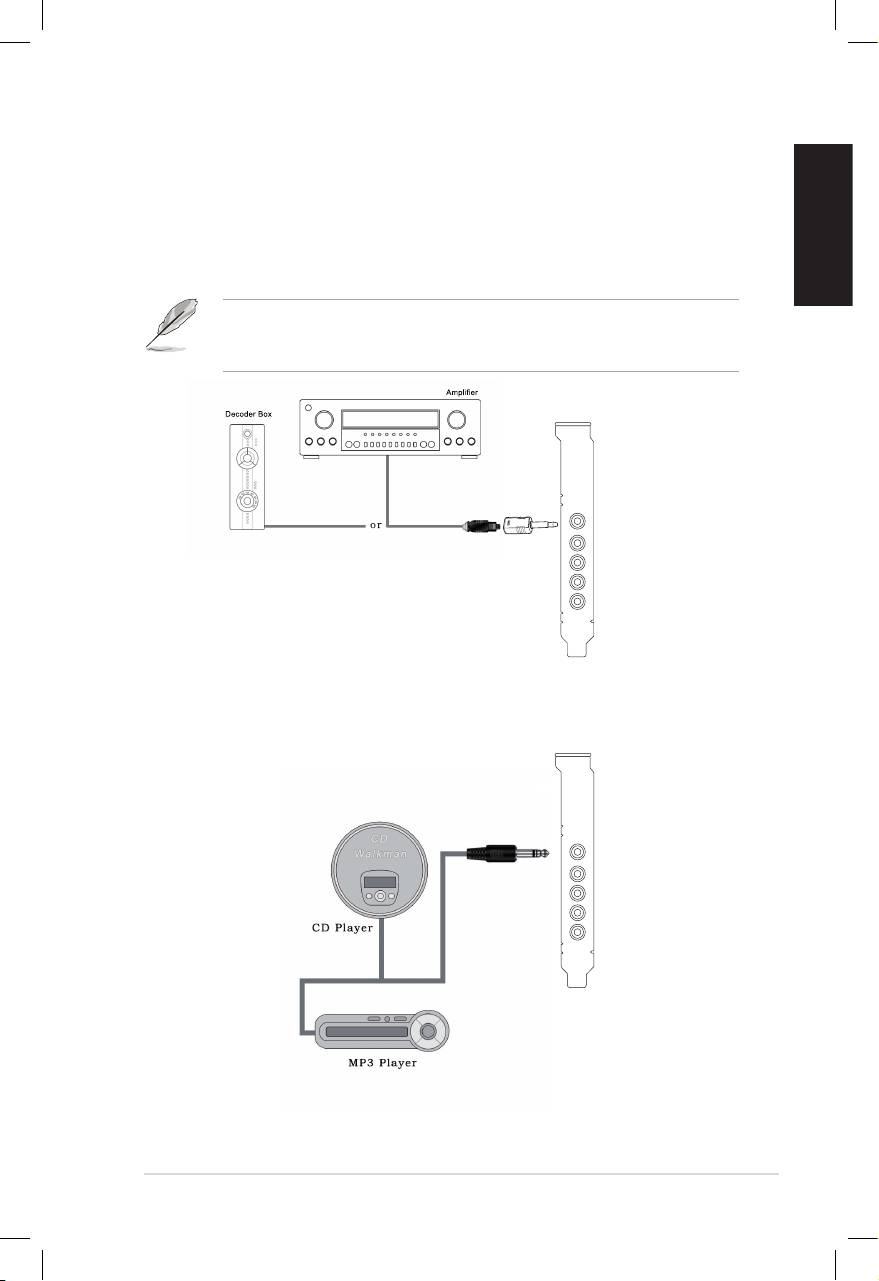
1.4.3 Connecting digital speakers
SPDIF Out
Plug the optical TOSLINK adaptor into the S/PDIF-Out combo connector. Then,
connect your decoder’s S/PDIF in port to the optical adaptor with the TOSLINK
optical cable.
You can also use a coaxial cable for a S/PDIF connection. Just plug the coaxial
RCA male connector to the S/PDIF-Out combo jack and connect the other end
into the coaxial S/PDIF input on your decoder.
SPDIF Out
1.4.4 Connecting Line-In audio sources
Line In
Top 10 manuals
100.00
NZXT HALE90 1000W99.99
Samsung SM-R38099.97
AEG BSB 18C99.97
Dell 2700W99.97
Smeg KSEC70X99.96
Beurer HDE 4099.96
Pyramida KH 50 v.299.96
MSI CSM-H81M-P3299.96
AEG HR 562799.95
Melissa 640-048