
Pioneer F-F3MK2-K: Manual tuning Search Mode Auto tuning
Manual tuning Search Mode Auto tuning: Pioneer F-F3MK2-K
Table of contents
- IMPORTANT
- POWER-CORD CAUTION IMPORTANT: THE MOULDED PLUG
- Chapter 1: Before you start Features What’s in the box
- Inserting the battery Installing the tuner
- Chapter 2: Connections Connecting antennas Making cable connections
- Connections02
- Connecting analog audio sources Plugging in
- Chapter 3: Controls and displays Front panel
- Remote control unit
- Controls and displays03
- Chapter 4: Listening to FM/AM Auto preset memory DEFAULT VALUE
- Manual tuning Search Mode Auto tuning
- Improving FM stereo sound Recalling preset stations
- Preset stations
- An introduction to RDS RDS Search/PTY Search/TP Search
- Naming station presets
- Last function memory Initialization of the microprocessor
- Chapter 5: Other connections Connecting external antennas Operating this tuner with the remote sensor of your Pioneer amplifier
- Chapter 6: Additional information Troubleshooting
- Additional information06 Problem Remedy
- Specifications
Listening to FM/AM04
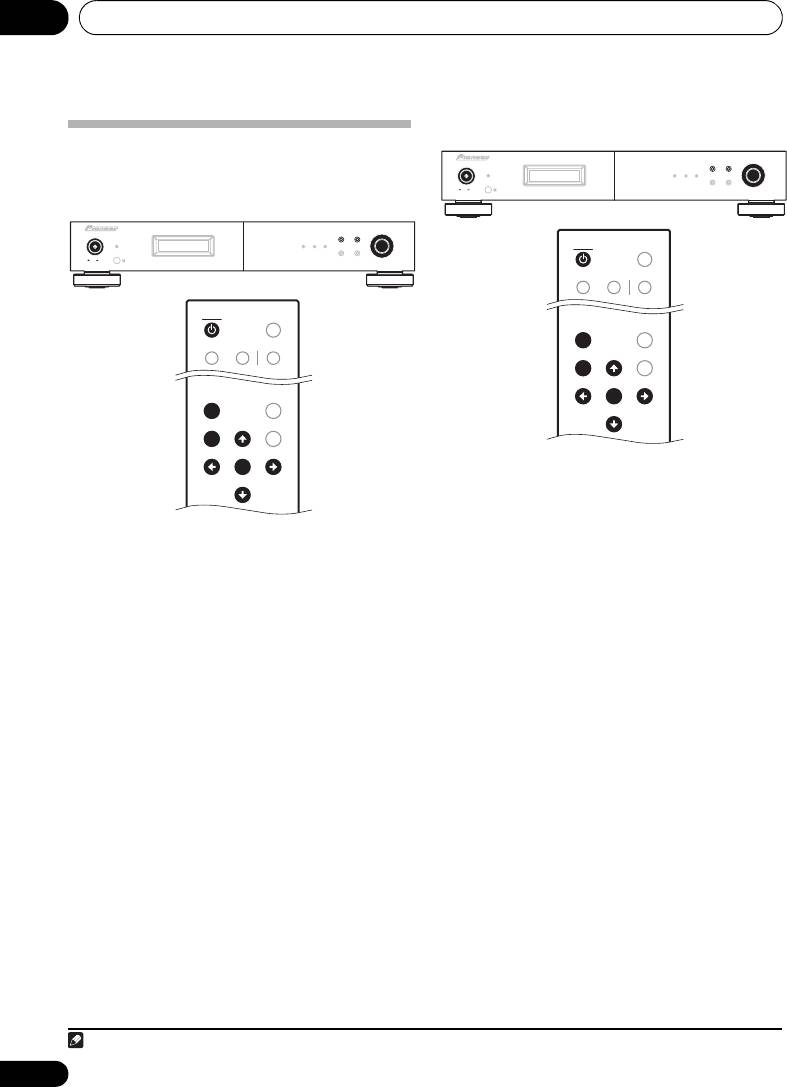
Manual tuning
Search Mode
Auto tuning
BAND
MENU
TUNING/PRESET
F3
POWER
STANDBY
RDS TUNED STEREO
DISPLAY AUTO PRESET
ONOFF
TUNER
TUNER
DIMMER
A/B/C D/E/F MPX
I/J
A.PRESET
MENU
MENU
A.TUNE
BAND TUNE
BAND TUNE
MEMORY
PRESET
PRESET
ENTER
ENTER
PRESET
PRESET
TUNE
TUNE
1 Press the
POWER
or
TUNER
button to
turn on the power.
2 Watching the display, press the
BAND
1 Press the
POWER
or
TUNER
button to
button to select the desired band (AM or FM).
turn on the power.
3 Press the
MENU
button to select menu.
2 Watching the display, press the
BAND
4 Either turn the
TUNING/PRESET
dial or
button to select the desired band (AM or FM).
press the
/
button to select the search
3 Press the
MENU
button to select menu.
1
mode.
4 Either turn the
TUNING/PRESET
dial or
5 Press the
TUNING/PRESET
dial or
ENTER
press the
/
button to select the search
button to set the manual tuning mode.
mode.
6 Either turn the
TUNING/PRESET
dial or
5 Press the
TUNING/PRESET
dial or
ENTER
press the
/
button to tune in the desired
button to set the auto tuning mode.
station.
The frequency changes continuously when the
6 Either turn the
TUNING/PRESET
dial or
/ button on the remote control unit is held
press the
/
button.
in.
Automatic searching will begin, and then stop
when a station is received.
• When the MPX mono mode has been
selected, FM stereo broadcasts will be
• When the unit is in the MPX stereo mode
received in monaural, and the STEREO
and FM band auto tuning is selected, the
indicator will light blue.
front-panel STEREO indicator will light red
when a stereo broadcast is received. At
open frequencies (no station is received),
the sound will be muted and the TUNED
and STEREO indicators will turn off.
14
En
Note
01_F-F3MK2_en.book 14 ページ 2009年4月3日 金曜日 午後1時45分
F3
POWER
BAND
MENU
TUNING/PRESET
STANDBY
RDS TUNED STEREO
DISPLAY AUTO PRESET
ONOFF
TUNER
TUNER
DIMMER
A/B/C D/E/F MPX
I/J
A.PRESET
MENU
MENU
A.TUNE
BAND TUNE
BAND TUNE
MEMORY
PRESET
PRESET
ENTER
ENTER
PRESET
PRESET
TUNE
TUNE
1Hold the / button depressed for 0.5 seconds or more to perform rapid tuning.
