
Pioneer F-F3MK2-K: Improving FM stereo sound Recalling preset stations
Improving FM stereo sound Recalling preset stations: Pioneer F-F3MK2-K
Table of contents
- IMPORTANT
- POWER-CORD CAUTION IMPORTANT: THE MOULDED PLUG
- Chapter 1: Before you start Features What’s in the box
- Inserting the battery Installing the tuner
- Chapter 2: Connections Connecting antennas Making cable connections
- Connections02
- Connecting analog audio sources Plugging in
- Chapter 3: Controls and displays Front panel
- Remote control unit
- Controls and displays03
- Chapter 4: Listening to FM/AM Auto preset memory DEFAULT VALUE
- Manual tuning Search Mode Auto tuning
- Improving FM stereo sound Recalling preset stations
- Preset stations
- An introduction to RDS RDS Search/PTY Search/TP Search
- Naming station presets
- Last function memory Initialization of the microprocessor
- Chapter 5: Other connections Connecting external antennas Operating this tuner with the remote sensor of your Pioneer amplifier
- Chapter 6: Additional information Troubleshooting
- Additional information06 Problem Remedy
- Specifications
Listening to FM/AM 04
Improving FM stereo sound
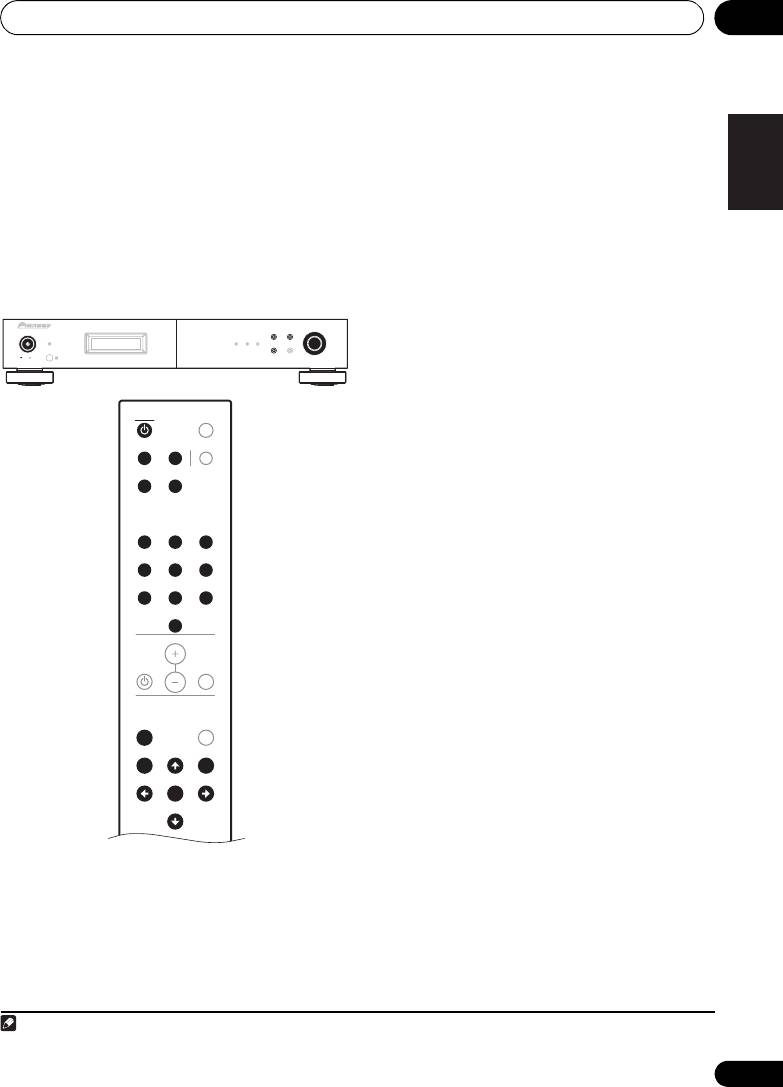
1 Connect the antenna and confirm that
English
reception is possible.
If the TUNED or STEREO indicator fails to light
when tuning into an FM station due to a weak
2 Press the
POWER
or
TUNER
button to
reception signal, press the MPX button to
turn on the power.
1
switch the tuner into mono reception mode.
3 Press the
MENU
button to select menu.
This should improve the sound quality and
allow you to enjoy the broadcast.
4 Either turn the
TUNING/PRESET
dial or
press the
/
button to select the search
Recalling preset stations
mode.
5 Either turn the
TUNING/PRESET
dial or
press the
/
button to select “
Preset
”.
FrançaisDeutsch
6 Press the
TUNING/PRESET
dial or
ENTER
button to set the preset mode.
7 Watching the display, either turn the
TUNING/PRESET
dial, or press the
/
Italiano Español
button to select the desired preset channel.
7-1 Press one of the preset channel range (
A
to
J
) buttons to select the desired memory
block (A to J).
Nederlands
7-2 Press one of the station call (
1
to
10
)
buttons to select the desired preset channel
(1 to 10).
• Steps 1 to 5 can be skipped when using the
/, preset channel range (A to J) and
station call (1 to 10) buttons.
The preset mode is set when any of these
buttons is pressed, regardless of the menu
setting at that time.
For instructions on presetting stations, see the
section “Preset stations” (page 16).
15
En
Note
1The STEREO indicator will light blue when the MPX button is pressed.
F3
BAND
MENU
TUNING/PRESET
POWER
STANDBY
RDS TUNED STEREO
DISPLAY AUTO PRESET
ONOFF
TUNER
DIMMER
A/B/C D/E/F MPX
G/H I/J
123
456
78
9
10
VOLUME
MUTEAMP
A.PRESET
MENU
A.TUNE
BAND TUNE
MEMORY
PRESET
ENTER
PRESET
TUNE
01_F-F3MK2_en.book 15 ページ 2009年4月3日 金曜日 午後1時45分
