
Pioneer F-F3MK2-K: Chapter 3: Controls and displays Front panel
Chapter 3: Controls and displays Front panel: Pioneer F-F3MK2-K
Table of contents
- IMPORTANT
- POWER-CORD CAUTION IMPORTANT: THE MOULDED PLUG
- Chapter 1: Before you start Features What’s in the box
- Inserting the battery Installing the tuner
- Chapter 2: Connections Connecting antennas Making cable connections
- Connections02
- Connecting analog audio sources Plugging in
- Chapter 3: Controls and displays Front panel
- Remote control unit
- Controls and displays03
- Chapter 4: Listening to FM/AM Auto preset memory DEFAULT VALUE
- Manual tuning Search Mode Auto tuning
- Improving FM stereo sound Recalling preset stations
- Preset stations
- An introduction to RDS RDS Search/PTY Search/TP Search
- Naming station presets
- Last function memory Initialization of the microprocessor
- Chapter 5: Other connections Connecting external antennas Operating this tuner with the remote sensor of your Pioneer amplifier
- Chapter 6: Additional information Troubleshooting
- Additional information06 Problem Remedy
- Specifications
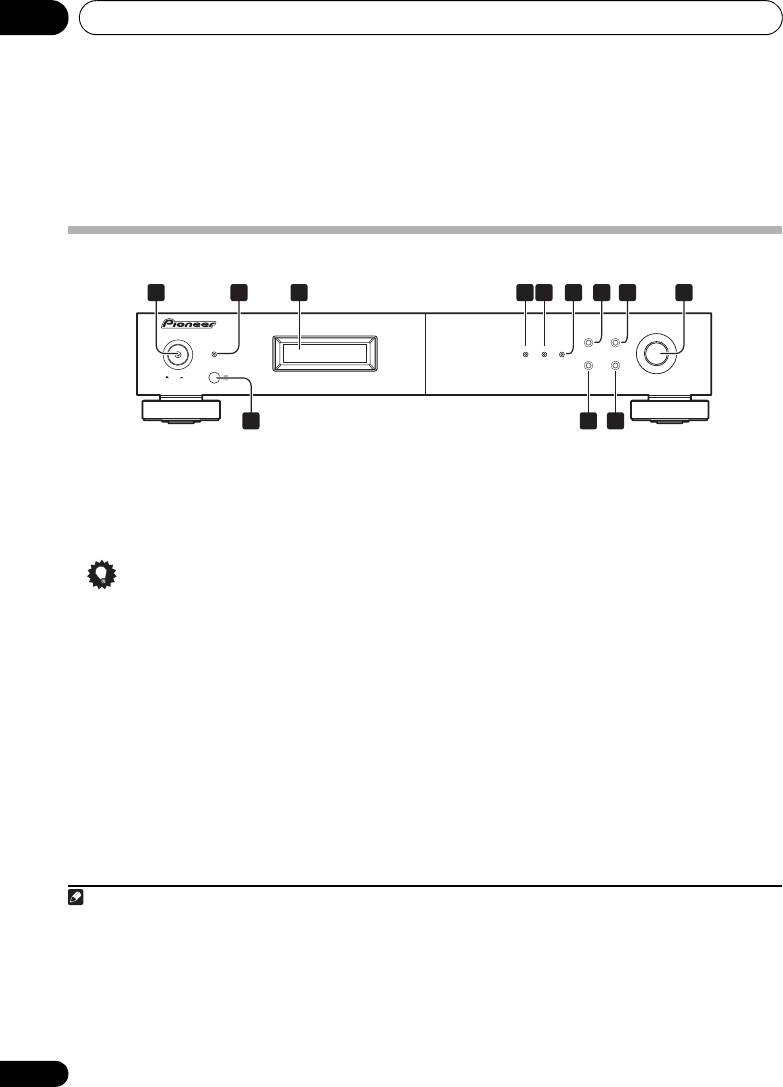
Controls and displays03
Chapter 3:
Controls and displays
Front panel
1
2 6 7 8 9
3 54
TUNING/PRESET
F3
POWER
BAND
MENU
STANDBY
RDS TUNED STEREO
DISPLAY AUTO PRESET
ONOFF
10
1211
1
4
RDS
indicator
1
POWER
OFF
ON
Lights when an RDS broadcast is received, and
2
STANDBY
indicator
flashes during RDS search.
3Display
5
TUNED
indicator
Lights when a station is properly tuned in.
Tip
6
STEREO
indicator
Lights red when a stereo broadcast is received.
• Liquid Crystal Display
Goes off when a monaural broadcast is
The LCD used in this unit has a tendency to
received. Lights blue when the MPX mono
change color in response to the
mode is selected.
surrounding temperature. The display’s
color tone may turn gray or its ability to
switch between displayed information may
slow down when the room is not at
optimum temperature, or when the unit
has been operating for a long period of
time. However, these are only temporary
symptoms and regular functionality will be
restored once the unit returns to optimum
temperature.
10
En
Note
01_F-F3MK2_en.book 10 ページ 2009年4月3日 金曜日 午後1時45分
1 • Remember that even when the unit is in the standby mode, it remains connected to the AC line voltage. Be sure to unplug
the power cord whenever leaving your home for vacations or when otherwise not using the unit for extended periods of time.
• When the unit is in the standby mode, if the power is turned off by pressing the main unit’s POWER button, the power will
not turn on if the button is prersed again.
To turn on the power in this c`se, press either the remote control unit’s TUNER button or a different button (other than the
POWER button) on the main unit.
• When the unit is in the standby mode, if the power is turned off by unplugging the power cord, the power will not turn merely
by reconnecting the power cord.
To turn on the power in this case, reconnect the power cord and then press either the remote control unit’s TUNER button
or a different button (other than the POWER button) on the main unit.
