
Pioneer DEH-P65BT: Connecting the Units
Connecting the Units: Pioneer DEH-P65BT
Connecting the Units
5
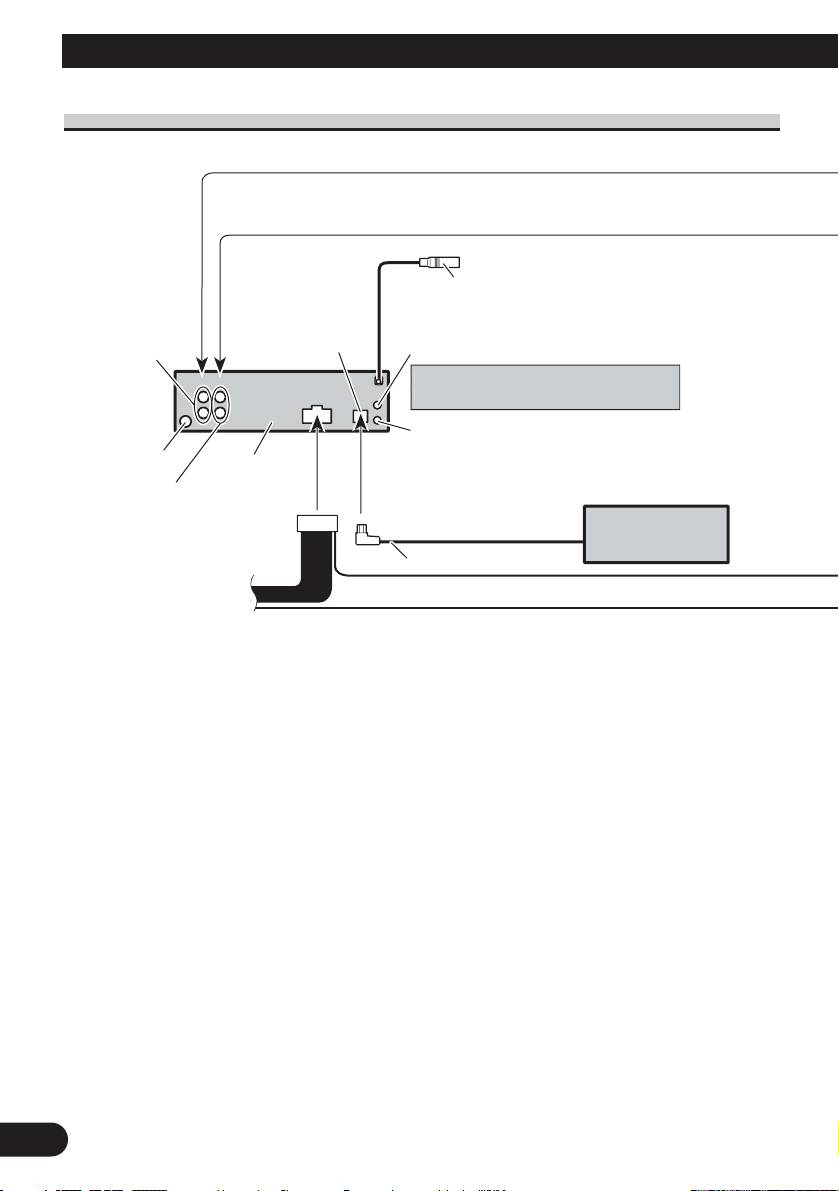
Rear output or
subwoofer output
AUX jack (3.5 ø)
Antenna jack
This product
Front output
Wired remote input
W
H
ard-wired remote control ada
p
to
r
can be connected (sold separatel
y
)
.
14 cm
IP-BUS
input (Blue)
Multi-CD player
(sold separately)
IP-BUS cable
Use a stereo mini plu
g
cable to connec
t
with auxiliar
y
equipment
.
Microphone input
(Refer to page 3 to 4.)
Refer to page 3 to 4.
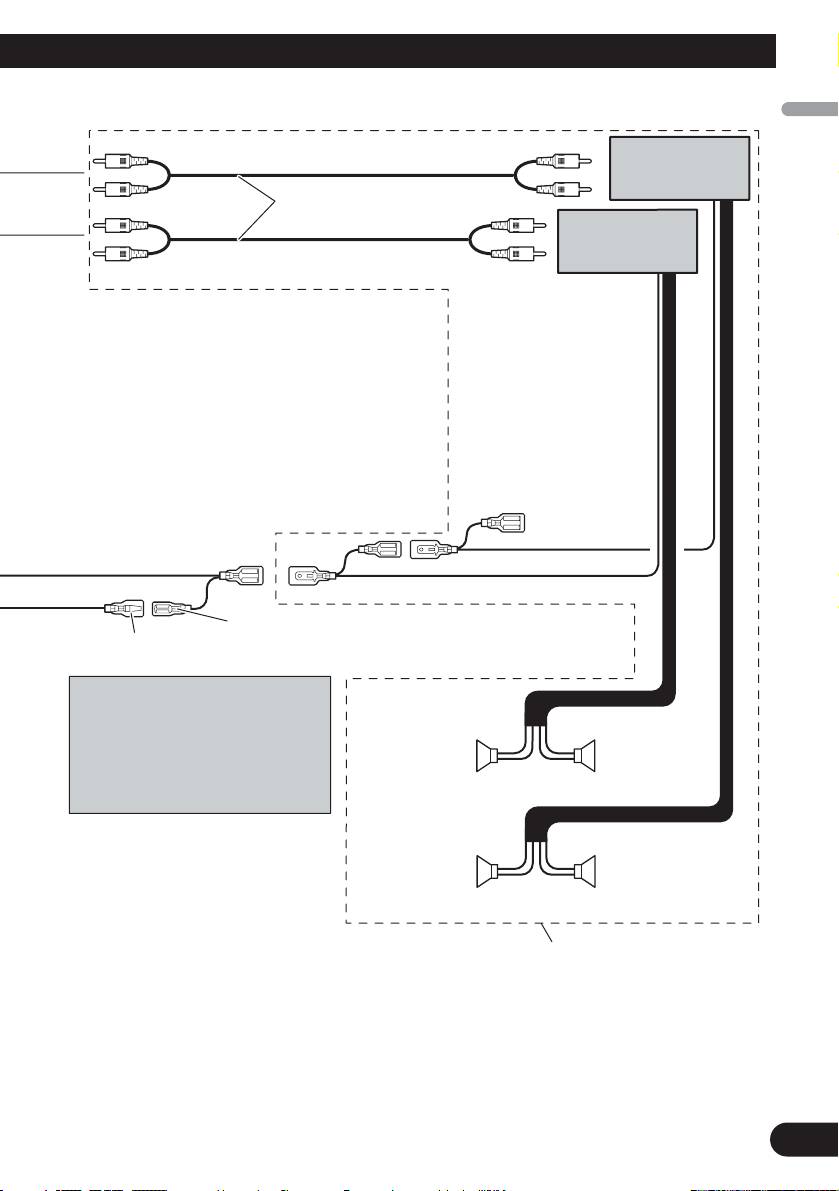
Connecting to separately sold power amp
English
Español
Deutsch
Français
Italiano
Nederlands
6
Power amp (sold
separately)
Connect with RCA cables
(sold separately)
Power amp (sold
separately)
System remote control
Blue/white (7*)
Connect to auto-antenna relay control terminal
Blue/white (6*)
(max. 300 mA 12 V DC).
The pin position of the ISO connector
will differ depends on the type of
vehicle. Connect 6* and 7* when Pin
++
5 is an antenna control type. In
Front speaker
Front speaker
another type of vehicle, never connect
≠≠
6* and 7*.
Left
Right
++
Rear speaker or
Rear speaker or
subwoofer
≠≠
subwoofer
Perform these connections when
using the optional amplifier.
Table of contents
- Connecting the Units
- Connecting the Units
- Connecting the Units
- Installation
- Installation
- Conexión de las unidades
- Conexión de las unidades
- Conexión de las unidades
- Instalación
- Instalación
- Anschließen der Geräte
- Anschließen der Geräte
- Anschließen der Geräte
- Einbau
- Einbau
- Connexion des appareils
- Connexion des appareils
- Connexion des appareils
- Installation
- Installation
- Collegamento delle unità
- Collegamento delle unità
- Collegamento delle unità
- Installazione
- Installazione
- Aansluiten van de toestellen
- Aansluiten van de toestellen
- Aansluiten van de toestellen
- Installatie
- Installatie
- èÓ‰Íβ˜ÂÌË ÛÒÚÓÈÒÚ‚
- èÓ‰Íβ˜ÂÌË ÛÒÚÓÈÒÚ‚
- èÓ‰Íβ˜ÂÌË ÛÒÚÓÈÒÚ‚
- ìÒÚ‡Ìӂ͇
- ìÒÚ‡Ìӂ͇





