
Pioneer DDJ-SX: Starting the system Launching Serato DJ
Starting the system Launching Serato DJ: Pioneer DDJ-SX
Table of contents
- Operating Environment IMPORTANT
- POWER-CORD CAUTION WARNING
- Contents
- Before start What’s in the box Installing the software Installation Procedure (Windows)
- Installation procedure (Mac OS X)
- 11 If the following screen appears, drag and drop the [Serato DJ] icon on the [Applications] folder icon.
- Operation Connections
- 6 Connect the AC adapter. 7 Press the [STANDBY/ON] switch on this unit’s rear panel to turn this unit’s power on. 8 Turn on the power of the devices connected to the output terminals (powered speakers, power amplifier, components, etc.).
- Starting the system Launching Serato DJ
- Importing tracks Loading tracks and playing them
- Playing tracks and outputting the sound
- Monitoring sound with headphones Quitting the system Names of Parts
- Deck section Mixer section
- Acquiring the manual Downloading this unit’s operating Downloading the Serato DJ software manual
- About the AC adapter
- Mounting the power plug Removing the power plug Power plug
- Additional information
10
En
Starting the system
Launching Serato DJ
For Windows
From the Windows [
Start
] menu, click the [
Serato DJ
] icon under [
All Programs
] > [
Serato
] > [
Serato DJ
].
For Mac OS X
In Finder, open the [
Application
] folder, then click the [
Serato DJ
] icon.
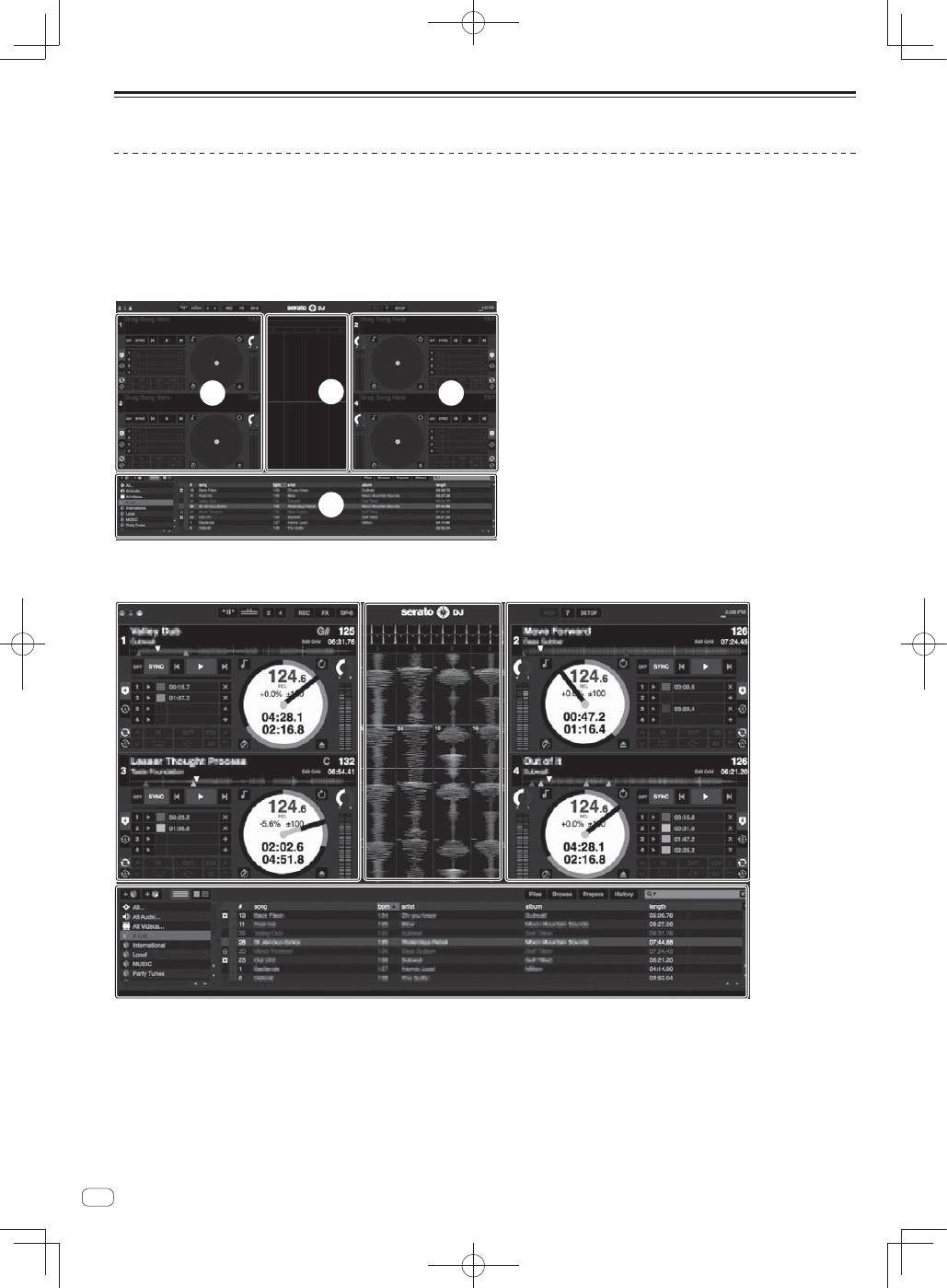
Computer screen directly after the Serato DJ software is launched
A
A
C
B
Computer screen when a track is loaded in the Serato DJ software
A
A
C
B
A Deck section
The track information (the name of the loaded track, artist name, BPM, etc.), the overall waveform and other information is displayed here.
B Waveform
display
The loaded track’s waveform is displayed here.
C Browser
section
Crates in which tracks in the library or sets of multiple tracks are stored are displayed here.
This manual consists mainly of explanations of functions of this unit as hardware. For detailed instructions on operating the Serato DJ software, see
the Serato DJ software manual.
