
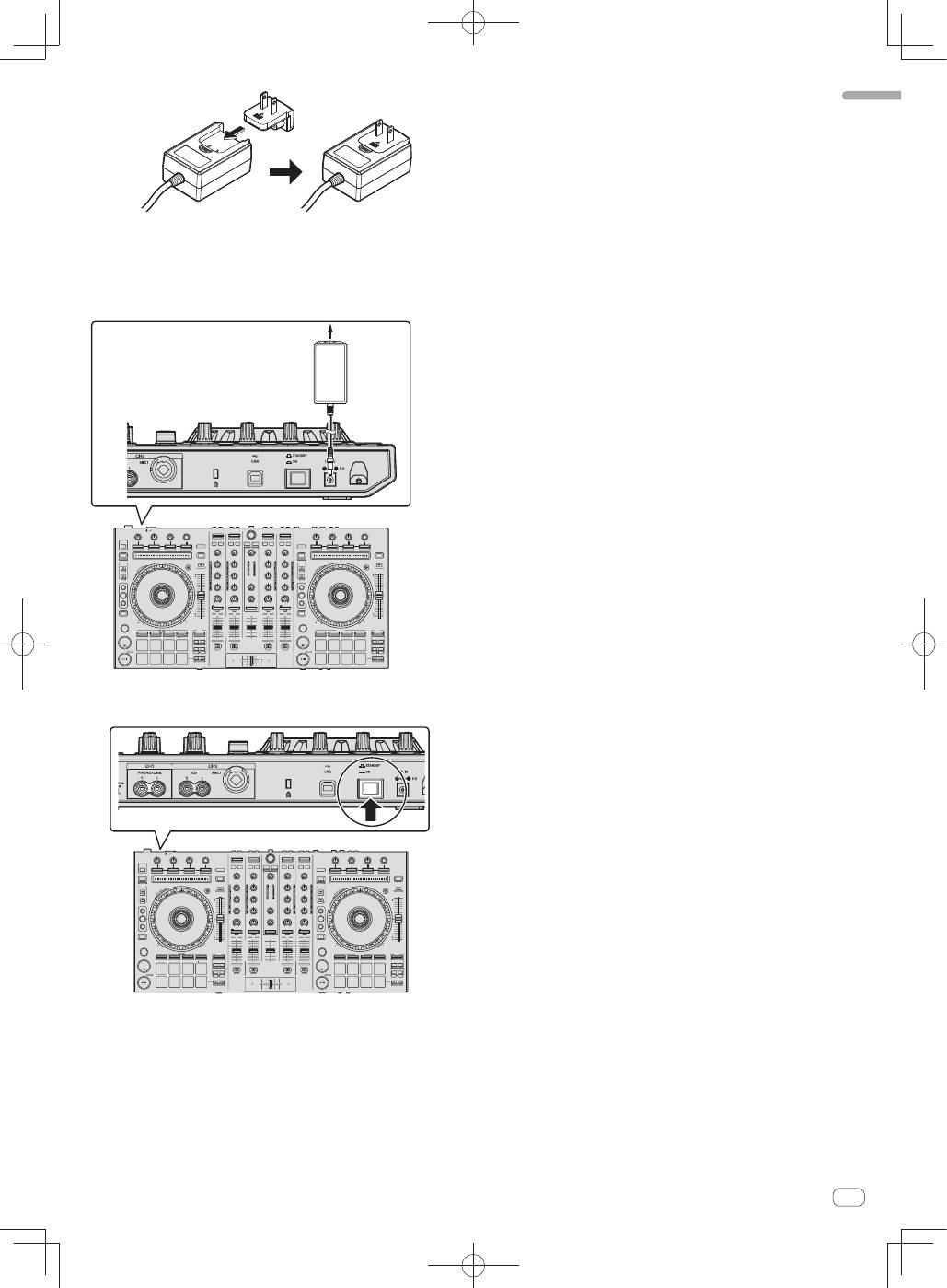
Pioneer DDJ-SX: 6 Connect the AC adapter. 7 Press the [STANDBY/ON] switch on this unit’s rear panel to turn this unit’s power on. 8 Turn on the power of the devices connected to the output terminals (powered speakers, power amplifier, components, etc.).
6 Connect the AC adapter. 7 Press the [STANDBY/ON] switch on this unit’s rear panel to turn this unit’s power on. 8 Turn on the power of the devices connected to the output terminals (powered speakers, power amplifier, components, etc.).: Pioneer DDJ-SX
Table of contents
- Operating Environment IMPORTANT
- POWER-CORD CAUTION WARNING
- Contents
- Before start What’s in the box Installing the software Installation Procedure (Windows)
- Installation procedure (Mac OS X)
- 11 If the following screen appears, drag and drop the [Serato DJ] icon on the [Applications] folder icon.
- Operation Connections
- 6 Connect the AC adapter. 7 Press the [STANDBY/ON] switch on this unit’s rear panel to turn this unit’s power on. 8 Turn on the power of the devices connected to the output terminals (powered speakers, power amplifier, components, etc.).
- Starting the system Launching Serato DJ
- Importing tracks Loading tracks and playing them
- Playing tracks and outputting the sound
- Monitoring sound with headphones Quitting the system Names of Parts
- Deck section Mixer section
- Acquiring the manual Downloading this unit’s operating Downloading the Serato DJ software manual
- About the AC adapter
- Mounting the power plug Removing the power plug Power plug
- Additional information
9
En
English
For detailed cautions on the AC adapter, see “
About the AC
adapter
” (p. 16).
The shape of the plug differs according to the region in which the
unit is sold.
6 Connect the AC adapter.
AC adapter
(included)
To power outlet
7 Press the [STANDBY/ON] switch on this unit’s rear
panel to turn this unit’s power on.
Turn on the power of this unit.
For Windows users
The message [
Installing device driver software
] may appear
when this unit is first connected to the computer or when it is
connected to a different USB port on the computer. Wait a while
until the message [
Your devices are ready for use
] appears.
8 Turn on the power of the devices connected to the
output terminals (powered speakers, power amplifier,
components, etc.).
When a microphone, DJ player or other external device is con-
nected to input terminals, the power of that device also turns on.
