
Pioneer VSX-920-K: Chapter 4: Basic Setup Changing the OSD display language (OSD Language) Automatically conducting optimum sound tuning (Auto MCACC)
Chapter 4: Basic Setup Changing the OSD display language (OSD Language) Automatically conducting optimum sound tuning (Auto MCACC): Pioneer VSX-920-K
Table of contents
- IMPORTANT IMPORTANT: THE MOULDED PLUG VENTILATION CAUTION
- Information for users on collection and disposal of old equipment and used batteries Operating Environment
- Contents
- 06 Listening to your system
- 12 Additional information
- Flow of settings on the receiver
- Chapter 1: Before you start Checking what’s in the box Loading the batteries Installing the receiver
- Chapter 2: Controls and displays Front panel
- Controls and displays02
- Display
- Controls and displays02
- Remote control
- Controls and displays02 Operating range of remote control unit
- Chapter 3: Connecting your equipment Rear panel
- Connecting your equipment03
- Determining the speakers’ application
- Connecting your equipment03
- Placing the speakers Some tips for improving sound quality
- Connecting the speakers
- Installing your speaker system
- Bi-amping your speakers Bi-wiring your speakers
- Selecting the Speaker system
- About the audio connection About the video converter
- Connecting your TV and playback components
- About HDMI
- Connecting your DVD player with no HDMI output
- Connecting your TV with no HDMI input
- Connecting a satellite/cable Connecting a HDD/DVD receiver or other set-top box recorder, VCR and other video sources
- Connecting other audio components
- Connecting AM/FM antennas
- MULTI-ZONE setup MULTI-ZONE listening options Sub Zone Input functions available
- Connecting Optional Bluetooth ADAPTER
- Connecting to the network Connecting an HDMI-equipped through LAN interface component to the front panel input
- Connecting to the front panel video terminal Connecting an iPod
- Connecting a USB device Connecting a USB device for Advanced MCACC output
- Connecting an IR receiver Operating other Pioneer components with this unit’s sensor
- Plugging in the receiver
- Chapter 4: Basic Setup Changing the OSD display language (OSD Language) Automatically conducting optimum sound tuning (Auto MCACC)
- Basic Setup04 THX
- Basic Setup 04
- The Input Setup menu
- Input function default and possible settings
- Chapter 5: Basic playback Playing a source
- Playing an iPod
- Finding what you want to play Switching the iPod controls Basic playback controls
- Playing back audio files stored on a Playing a USB device USB memory device
- Playing back photo files stored on a Slideshow Setup USB memory device Basic playback controls Button(s) What it does
- About playable file formats Music files Photo files
- Using Neural Surround Listening to the radio
- Saving station presets Listening to station presets Naming station presets
- An introduction to RDS Searching for RDS programs
- Wireless music play Bluetooth ® ADAPTER for Wireless Enjoyment of Music Remote control operation Pairing the Bluetooth ADAPTER and Bluetooth wireless technology device
- Listening to music contents of a Bluetooth wireless technology device with your system
- Listening to Internet radio stations Programming the Internet radio stations Programming with the GUI screen
- Basic playback05 Programming on the computer screen
- Chapter 6: Listening to your system Auto playback Listening in surround sound
- Listening to your system06
- Using the Advanced surround effects Listening in stereo
- Using Front Stage Surround Using Stream Direct Advance
- Selecting MCACC presets Choosing the input signal
- Better sound using Phase Control
- Chapter 7: Control with HDMI function Making Control with HDMI connections
- HDMI Setup
- Before using synchronization About synchronized operations
- About connections with a product of Setting the PQLS function a different brand that supports the Control with HDMI function
- Cautions on the Control with HDMI function
- Chapter 8: Using other functions Setting the Audio options Setting What it does Option(s)
- Setting What it does Option(s)
- Setting What it does Option(s)
- Setting the Video options Setting What it does Option(s)
- Setting What it does Option(s)
- Switching the speaker terminals Using the MULTI-ZONE controls
- Making an audio or a video recording MULTI-ZONE remote controls Button What it does
- Dimming the display Reducing the level of an analog signal Checking your system settings Using the sleep timer
- Setting Default Resetting the system Default system settings Setting Default
- Chapter 9: Controlling the rest of your system Operating multiple receivers Setting the remote to control other components
- Selecting preset codes directly Programming signals from other remote controls
- Erasing one of the remote control button settings
- Resetting the input assignment Direct function of one of the input function buttons
- Multi operation and System off
- Using System off Erasing the settings for the multi- operation Using multi operations
- Clearing all the remote control settings Default preset codes Controlling components
- Controlling the rest of your system09 Button(s) TV TV (Monitor) BD/DVD HDD/DVR VCR SAT/CATV
- Button(s) LD
- Chapter 10: The Advanced MCACC menu Making receiver settings from the Advanced MCACC menu
- Automatic MCACC (Expert)
- The Advanced MCACC menu10
- The Advanced MCACC menu 10
- Manual MCACC setup
- The Advanced MCACC menu 10 Fine Speaker Distance Fine Channel Level
- Standing Wave
- Acoustic Calibration EQ Adjust Acoustic Calibration EQ Professional
- The Advanced MCACC menu10 Using Acoustic Calibration EQ Professional
- The Advanced MCACC menu 10
- Checking MCACC Data Speaker Setting Channel Level Speaker Distance
- Standing Wave Output MCACC data Acoustic Cal EQ
- Renaming MCACC presets Data Management Copying MCACC preset data
- The Advanced MCACC menu 10
- Chapter 11: The System Setup and Other Setup menus Making receiver settings from the System Setup menu Manual speaker setup
- The System Setup and Other Setup menus 11 Speaker system setting
- Speaker Setting
- Speaker Distance Channel Level
- Network Setup menu IP address/Proxy setting
- Checking the MAC address
- Volume Setup The Other Setup menu
- Remote Control Mode Setup Flicker Reduction Setup
- Chapter 12: Additional information Troubleshooting Symptom Remedy
- Symptom Remedy No sound Symptom Remedy
- Symptom Remedy Other audio problems Symptom Remedy
- Symptom Remedy
- Video Symptom Remedy
- Settings Symptom Remedy
- Professional Calibration EQ graphical output Symptom Remedy Display Symptom Remedy
- Symptom Remedy Remote control Symptom Remedy
- HDMI Symptom Remedy
- Symptom Remedy Important information regarding the HDMI connection
- USB interface Symptoms Causes Remedies
- ADAPTER PORT Symptom Remedy Internet radio Symptoms Causes Remedies
- Symptoms Causes Remedies
- About iPod Surround sound formats
- Auto Surround, ALC and Stream Direct with different input signal formats Stereo (2 channel) signal formats
- Additional information 12 Preset code list
- Additional information12
- Additional information 12
- DVD
- BD DVR (BDR, HDR) VCR
- Satellite Set Top Box
- Additional information 12
- Additional information12 Satellite Set Top Box (SAT/PVR Combination)
- Cable Set Top Box Cable Set Top Box (Cable/PVR Combination) CD CD-R Laser Disc Player Cassete Deck Digital Tape MD
- Specifications
- Cleaning the unit
VSX-1020_SYXCN.book 39 ページ 2010年3月12日 金曜日 午前9時10分
Basic Setup 04
Chapter 4:
English
Basic Setup
6 Select ‘
OK
’ to change the language.
Deutsch
Changing the OSD display
The setting is completed and the
System
Setup
menu reappears automatically.
language (OSD Language)
The language used on the Graphical User
Interface (GUI) screen can be changed.
Automatically conducting
• The explanations in these operating
optimum sound tuning (Auto
Français
instructions are for when English is
MCACC)
selected for the GUI screen.
The Auto MCACC Setup measures the
1 Switch on the receiver and your TV.
acoustic characteristics of your listening area,
taking into account ambient noise, speaker
2 Press on the remote control,
RECEIVER
connection and speaker size, and tests for
Italiano
then press
HOME MENU
.
both channel delay and channel level. After
A GUI screen appears on your TV. Use //
you have set up the microphone provided with
/ and ENTER to navigate through the
your system, the receiver uses the information
screens and select menu items. Press
from a series of test tones to optimize the
RETURN to exit the current menu.
speaker settings and equalization for your
Nederlands
3 Select ‘
System Setup
’ from the
Home
particular room.
Menu
.
Make sure you do this before moving on to
Playing a source on page 44.
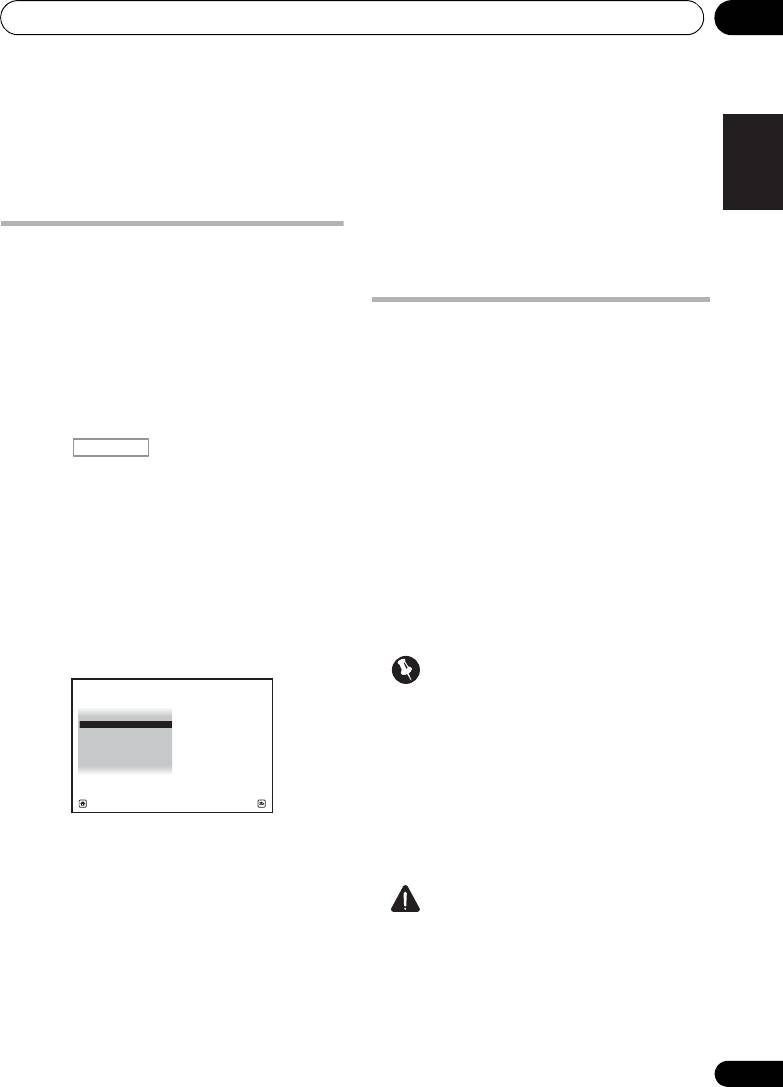
4 Select ‘
OSD Language
’ from the
System
Setup
menu.
Important
4.System Setup
Español
A/V RECEIVER
• Make sure the microphone and speakers
a. Manual SP Setup
b. Input Setup
c. OSD Language
are not moved during the Auto MCACC
d. Network Setup
e. Other Setup
Setup.
• Using the Auto MCACC Setup will
overwrite any existing settings for the
Exit Return
MCACC preset you select.
• Before using the Auto MCACC Setup, the
5 Select the desired language.
headphones should be disconnected.
• English
• French
CAUTION
• German
• The test tones used in the Auto MCACC
• Italian
Setup are output at high volume.
• Spanish
• Dutch
• Russian
39
En
