
Pioneer VSX-421: Making cable connections HDMI cables
Making cable connections HDMI cables: Pioneer VSX-421
Table of contents
- AUDIO/VIDEO MULTI-CHANNEL RECEIVER
- IMPORTANT IMPORTANT: THE MOULDED PLUG VENTILATION CAUTION
- WARNING
- Contents
- Before you start
- Remote control
- Connecting your equipment
- Connecting the speakers
- Making cable connections HDMI cables
- Analog audio cables Digital audio cables Video cables About video outputs connection
- Connecting your component with no HDMI terminal Connecting a TV and playback components Connecting using HDMI
- Connecting a satellite receiver or other digital set-top box Connecting an HDD/DVD recorder, Blu-ray Disc recorder and other video sources Connecting other audio components
- Using the component video jacks Connecting antennas
- Using external antennas Plugging in the receiver Canceling the demo display
- Basic playback
Connecting your equipment
9
En
English
Français
Italiano
Nederlands
Español
Deutsch
Making cable connections
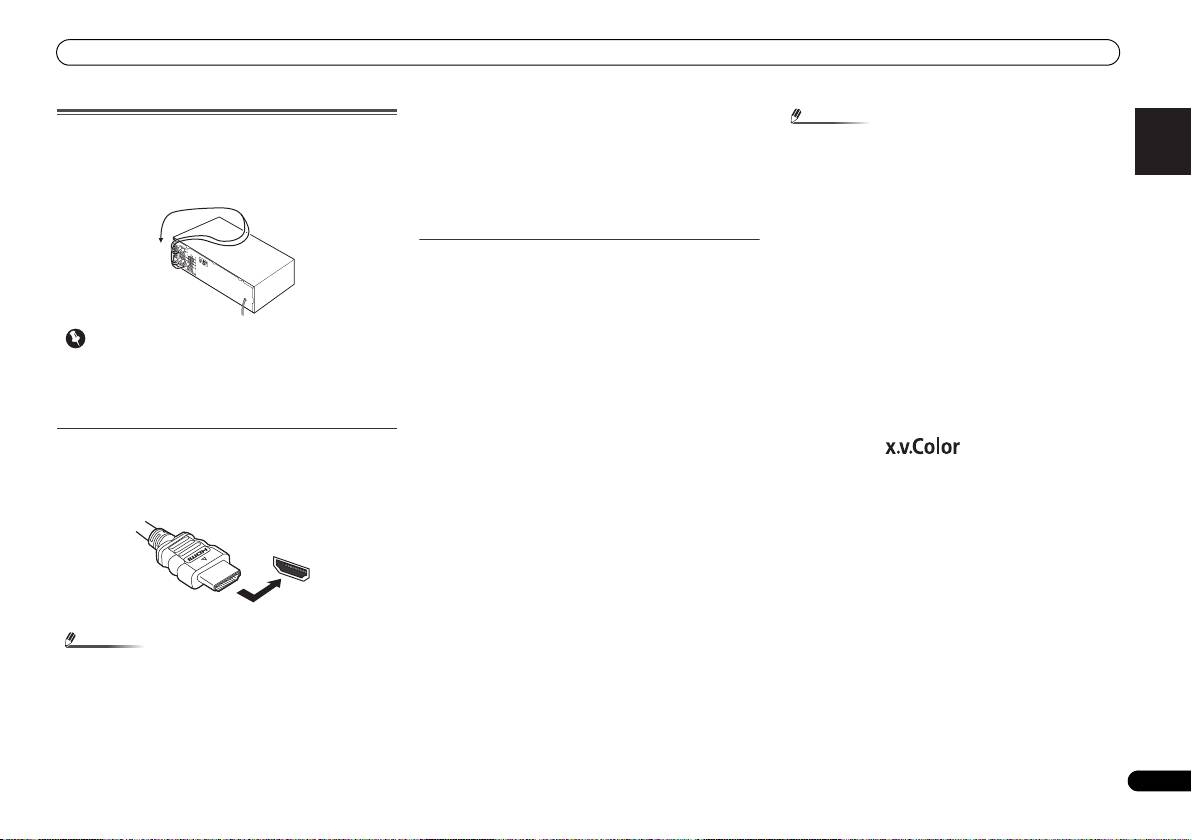
Make sure not to bend the cables over the top of this unit (as
shown in the illustration). If this happens, the magnetic field
produced by the transformers in this unit may cause a
humming noise from the speakers.
Important
• Before making or changing connections, switch off the
power and disconnect the power cord from the AC outlet.
• Before unplugging the power cord, switch the power into
standby.
HDMI cables
Both video and sound signals can be transmitted
simultaneously with one cable. If connecting the player and
the TV via this receiver, for both connections, use HDMI
cables.
Be careful to connect the terminal in the proper direction.
Note
• If the video signal does not appear on your TV, try
adjusting the resolution settings on your component or
display. Note that some components (such as video game
units) have resolutions that may not be displayed. In this
case, use a (analog) composite connection.
• When the video signal from the HDMI is 480i, 480p, 576i
or 576p, Multi Ch PCM sound and HD sound cannot be
received.
About HDMI
The HDMI connection transfers uncompressed digital video,
as well as almost every kind of digital audio that the
connected component is compatible with, including DVD-
Video, DVD-Audio, SACD, Dolby Digital Plus, Dolby TrueHD,
DTS-HD Master Audio (see below for limitations), Video CD/
Super VCD and CD.
This receiver incorporates High-Definition Multimedia
®
Interface (HDMI
) technology.
This receiver supports the functions described below through
HDMI connections.
• Digital transfer of uncompressed video (contents
protected by HDCP (1080p/24, 1080p/60, etc.))
• 3D signal transfer
• Deep Color signal transfer
• x.v.Color signal transfer
• Audio Return Channel
• Input of multi-channel linear PCM digital audio signals
(192 kHz or less) for up to 8 channels
• Input of the following digital audio formats:
– Dolby Digital, Dolby Digital Plus, DTS, High bitrate
audio (Dolby TrueHD, DTS-HD Master Audio), DVD-
Audio, CD, SACD (DSD 2 ch only), Video CD, Super VCD
• Synchronized operation with components using the
Control with HDMI function (see Control with HDMI
function on Operating Instructions in CD-ROM)
• Set the HDMI parameter to THRU (THROUGH) and set
the input signal to HDMI, if you want to hear HDMI audio
output from your TV (no sound will be heard from this
receiver) (see Setting the Audio options and Selecting the
audio input signal on Operating Instructions in CD-ROM).
Note
VSX-421_SYXCN_QSG_En.book 9 ページ 2011年3月7日 月曜日 午後4時25分
®
• Use a High Speed HDMI
cable. If HDMI cable other than
®
a High Speed HDMI
cable is used, it may not work
properly.
• When an HDMI cable with a built-in equalizer is
connected, it may not operate properly.
• 3D, Deep Color, x.v.Color signal transfer and Audio
Return Channel are only possible when connected to a
compatible component.
• HDMI format digital audio transmissions require a longer
time to be recognized. Due to this, interruption in the
audio may occur when switching between audio formats
or beginning playback.
• Turning on/off the device connected to this unit’s HDMI
OUT terminal during playback, or disconnecting/
connecting the HDMI cable during playback, may cause
noise or interrupted audio.
HDMI, the HDMI Logo and High-Definition Multimedia
Interface are trademarks or registered trademarks of HDMI
Licensing, LLC in the United States and other countries.
“x.v.Color” and are trademarks of Sony
Corporation.
HDMI
