
Pioneer PD-D9MK2-K: Chapter 4 Getting started Switching on Playing discs
Chapter 4 Getting started Switching on Playing discs: Pioneer PD-D9MK2-K
Table of contents
- IMPORTANT
- POWER-CORD CAUTION IMPORTANT: THE MOULDED PLUG
- Contents
- Chapter 1 Before you start
- What’s in the box Inserting the battery
- Disc/content format playback compatibility About WMA Disc compatibility table About DualDisc playback
- Chapter 2 Connecting up Connecting to an amplifier Using the remote sensor of another Pioneer component
- Connecting up 02 Plugging in
- Chapter 3 Controls and displays Front panel Display
- Remote control
- Chapter 4 Getting started Switching on Playing discs
- Getting started 04 Other playback features Button What it does Button What it does
- Chapter 5 Other settings and features Listening to Pure Audio Using Legato Link Pro Using the SACD/CD Dimming the display Displaying disc information
- Chapter 6 Additional information Hints on installation Taking care of your player and discs
- Additional information06 Cleaning the pickup lens Cleaning discs Condensation Moving the player Cleaning the unit’s exterior
- Troubleshooting Problem Remedy
- Glossary Specifications
- Accessories
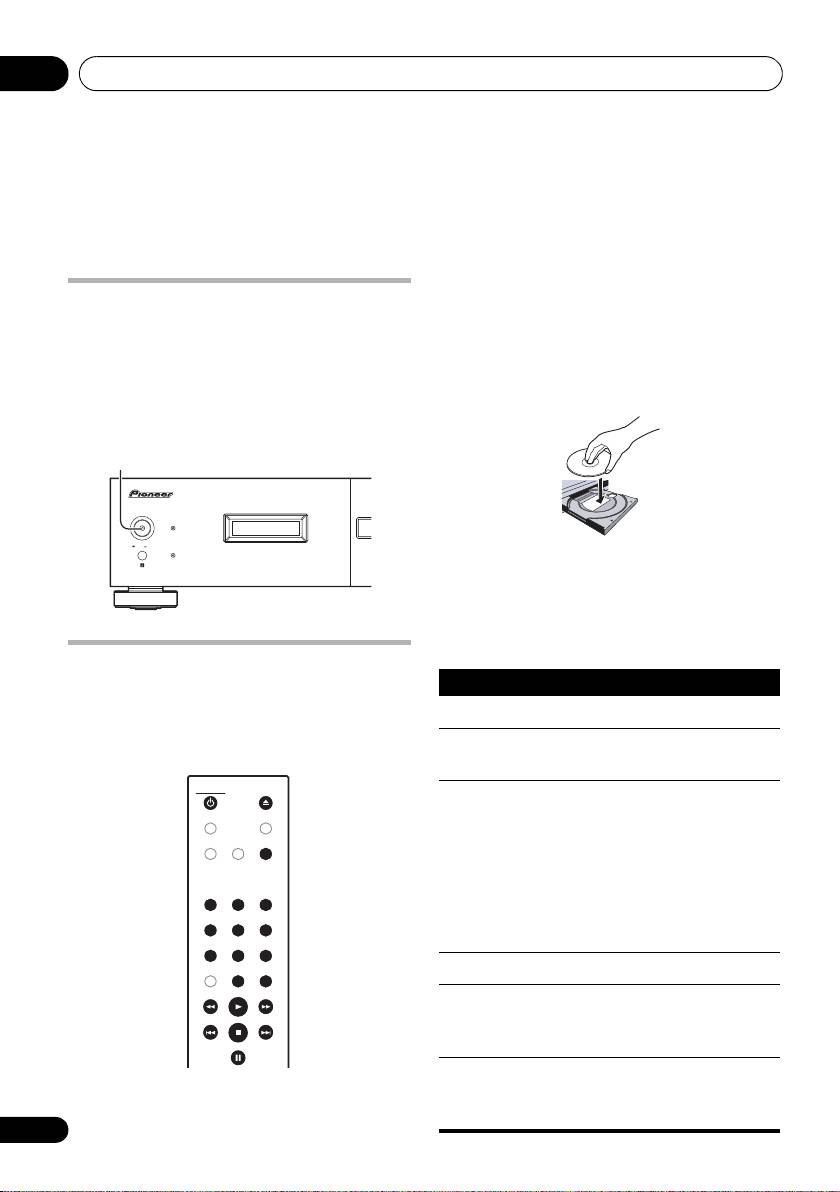
Getting started04
Chapter 4
Getting started
2 Press
(OPEN/CLOSE) to open the disc
Switching on
tray.
After making sure that everything is connected
3 Load a disc.
properly and that the player is plugged in, push
Load a disc with the label side facing up, using
the POWER button into the
ON
position to
the disc tray guide to align the disc. Once
switch the player on.
properly seated, press to close the disc tray.
• Press CD PLAYER on the remote to
switch the unit into standby.
4 Press
(play) to start playback.
Basic playback controls
The table below shows the basic controls for
playing discs.
Playing discs
The basic playback controls for playing CDs,
SACDs, and MP3/WMA discs are covered
here. Further functions are detailed in Other
playback features on page 13.
1 If the player isn’t already on, press
POWER
to switch it on.
12
En
POWER OFF ON
POWER
STANDBY
ONOFF
PURE AUDIO
CD PLAYER
CD PLAYER
OPEN/CLOSE
OPEN/CLOSE
TIME
DIMMER
LEGATO
SACD/CD
LINK
PURE AUDIO
PURE AUDIO
123
123
456
456
78
78
9
9
CLEAR ENTER
0
0
ENTER
PD-D9MK2_SYXJ5.book 12 ページ 2009年4月15日 水曜日 午後6時9分
Button What it does
Starts playback.
Pauses a disc that’s playing, or
restarts a paused disc.
/
Starts playback/stops a disc that’s
(front panel
playing.
only)
• While depressing /, press
(front panel only). Counting from the
first track on the disc, playback will
begin from the track number
corresponding to the number of
times is pressed.
Stops playback.
Press to start fast reverse scanning.
Press
(play) to resume normal
playback.
Press to start fast forward scanning.
Press
(play) to resume normal
playback.
