
Pioneer PD-D9MK2-K: Additional information06 Cleaning the pickup lens Cleaning discs Condensation Moving the player Cleaning the unit’s exterior
Additional information06 Cleaning the pickup lens Cleaning discs Condensation Moving the player Cleaning the unit’s exterior: Pioneer PD-D9MK2-K
Table of contents
- IMPORTANT
- POWER-CORD CAUTION IMPORTANT: THE MOULDED PLUG
- Contents
- Chapter 1 Before you start
- What’s in the box Inserting the battery
- Disc/content format playback compatibility About WMA Disc compatibility table About DualDisc playback
- Chapter 2 Connecting up Connecting to an amplifier Using the remote sensor of another Pioneer component
- Connecting up 02 Plugging in
- Chapter 3 Controls and displays Front panel Display
- Remote control
- Chapter 4 Getting started Switching on Playing discs
- Getting started 04 Other playback features Button What it does Button What it does
- Chapter 5 Other settings and features Listening to Pure Audio Using Legato Link Pro Using the SACD/CD Dimming the display Displaying disc information
- Chapter 6 Additional information Hints on installation Taking care of your player and discs
- Additional information06 Cleaning the pickup lens Cleaning discs Condensation Moving the player Cleaning the unit’s exterior
- Troubleshooting Problem Remedy
- Glossary Specifications
- Accessories
06_additional_info.fm 16 ページ 2009年4月21日 火曜日 午後6時13分
Additional information06
This player is designed to be used only with
Cleaning the pickup lens
conventional, fully circular discs. Do not use
The player’s lens should not become dirty in
shaped discs. Pioneer disclaims all liability
normal use, but if for some reason it should
arising in connection with the use of shaped
malfunction due to dust or dirt, consult your
discs.
nearest Pioneer-authorized service center. We
do not recommend using commercially
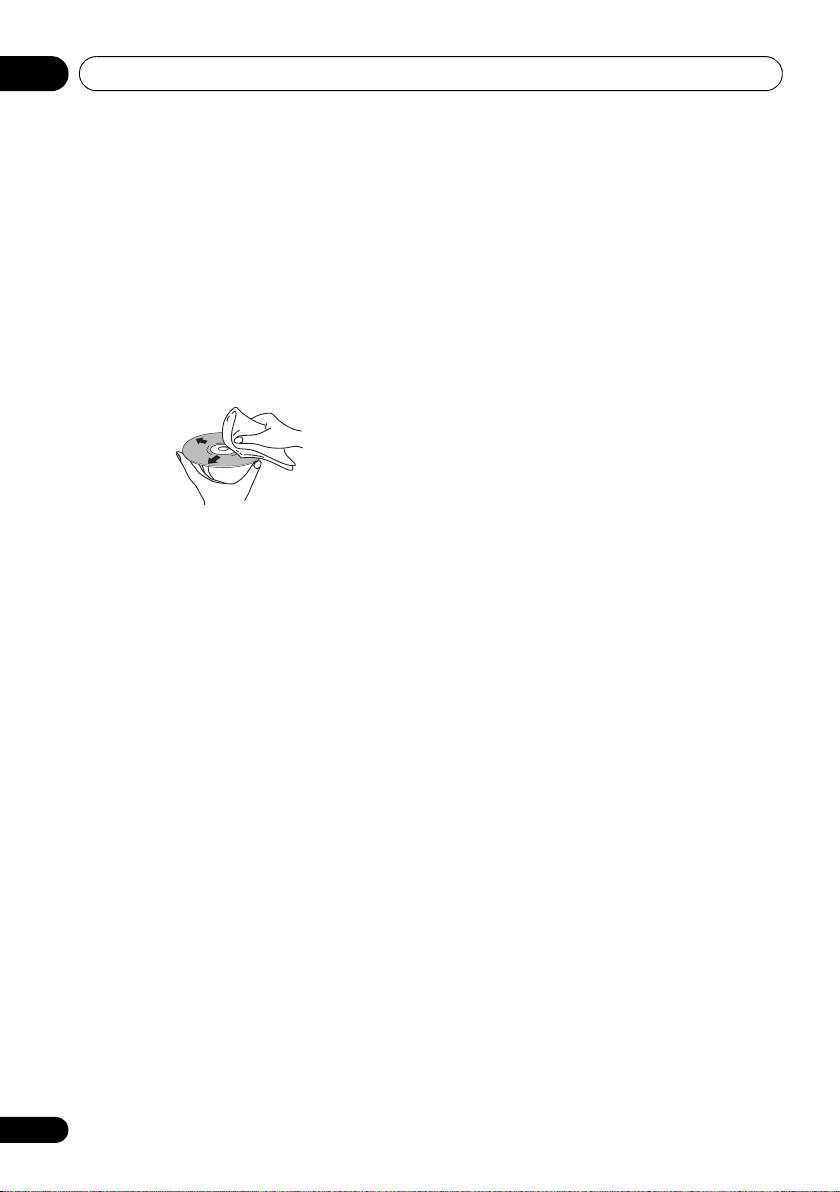
Cleaning discs
available lens cleaners for CD players.
Fingerprints and dust on discs can affect
playback performance. Clean using a soft, dry
Condensation
cloth, wiping the disc lightly from the center to
Condensation may form inside the player if it is
the outside edge as shown below.
brought into a warm room from outside, or if
the temperature of the room rises quickly.
Although the condensation won’t damage the
player, it may temporarily impair its
performance. Leave it to adjust to the warmer
temperature for about an hour before
switching on.
If necessary, use a cloth soaked in alcohol, or a
commercially available CD/DVD cleaning kit to
Moving the player
clean a disc more thoroughly. Never use
If you need to move the player, first switch the
benzine, thinner or other cleaning agents,
unit into standby (press CD PLAYER on the
including products designed for cleaning vinyl
remote), then unplug the power cable. Never
records.
lift or move the unit during playback — discs
rotate at a high speed and may be damaged.
Cleaning the unit’s exterior
Unplug the unit before cleaning.
Caution for when the unit is installed
in a rack with a glass door
Use a dry cloth to wipe off dust and dirt. If the
surfaces are very dirty, wipe with a soft cloth
Do not press the OPEN/CLOSE on the
dipped in some neutral cleanser diluted five or
remote control to open the disc tray while the
six times with water and wrung out well, then
glass door is closed. The door will hamper the
wipe again with a dry cloth.
movement of the disc tray, and the unit could
be damaged.
Do not use furniture wax or cleaners. Never use
thinners, benzine or insecticide sprays or other
chemicals on or near this unit.
If you use a chemical-impregnated cleaning
cloth, read the instructions carefully before
use. These cloths may leave smear marks on
half-mirror finish surfaces; if this happens,
finish with a dry cloth.
16
En
