
Pioneer CDJ-2000NXS: Using a wireless router and access points
Using a wireless router and access points: Pioneer CDJ-2000NXS
Table of contents
- IMPORTANT
- POWER-CORD CAUTION
- Before you start
- Playable music file formats About the rekordbox music management software
- Functions usable in combination with a computer About the included CD-ROM Software end user license agreement
- Cautions on installing rekordbox (Mac/Windows) Installing rekordbox (Mac/Windows) Installation procedure (Macintosh)
- Installation procedure (Windows) Installing rekordbox (iOS/Android)
- Connections
- PRO DJ LINK (SD & USB Export) PRO DJ LINK (LINK Export)
- Using a wireless router and access points
- Operation Turning the power on Turning the power off Inserting discs Inserting SD memory cards Connecting USB devices Playback
- Playing storage devices (SD, USB) of Playing the rekordbox library on a computer or mobile device
- Error messages Specifications
11
En
English
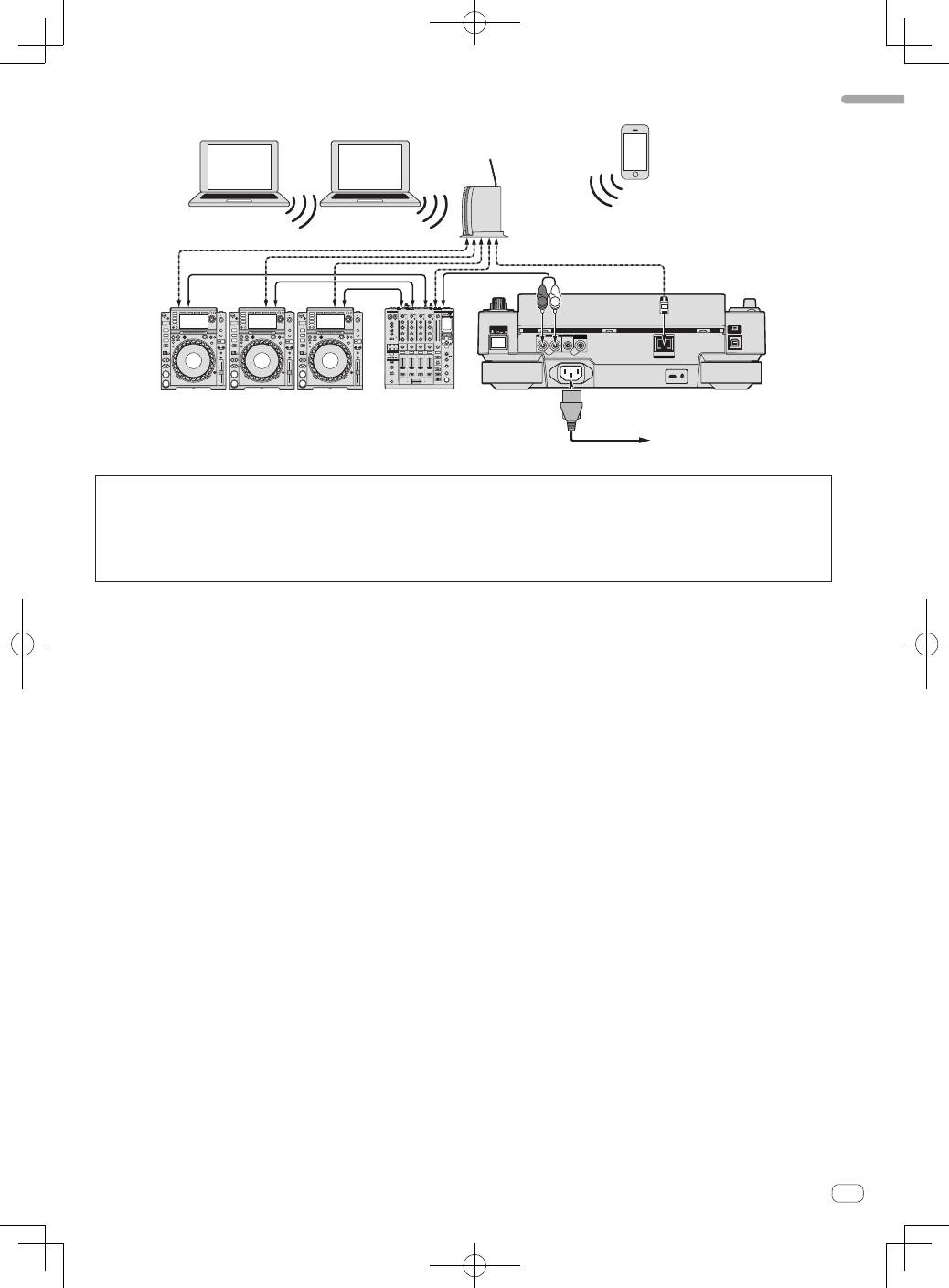
Using a wireless router and access points
POWER
CONTROL
LINK
AUDIO OUT
R
L
CONTROL
DIGITAL
OUT
L
R
rekordbox
rekordbox
DJ player × 3
DJ mixer
Rear panel
LAN cable
Audio cable
× 3
To an AC outlet
Computer
Wireless router
and access points
Mobile device on
which rekordbox
is installed
Computer
LAN cable × 3
Audio cable
Power cord
!
For combinations with other DJ software, etc., see this product’s operating instructions.
Cautions
To use rekordbox’s music file management functions to their maximum, set the channel of the audio or coaxial digital input cable connected to the
mixer and the player number to the same number.
If the player number is different, change the [
PLAYER No.
] setting on the [
UTILITY
] screen.
=
For instructions on changing the settings on the [
UTILITY
] screen, see this product’s operating instructions.
!
When a storage device is connected to this unit, [
PLAYER No.
] is displayed in gray and cannot be changed. Disconnect the storage device or LAN
cable to turn the link off, then change the setting.
