
Pioneer CDJ-2000NXS: Connections
Connections: Pioneer CDJ-2000NXS
Table of contents
- IMPORTANT
- POWER-CORD CAUTION
- Before you start
- Playable music file formats About the rekordbox music management software
- Functions usable in combination with a computer About the included CD-ROM Software end user license agreement
- Cautions on installing rekordbox (Mac/Windows) Installing rekordbox (Mac/Windows) Installation procedure (Macintosh)
- Installation procedure (Windows) Installing rekordbox (iOS/Android)
- Connections
- PRO DJ LINK (SD & USB Export) PRO DJ LINK (LINK Export)
- Using a wireless router and access points
- Operation Turning the power on Turning the power off Inserting discs Inserting SD memory cards Connecting USB devices Playback
- Playing storage devices (SD, USB) of Playing the rekordbox library on a computer or mobile device
- Error messages Specifications
9
En
English
Connections
!
Be sure to turn off the power and unplug the power cord from the power outlet whenever making or changing connections.
!
Refer to the operating instructions for the component to be connected.
!
Connect the power cord after all the connections between devices have been completed.
!
When using a LAN cable for connection, be sure to use either the LAN cable included with this product or an STP (shielded twisted pair) cable.
!
Do not disconnect the LAN cable when music files and/or information are being shared using PRO DJ LINK.
Basic style
Playback on this unit is performed mainly using tracks prepared with rekordbox installed on a computer.
!
For instructions on operating rekordbox, see rekordbox (Mac/Windows)’s operating instructions. The rekordbox (Mac/Windows) operating instruc-
tions can be viewed from the rekordbox (Mac/Windows) [Help] menu.
!
Also, for DJ players and DJ mixers, up to four PRO DJ LINK-compatible players can be connected with LAN cables (CAT5e) using PRO DJ LINK
connections.
!
A switching hub (commercially available) may be necessary, depending on the combination of models used. Use a switching hub of 100 Mbps or
greater. Some switching hubs may not operate properly.
!
A switching hub (commercially available) is necessary to connect to a mixer equipped with only one LAN port. For mixers with enough LAN ports for
all the DJ players and computers in the system, connect directly to the LAN ports on the mixer’s rear panel, without using a hub.
!
Use a wireless router (commercially available) and access point (commercially available) conforming to either IEEE802.11n or IEEE802.11g stan-
dards. Depending on the signal conditions in the usage environment and the wireless router or access point, PRO DJ LINK connections may not
operate properly.
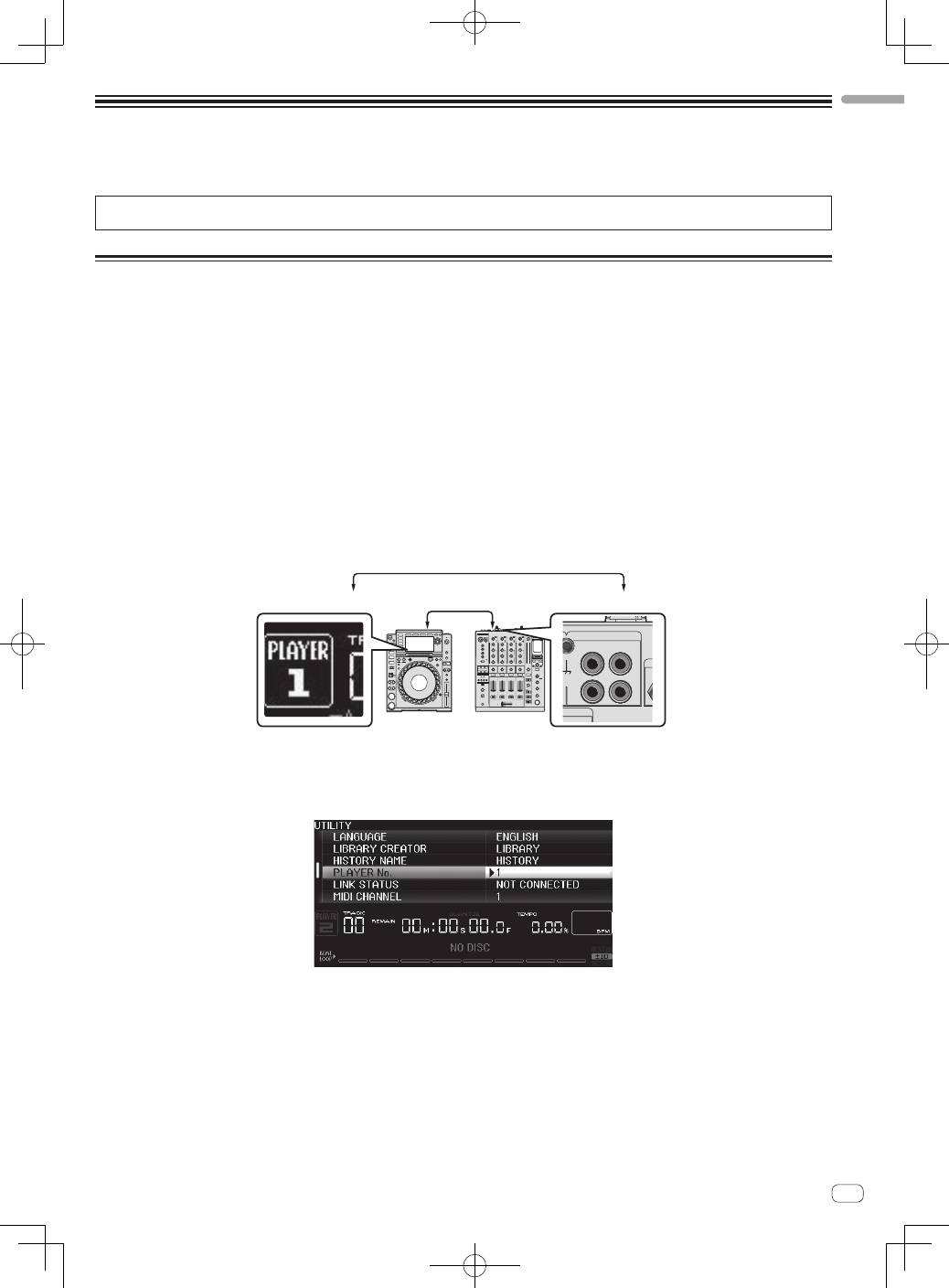
Connecting to a mixer with only one LAN port
When connecting to a mixer with only one LAN port using a switching hub, in order to use rekordbox’s music file management functions to their maxi-
mum, set the channel number of the mixer to which the audio or coaxial digital cable is connected and the player number displayed at the bottom left
of the main unit display to the same number.
(Ex.: When the audio cable is connected to channel 1)
L
R
PHONO
CH 1
CD/LINE
NAL GND
PLAYER 1
CH 1
Audio cable
To change the player number, follow the procedure below.
1
Disconnect the storage device (SD, USB) and LAN cable.
2
Press the [
MENU/UTILITY
] button for over 1 second to display the [
UTILITY
] screen.
3
Turn the rotary selector to select [
PLAYER No.
], then press the rotary selector.
4
Turn the rotary selector to select the player number, then press the rotary selector to enter it.
5
Press the [
MENU/UTILITY
] button to complete the setting.
