
Pioneer CDJ-2000NXS: Installation procedure (Windows) Installing rekordbox (iOS/Android)
Installation procedure (Windows) Installing rekordbox (iOS/Android): Pioneer CDJ-2000NXS
Table of contents
- IMPORTANT
- POWER-CORD CAUTION
- Before you start
- Playable music file formats About the rekordbox music management software
- Functions usable in combination with a computer About the included CD-ROM Software end user license agreement
- Cautions on installing rekordbox (Mac/Windows) Installing rekordbox (Mac/Windows) Installation procedure (Macintosh)
- Installation procedure (Windows) Installing rekordbox (iOS/Android)
- Connections
- PRO DJ LINK (SD & USB Export) PRO DJ LINK (LINK Export)
- Using a wireless router and access points
- Operation Turning the power on Turning the power off Inserting discs Inserting SD memory cards Connecting USB devices Playback
- Playing storage devices (SD, USB) of Playing the rekordbox library on a computer or mobile device
- Error messages Specifications
8
En
Installation procedure (Windows)
!
Authorization of the computer’s administrator is required to install
and uninstall rekordbox.
Log on as the user registered as the computer’s administrator before
installing rekordbox (Mac/Windows).
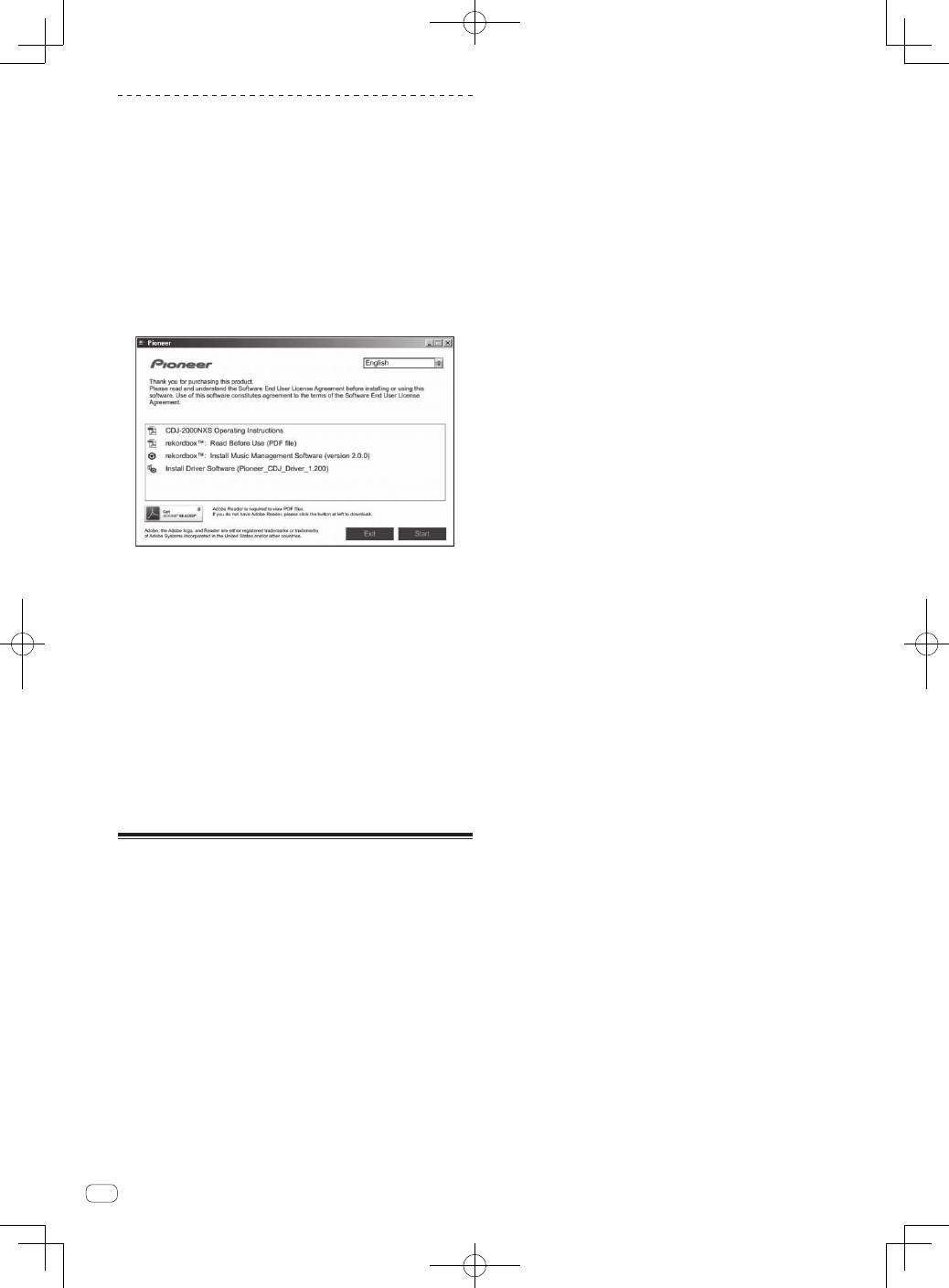
1 Insert the CD-ROM into the computer’s optical drive.
The CD-ROM menu is displayed.
!
If the CD-ROM menu does not appear when the CD-ROM is inserted,
open the CD drive from [
Computer
(or
My Computer
)] in the [
Start
]
menu, then double-click the [
CD_menu.exe
] icon.
2 When the CD-ROM’s menu is displayed, select
[rekordbox: Install Music Management Software], then
click [Start].
!
To close the CD-ROM menu, click [
Exit
].
3 When the language selection screen appears, select
[English] and click [OK].
!
You can select the one you desire from multiple languages as long
as the language is supported by the system environment of your
computer.
4 When the license agreement screen appears, read the
Software end user license agreement
carefully. If you
agree to the
Software end user license agreement
, click
[Agree].
!
If you do not consent to the provisions of the
Software end user
license agreement
, click [
Cancel
] and stop installation.
5 Install rekordbox by following the instructions on the
screen.
!
Click [
Cancel
] to cancel installation after it has started.
Installing rekordbox (iOS/Android)
Install rekordbox (iOS/Android) on the mobile device (smartphone, tablet
device, etc.). For instructions on installation and supported operating
system versions, see our website (http://rekordbox.com/).
