
Pioneer X-HM10-S: Using the Radio Data System (RDS) (continued)
Using the Radio Data System (RDS) (continued): Pioneer X-HM10-S
Table of contents
- Operating Environment VENTILATION CAUTION
- ENGLISH Introduction Accessories CONTENTS
- Precautions n General n Volume control Controls and indicators n Front panel
- n Speaker system n Remote control n Display
- System connections n Aerial connection n Speaker connection n Connecting iPod or iPhone to TV
- n AC power connection n Connecting a TV, etc. n Battery installation n Test of the remote control
- General control Setting the clock (Remote control only)
- Setting the clock (Remote control only) (continued) Listening to the iPod, iPhone or iPad
- Listening to the iPod, iPhone or iPad (X-HM20 only) (continued)
- Listening to the iPod, iPhone or iPad (X-HM20 only) (continued)
- Listening to a CD or MP3/WMA disc
- Advanced CD or MP3/WMA disc playback
- Advanced CD or MP3/WMA disc MP3/WMA folder mode (only for MP3/ playback (continued) WMA files)
- MP3/WMA folder mode (only for MP3/ Listening to USB mass storage WMA files) (continued) device/MP3 player
- Listening to USB mass storage device/MP3 player (continued) Advanced USB playback
- Listening to the radio
- Using the Radio Data System (RDS)
- Using the Radio Data System (RDS) (continued)
- Using the Radio Data System (RDS) Timer and sleep operation (Remote (continued) control only)
- Timer and sleep operation (Remote control only) (continued)
- Timer and sleep operation (Remote Headphones control only) (continued)
- Troubleshooting chart
- Troubleshooting chart (Continued)
- Specifications
- Notice
Using the Radio Data System (RDS) (continued)
Notes for radio text:
Descriptions of the PTY (Programme Type) codes, TP
l The first 14 characters of the radio text will appear for
(Traffic Programme) and TA (Traffic Announcement)
4 seconds and then they will scroll across the display.
You can search for and receive the following PTY, TP and
l If you tune in to an RDS station which is not
TA signals.
broadcasting any radio text, “No RT” will be displayed
when you switch to the radio text position.
NEWS Short accounts of facts, events and
publicly expressed views, reportage and
l Whilst radio text data is received or when the text
actuality.
contents change, “RT” will be displayed.
AFFAIRS Topical programme expanding or
n To recall stations in memory
enlarging upon the news, generally in
different presentation style or concept,
To specify programmed types and select stations
including debate, or analysis.
(PTY search):
You can search a station by specifying the programme
INFO Programmes whose purpose is to impart
advice in the widest sense.
type (news, sports, traffic programme, etc. ... see page 20)
from the stations in memory.
SPORT Programme concerned with any aspect of
sport.
1
Press the TUNER button on the remote control or
EDUCATE Programme intended primarily to
INPUT button repeatedly on the main unit to select
educate, of which the formal element is
TUNER function.
fundamental.
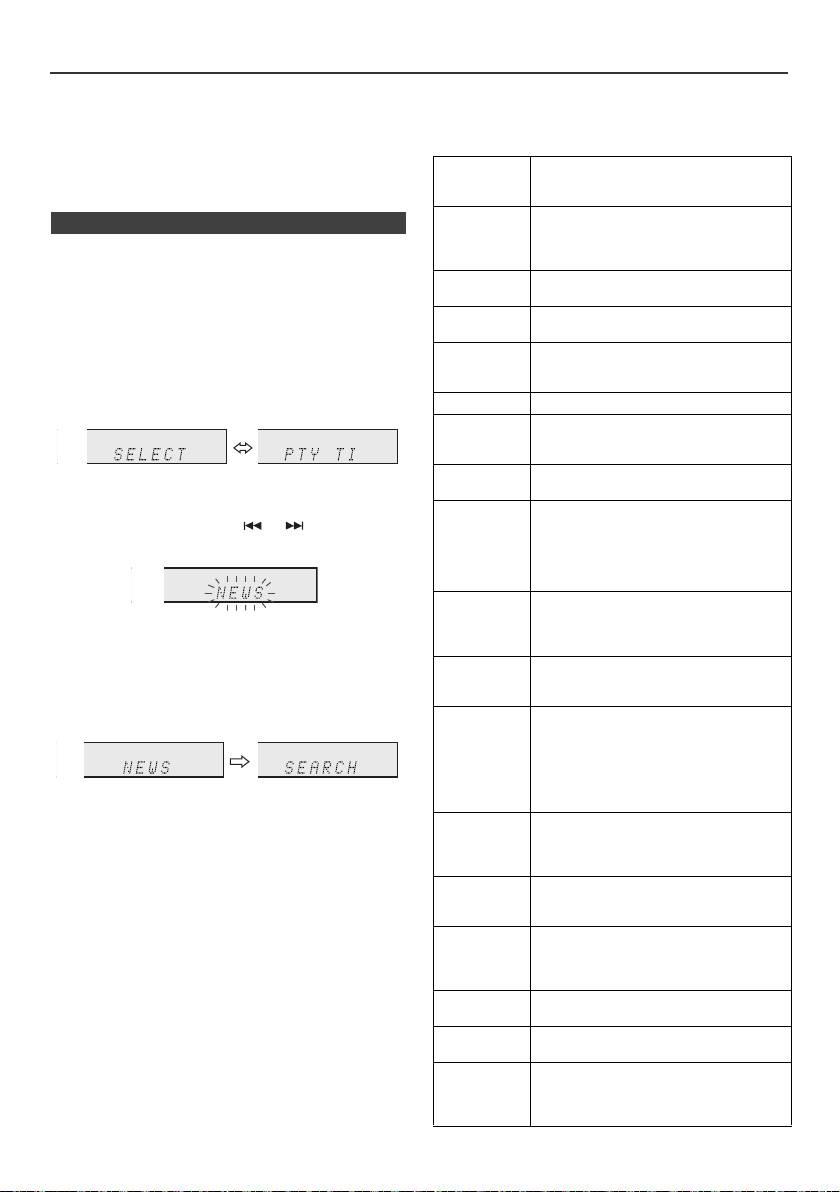
2 Press the RDS PTY button on the remote control.
DRAMA All radio plays and serials.
CULTURE Programmes concerned with any aspect
of national or regional culture, including
language, theatre, etc.
SCIENCE Programmes about the natural sciences
“SELECT” and “PTY TI” will appear alternately for
and technology.
about 6 seconds.
VARIED Used for mainly speech-based
3 Within 6 seconds, press the or button to select
programmes usually of light-
entertainment nature, not covered by
the programme type.
other categories. Examples include:
quizzes, panel games, personality
interviews.
POP M Commercial music, which would
generally be considered to be of current
Each time the button is pressed, the programme type
popular appeal, often featuring in current
will appear. If the button is held down for more than
or recent record sales charts.
0.5 seconds, the programme type will appear
ROCK M Contemporary modern music, usually
continuously.
written and performed by young
musicians.
4 Whilst the selected programme type is flashing (within
6 seconds), press the RDS PTY button again.
EASY M Current contemporary music considered
to be “easy-listening”, as opposed to Pop,
Rock or Classical, or one of the
specialised music styles, Jazz, Folk or
Country. Music in this category is often
but not always, vocal, and usually of short
After the selected programme type has been lit for 2
duration.
seconds, “SEARCH” will appear, and the search
LIGHT M Classical music for general, rather than
operation will start.
specialist appreciation. Examples of
music in this category are instrumental
Notes:
music, and vocal or choral works.
l If the display has stopped flashing, start again from
CLASSICS Performances of major orchestral works,
step 2. If the unit finds a desired programme type, the
corresponding channel number will lit for about
symphonies, chamber music, etc., and
8 seconds, and then the station name will remain it.
including Grand Opera.
l If you want to listen to the same programme type of
OTHER M Musical styles not fitting into any of the
another station, press the RDS PTY button whilst the
other categories. Particularly used for
channel number or station name is flashing. The unit
specialist music of which Rhythm & Blues
will look for the next station.
and Reggae are examples.
l If no station can be found, “NOT FOUND” will appear
WEATHER Weather reports and forecasts and
for 4 seconds.
meteorological information.
If you select the traffic programme:
FINANCE Stock Market reports, commerce, trading,
If you select the traffic programme (TP) in step 3, “TP” will
etc.
appear.
CHILDREN For programmes targeted at a young
(This does not mean that you can listen to the traffic
audience, primarily for entertainment and
information at that time.)
interest, rather than where the objective is
When the traffic information is broadcast, “TA” will appear.
to educate.
En-20
11/5/25 X-HM10_20_En.fm
