
Pioneer X-HM10-S: Listening to USB mass storage device/MP3 player (continued) Advanced USB playback
Listening to USB mass storage device/MP3 player (continued) Advanced USB playback: Pioneer X-HM10-S
Table of contents
- Operating Environment VENTILATION CAUTION
- ENGLISH Introduction Accessories CONTENTS
- Precautions n General n Volume control Controls and indicators n Front panel
- n Speaker system n Remote control n Display
- System connections n Aerial connection n Speaker connection n Connecting iPod or iPhone to TV
- n AC power connection n Connecting a TV, etc. n Battery installation n Test of the remote control
- General control Setting the clock (Remote control only)
- Setting the clock (Remote control only) (continued) Listening to the iPod, iPhone or iPad
- Listening to the iPod, iPhone or iPad (X-HM20 only) (continued)
- Listening to the iPod, iPhone or iPad (X-HM20 only) (continued)
- Listening to a CD or MP3/WMA disc
- Advanced CD or MP3/WMA disc playback
- Advanced CD or MP3/WMA disc MP3/WMA folder mode (only for MP3/ playback (continued) WMA files)
- MP3/WMA folder mode (only for MP3/ Listening to USB mass storage WMA files) (continued) device/MP3 player
- Listening to USB mass storage device/MP3 player (continued) Advanced USB playback
- Listening to the radio
- Using the Radio Data System (RDS)
- Using the Radio Data System (RDS) (continued)
- Using the Radio Data System (RDS) Timer and sleep operation (Remote (continued) control only)
- Timer and sleep operation (Remote control only) (continued)
- Timer and sleep operation (Remote Headphones control only) (continued)
- Troubleshooting chart
- Troubleshooting chart (Continued)
- Specifications
- Notice
l This product can play WMA and MP3 files. It will
Listening to USB mass storage
automatically detect the file type being played. If
device/MP3 player (continued)
unplayable file is played on this product, “Not Support”
is indicated and the file will be automatically skipped.
This will take a few seconds. If abnormal indications
n To play back USB/MP3 player with folder
appear on the display due to the unspecified file, turn
mode on
off the unit and then turn it on again.
l This product relates to USB mass storage devices and
1
Press the USB button on the remote control or INPUT
MP3 players. It may however face some irregularities
button repeatedly on main unit to select USB function.
due to various unforeseen reasons from some devices.
Connect the USB memory device that has MP3/WMA
Should this happen, turn off the unit and then turn it on
format files on the unit. When the USB memory is
again.
connected to the main unit, the device information will
l The USB port is only intended for direct connection to
be displayed.
a USB memory device without any cable.
2 Press the FOLDER button, and press the PRESET
(
l During CD function, MP3 player will not be charging.
or
)
button to select desired playback folder. To start
l “Not support” will be displayed if you connect an iPod
playback with folder mode on, go to step 4. To change
to USB terminal when the USB function is selected.
the playback folder, press the PRESET
(
or
)
button
to select another folder.
Advanced USB playback
3 Select desired file to be played back by pressing the
or button.
The following functions are the same as CD
operations:
4 Press the / (CD/USB / ) button. Playback will start
Page
and the file name will be displayed.
Direct track search . . . . . . . . . . . . . . . . . . . . . . . . . . .14
l Title, Artist and Album name are displayed if they are
Repeat play . . . . . . . . . . . . . . . . . . . . . . . . . . . . . . . . .14
recorded in the USB memory device.
Random play . . . . . . . . . . . . . . . . . . . . . . . . . . . . . . . .14
Programmed play (MP3/WMA). . . . . . . . . . . . . . . . . .15
l Display content can be changed by pressing the CD/
USB DISPLAY button.
Notes:
l If USB memory device is not connected, “USB No
Media” will be shown on the display.
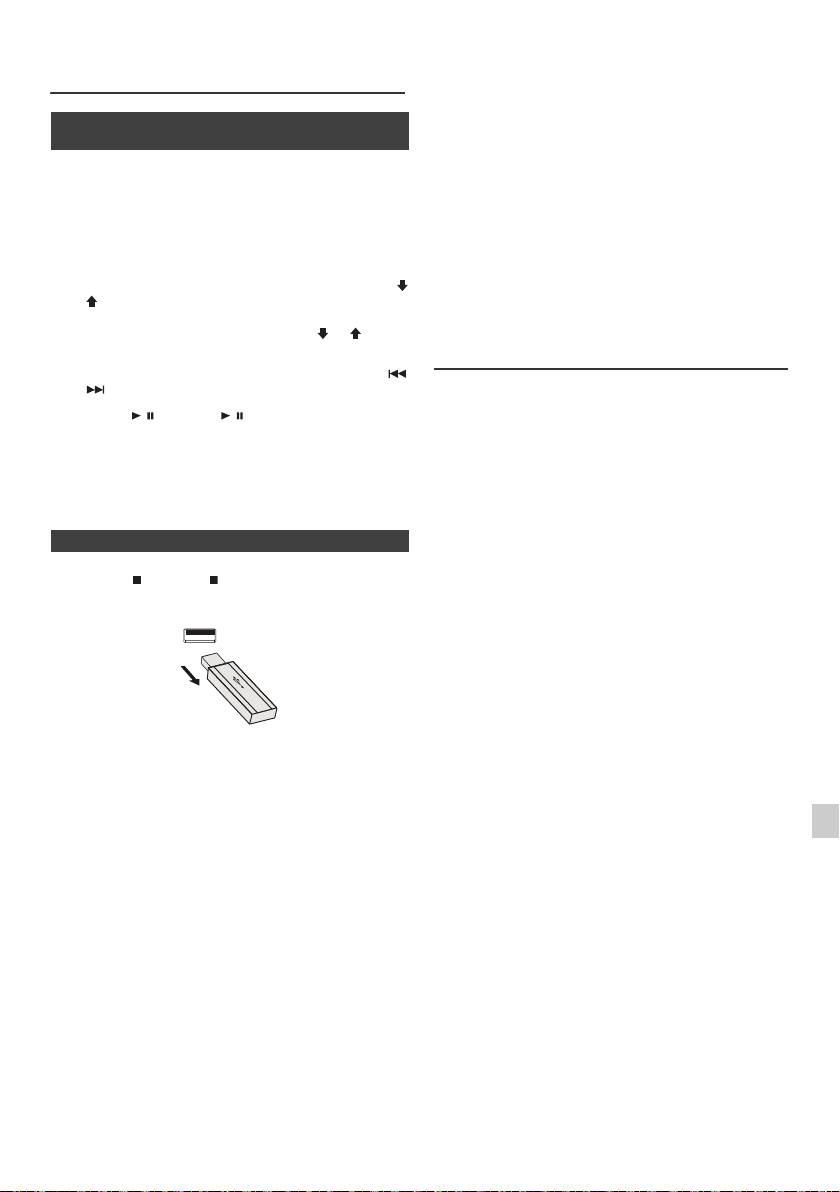
n To remove USB memory device
l This unit only supports “MPEG-1 Audio Layer-3”
format. (Sampling Frequency is 32 kHz, 44.1 kHz, 48
1
Press the (CD/USB ) button to stop playback.
kHz)
l Playback order for MP3 files may differ depending on
2 Disconnect USB memory device from the USB terminal.
the writing software used during file download.
l Bitrate which is supported by MP3 is 32 kbps to 320
kbps, WMA is 64 kbps to 160 kbps.
l For MP3/WMA files, please put “.MP3” “.WMA”
extension. Files cannot be played back if there is no
MP3/WMA extension.
l Playlists are not supported on this unit.
l This unit can display Folder Name or File Name up to
32 characters.
l Maximum total number of MP3/WMA files is 999.
Notes:
l Total number of folders read is 99 including folder with
l PIONEER will not be held liable for the loss of data
non-playable file. However, the display shows only
whilst the USB memory device is connected to the
folder with MP3 files.
audio system.
l The display playback time may not be displayed
l Files compressed in MP3 and/or WMA format can be
correctly when playing back a variable bitrate file.
played back when connected to the USB terminal.
1
l The ID3TAG information supported are TITLE,
l This USB memory’s format supports FAT 16 or FAT
ARTIST and ALBUM only. Title name, artist name and
32.
album name can be displayed by pressing the
2
l PIONEER cannot guarantee that all USB memory
DISPLAY button during file playback or pause mode.
devices will work on this audio system.
l WMA meta tag also supports title, artist and album
l USB cable is not recommended for use in this audio
3
name which are recorded in WMA files. Copyright
system to connect to USB memory device. Use of the
protected WMA files cannot be played back.
USB cable will affect the performance of this audio
system.
4
l This USB memory cannot be operated via USB hub.
l The USB terminal in this unit is not intended for a PC
5
connection but is used for music streaming with a USB
memory device.
6
l External HDD-storage cannot be played back via USB
terminal.
l If the data inside the USB memory is large, it may take
7
longer time for the data to be read.
8
9
En-17
11/5/25 X-HM10_20_En.fm
