
Pioneer FH-460UI: Troubleshooting Error messages
Troubleshooting Error messages: Pioneer FH-460UI
Table of contents
- About this unit If you experience problems
- Head unit Display indication Basic operations Set up menu
- Radio
- CD/CD-R/CD-RW and USB storage devices
- iPod
- Using connected device applications Audio adjustments
- System menu
- Initial menu System menu Using an AUX source
- Connections This unit Power cord
- Installation
- Troubleshooting Error messages
- Handling guidelines
- Compressed audio compatibility (disc, USB)
- iPod compatibility Russian character chart Sequence of audio files Copyright and trademark
- Specifications
Black plate (12,1)
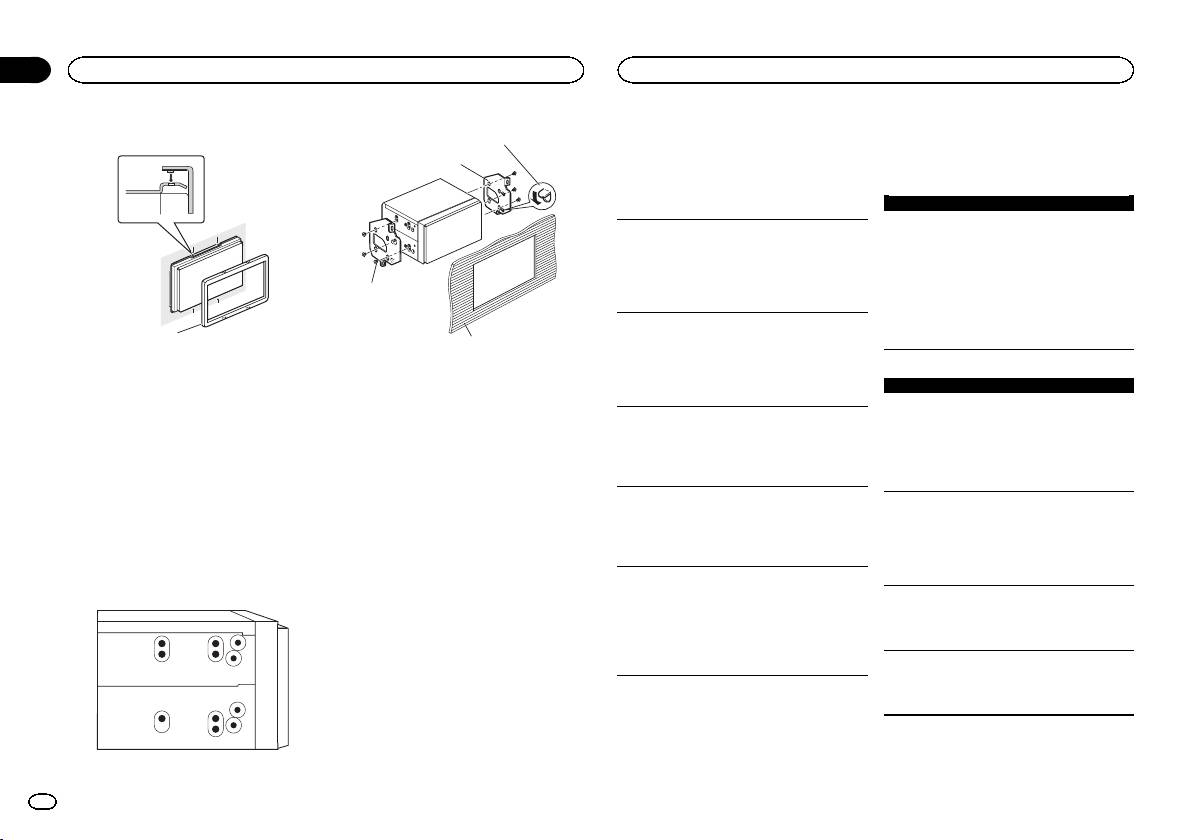
3 Attach the trim ring.
1
2
1
1 Trim ring
Removing the holder
The procedure is the same as that for Before in-
stalling this unit. For details, refer to Before in-
stalling this unit on page 11.
Installation using the screw
holes on the side of the unit
% Fastening the unit to the factory radio-
mounting bracket.
Position the unit so that its screw holes are
aligned with the screw holes of the bracket, and
tighten the screws at three locations on each
side.
4
Section
03
Installation
Additional information
Error messages are written in bold and causes
Troubleshooting
in regular, non-indented text. Regular, indented
Symptoms are written in bold and causes in reg-
text is used to indicate actions to be taken.
ular, non-indented text. Regular, indented text is
used to indicate actions to be taken.
Common
AMP ERROR
The display automatically returns to the ordinary
display.
This unit fails to operate or the speaker connection is
incorrect; the protective circuit is activated.
You did not perform any operation within about 30
Check the speaker connection. If the message
seconds.
3
fails to disappear even after the engine is
Perform operation again.
switched off/on, contact your dealer or an
authorized Pioneer Service Station for
The repeat play range changes unexpectedly.
assistance.
Depending on the repeat play range, the selected
range may change when another folder or track is
1 If the pawl gets in the way, bend it down.
being selected or during fast forwarding/reversing.
2 Factory radio mounting bracket
CD player
Select the repeat play range again.
3 Truss (5 mm × 8 mm) screws
ERROR-07, 11, 12, 17, 30
4 Dashboard or console
A subfolder is not played back.
The disc is dirty.
Subfolders cannot be played when FLD (folder re-
Clean the disc.
peat) is selected.
The disc is scratched.
Select another repeat play range.
Replace the disc.
NO XXXX appears when a display is changed
ERROR-07, 10, 11, 12, 15, 17, 30, A0
(NO TITLE, for example).
There is an electrical or mechanical error.
There is no embedded text information.
Turn the ignition switch OFF and back ON, or
Switch the display or play another track/file.
switch to a different source, then back to the CD
player.
The unit is malfunctioning.
There is interference.
ERROR-15
You are using a device, such as a cellular phone,
The inserted disc is blank.
that may cause audible interference.
Replace the disc.
Move electrical devices that may be causing the
interference away from the unit.
ERROR-23
Unsupported CD format.
Replace the disc.
Error messages
When you contact your dealer or your nearest
Pioneer Service Center, be sure to note the error
message.
12
En
<QRD3247-A>12
