
Pioneer CP-LX70: Confirm your Accessories
Confirm your Accessories: Pioneer CP-LX70
Table of contents
- Confirm your Accessories
- Assembling the speaker stands Installing the speaker stands
- 2 Securing the pillar onto the stand base. 3 Adjust the length of the speaker cable.
- 4 Preparing to attach the speaker. 6 Secure the speaker. 5 Connect the speaker cable to the speaker.
- Connect the speaker cable to the amplifier Placement Changing the Speaker Height
- Specifications
Thank you for buying this Pioneer product. The speaker stands
Confirm your Accessories
CP-LX70 and CP-LX70TS should only be used with the S-LX70-LR
Pioneer speaker system. Please read through these operating
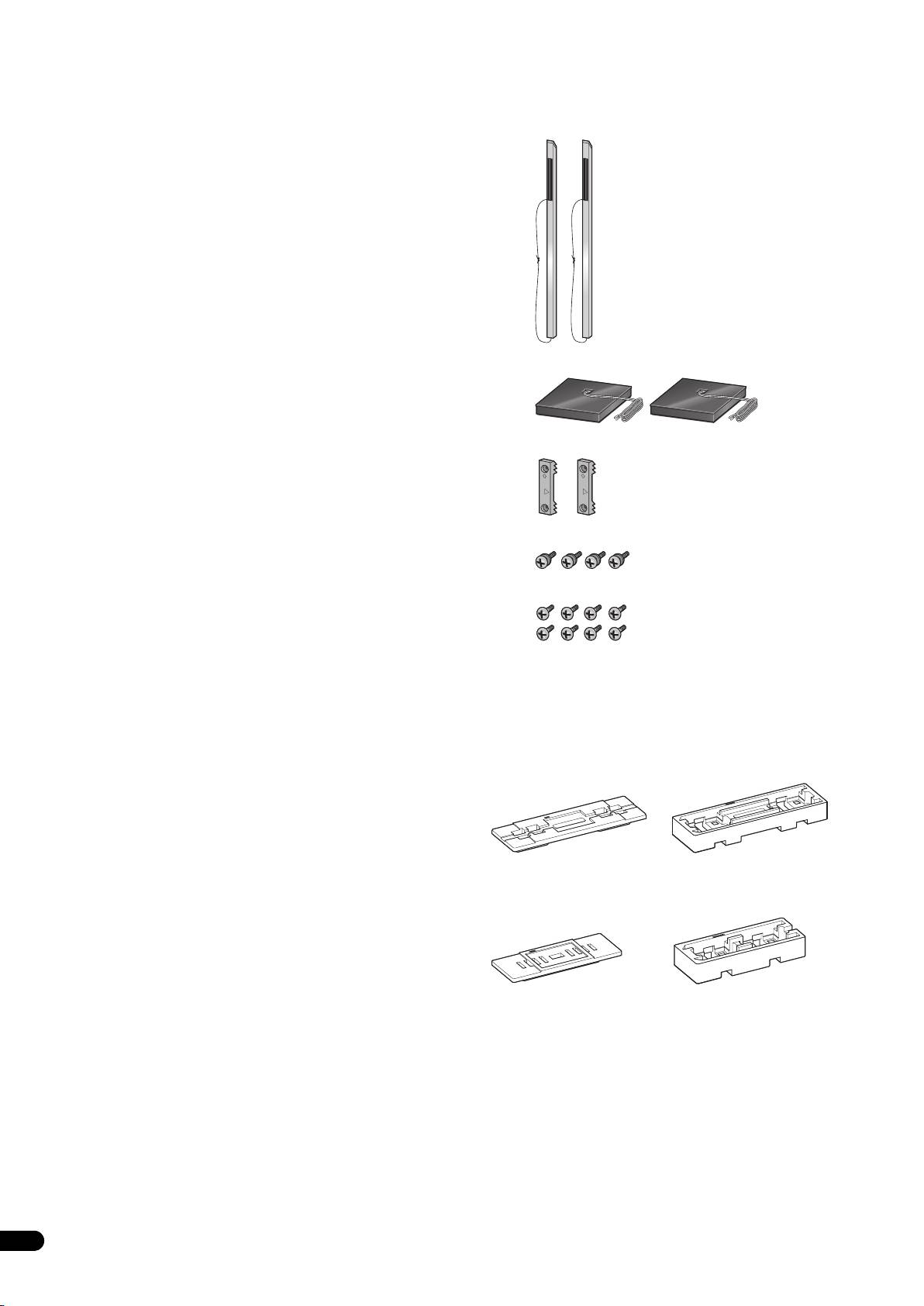
• Pillar x 2
instructions for proper assembly and use. After you have finished
reading the instructions, put them away in a safe place for future
reference.
Caution
• Pioneer is not responsible for any accidents or damage that
result from improper installation, misuse or modification of the
product, or natural disasters.
• Only use the screws supplied when fixing the speaker to the
speaker stand. Speakers may fall and incur damages if not fixed
in place properly.
• Only use Pioneer S-LX70-LR Speakers with this stand. Other
speakers may not balance properly, causing them to fall and
potentially injure persons nearby.
•Stand base x 2
• Be careful when assembling and moving the speaker stand, as
it may cause damage or injury in the event of a fall.
• Do not place the stand on an unstable and/or sloping surface.
The stand and speaker may fall and cause injury.
• Speaker security plate x 2
Care of the speaker stands
• With normal use, wiping with a soft cloth should be sufficient
to keep the stand clean. If necessary, clean with a cloth dipped
in a neutral cleanser diluted five or six times with water, and
wrung out well. Do not use furniture wax or cleansers. Never
•Screw (Large) x 4
use alcohol, thinners, benzine, insecticide sprays or other
chemicals on or near this unit since these will corrode the
surfaces. When using chemically-treated cloths, be sure to
• Screw (Small) x 8
carefully read their accompanying instruction manual.
Cleaning the speaker stand bases
• When cleaning the surface of the speaker stand bases, gently
wipe with the cleaning cloth supplied with the speaker system
• Operating instructions
S-LX70-LR.
Illustrations of pillars and bases depict those for the CP-LX70.
• Wiping with a dusty or hard cloth, or applying too much force
Those for the CP-LX70TS are similar, but of slightly different sizes.
when wiping may result in scratching of the surface of the
The Styrofoam cushioning material shown is used during
speaker stand base.
assembly.
•CP-LX70
CAUTION
•CP-LX70TS
2
En
T
hese speaker terminals carry HAZARDOUS LIVE voltage. To
prevent the risk of electric shock when connecting or
disconnecting the speaker cables, disconnect the power cord
before touching any uninsulated parts.
TOP
TOP
TOP
01_CP-LX70_EU.book 2 ページ 2007年9月5日 水曜日 午前10時51分
TOP
Cushioning
Cushioning
material (Top)
material (Bottom)
Cushioning
Cushioning
material (Top)
material (Bottom)
