
Pioneer XC-HM70-S: Timer and sleep operation Sleep operation Setting the wake-up timer Turning the wake-up timer on/off
Timer and sleep operation Sleep operation Setting the wake-up timer Turning the wake-up timer on/off: Pioneer XC-HM70-S
Table of contents
- VENTILATION CAUTION IMPORTANT Operating Environment
- Condensation
- Contents Accessories
- Before you start General Loading the batteries
- Controls and Displays Remote control
- Front Panel
- Connecting your equipment Aerial connection
- Speaker connection Using other subwoofer Connecting a TV, etc.
- Connecting to the network through LAN interface AC power connection
- General control To turn the power on Setting the clock Auto power down setup
- Enhancing your system
- Listening to a CD or MP3/ Disc playback WMA disc Various disc functions
- Advanced CD or MP3/WMA disc playback Programmed play (CD)
- Programmed play (MP3/WMA) MP3/WMA folder mode (only for MP3/WMA files)
- Procedure to playback MP3/WMA disc with folder mode on
- Listening to the iPod, iPhone or iPad Supported iPod, iPhone and iPad models: Connecting your iPod/iPhone To remove adaptor for iPod or iPhone To insert iPad adaptor
- Playing an iPod, iPhone or iPad Basic playback controls
- Listening to USB mass storage device/MP3 player Connecting a USB device Playing a USB device
- Playback with NETWORK feature Listening to Internet radio stations
- Playing back audio files stored on components on the network Network setup menu Playing back your favorite songs
- Network connection requirements About network playback
- Glossary
- Listening to the radio Improving FM sound Saving station presets Listening to station presets Naming preset stations Changing the noise cut mode
- Using the Radio Data System (RDS) An introduction to RDS Displaying RDS information Searching for RDS programs
- Timer and sleep operation Sleep operation Setting the wake-up timer Turning the wake-up timer on/off
- Additional Information
- Additional Information
- Additional Information
- About playable music file formats Category Extension Stream About status messages Status messages Descriptions
- Specifications About iPod/iPhone/iPad Disclaimer for Third Party Content
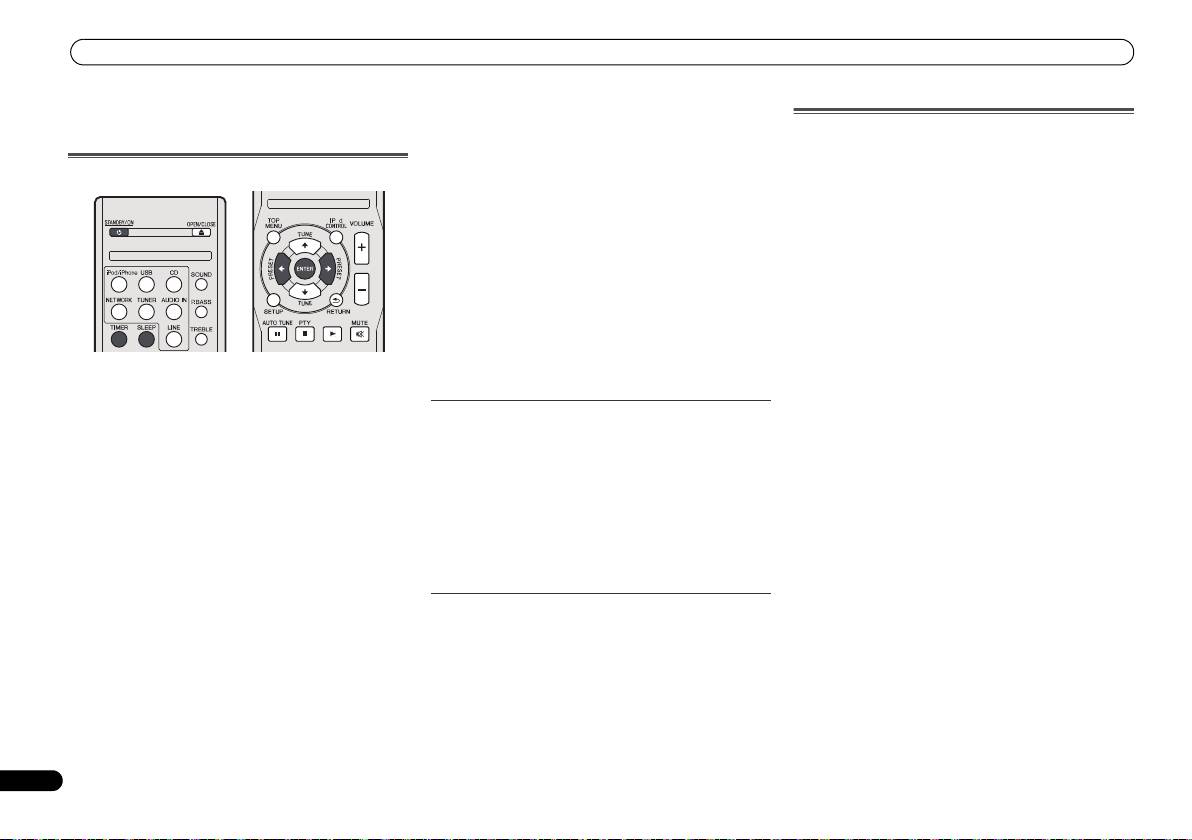
Timer and sleep operation
The timer can be set as follows.
Timer and sleep operation
Sleep operation
Press SLEEP to change the amount of time before the
Setting the wake-up timer
receiver switches into standby (30 min. – 60 min. – 90
min. – Off).
• You can check the remaining sleep time at any time by
7 Press ENTER.
pressing SLEEP once.
8 Set the switch-on time.
Use /button to set the hour, then press ENTER.
Set the minute in the same way, pressing ENTER when you’re
done.
9 Set the switch-off time.
Set as above, pressing
ENTER
when done.
10 Use
/
button to set the volume.
11 Press ENTER.
The TIMER indicator light, and the settings are confirmed in
the display.
Timer playback:
12 Press STANDBY/ON to enter the power stand-by mode.
The unit turns on and plays the desired source (CD, TUNER,
USB or iPod/iPhone) at a preset time.
Turning the wake-up timer on/off
Before setting timer:
If you have already set the wake-up timer, you can switch it
• Check that the clock is set to the correct time (Setting the
on/off.
clock on page 11). If it is not set, you cannot use the timer
1 When the power is on, press and hold TIMER button for
function.
two seconds.
• For timer playback: Plug in USB or load discs or iPod to
2Press
/
button to select ‘Timer On’ or ‘Timer Off’
be played.
within ten seconds, then press ENTER.
1 Press STANDBY/ON button.
When ‘
Timer On
’ is selected, the timer indicator light, and
2 Press and hold TIMER button for more than two
the settings are confirmed in the display.
seconds.
3 When ‘Timer On’ is selected, press STANDBY/ON to set
3Press
/
button to select ‘Timer Set’ within ten
the stand-by mode.
seconds, then press ENTER.
4 Select the source you want played.
Reusing the memorised timer setting
Use / button to select CD, TUNER, USB or iPod/iPhone
The timer setting will be memorised once it is entered. To
function.
reuse the same setting, perform the following operations.
5 Press ENTER.
1 When the power is on, press and hold TIMER button for
6 Set the day(s) of the week.
two seconds.
Use /button to choose the day(s).
2Press
/
button to select ‘Timer Call’ within ten
seconds, then press ENTER.
The TIMER indicator light, and the settings are confirmed in
the display.
26
En
O
X-HM70_En.fm 26 ページ 2011年8月2日 火曜日 午後4時46分
EVERYDAY SUNDAY MONDAY
TUESDAY WEDNESDAY THURSDAY
FRIDAY SATURDAY MON-FRI
TUE-SAT SAT-SUN
