
Pioneer VSX-1021: MULTI-ZONE setup Sub Zone Input functions available Sub Zone Input functions available Connecting AM/FM antennas
MULTI-ZONE setup Sub Zone Input functions available Sub Zone Input functions available Connecting AM/FM antennas: Pioneer VSX-1021
Table of contents
- IMPORTANT VENTILATION CAUTION Operating Environment
- Contents Flow of settings on the receiver
- Before you start
- Deleting the AVNavigator Remote control
- Connecting your equipment
- Placing the speakers Connecting the speakers
- Bi-amping your speakers Installing your speaker system
- Selecting the Speaker system About the audio connection About the video converter
- About HDMI
- Connecting your TV and playback components
- Connecting an HDD/DVD recorder, BD recorder and other video sources
- Connecting a satellite/cable receiver or other set-top box Connecting other audio components
- MULTI-ZONE setup Sub Zone Input functions available Sub Zone Input functions available Connecting AM/FM antennas
- Connecting to the network through LAN interface Connecting to a wireless LAN Plugging in the receiver
- Basic Setup
- Operation Mode Setup
- Operable functions/
- Basic playback
- Playing a USB device
- Playback with HOME MEDIA GALLERY inputs Bluetooth ADAPTER for Wireless Enjoyment of Music
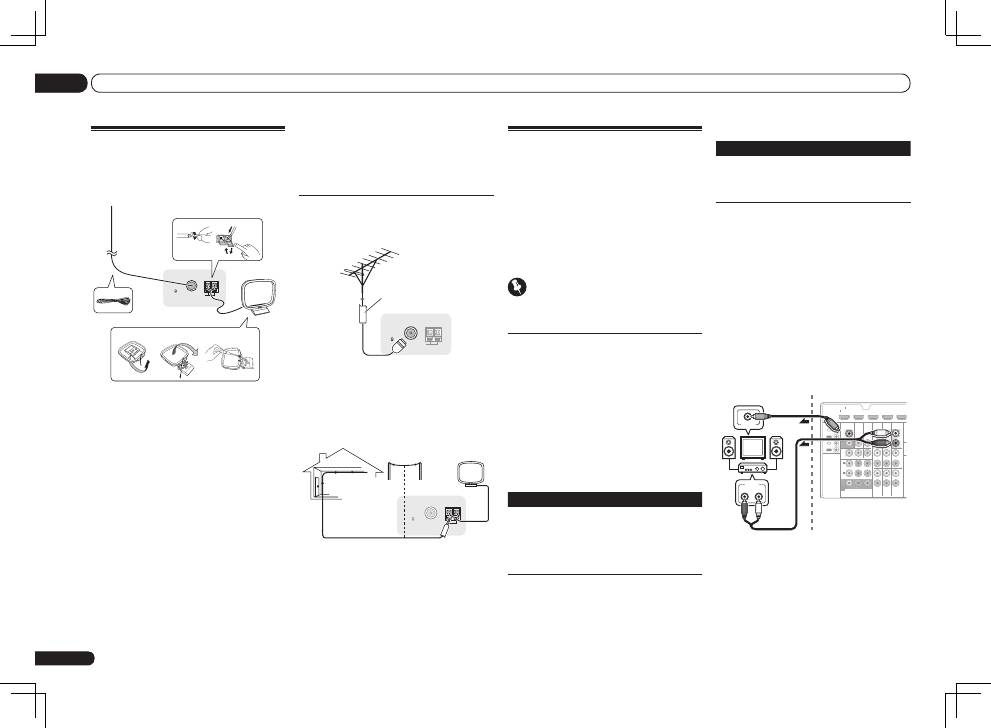
En
14
02
Connecting your equipment
MULTI-ZONE setup
This receiver can power up to two independent
systems in separate rooms after you have made
the proper MULTI-ZONE connections.
Different sources can be playing in two zones at
the same time or, depending on your needs, the
same source can also be used. The main and
sub zone have independent power (the main
zone power can be off while sub zone is on) and
the sub zone can be controlled by the remote or
front panel controls.
Important
VSX-921 model cannot connect the TV monitor
for sub zone.
Making MULTI-ZONE connections
It is possible to make these connections if you
have a separate TV and speakers for the sub
zone (
ZONE 2
). You will also need a separate
amplifier if you are not using the
MULTI-ZONE
setup using speaker terminals (ZONE 2)
on page
14 for the sub zone.
MULTI-ZONE listening options
The following table shows the signals that can
be output to ZONE 2:
In case of VSX-1021
Sub Zone Input functions available
ZONE 2
DVD
,
TV/SAT
,
DVR/BDR
,
VIDEO
,
HOME MEDIA GALLERY
,
iPod/USB
,
CD
,
CD-R/TAPE
,
TUNER
,
ADAPTER
PORT
(Outputs analog audio, composite
video.)
It is not possible to down-convert the audio
and video input signals from the
HDMI
input
terminals, digital input terminals (
OPTICAL
and
COAXIAL
) and the
COMPONENT VIDEO
input
terminals and output them to ZONE 2.
In case of VSX-921
Sub Zone
Input functions available
ZONE 2
DVD
,
TV/SAT
,
DVR/BDR
,
VIDEO 1
,
VIDEO 2
,
CD
,
CD-R/TAPE
,
TUNER
,
ADAPTER PORT
(Output analog audio only.)
It is not possible to down-convert the audio
input signal from the
HDMI
input terminals or
digital input terminals (
OPTICAL
and
COAXIAL
)
and output them to ZONE 2.
Basic MULTI-ZONE setup (ZONE 2)
1 Connect a separate amplifier to the
AUDIO ZONE 2 OUT jacks on this receiver.
You should have a pair of speakers attached to
the sub zone amplifier as shown in the follow-
ing illustration.
2
VSX-1021 only:
Connect a TV monitor
to the VIDEO ZONE 2 OUT jack on this
receiver.
HDMI
VIDEO
CONTROL
IR
COMPONENT VIDEO
VIDEO IN
TV/SAT
IN
ZONE 2
DVR/BDR CD-R/TAPE
ZONE 2
DVR/
BDR
OUT
OUT
DVD IN
IN
IN
IN
IN
CD
L
R
L
R
IN
L
R
OUT
OUT
VIDEO
IN
DVD IN
BD IN
DVR/BDR IN
FM
75
TV/SAT VIDEO
DVD
Y
P
B
P
R
AUDIO
AN
ASSIGN
ABLE
MONITOR
OUT
MONITOR
OUT
IN
1
(DVD)
IN
1
(DVR/
BDR)
IN
2
ASSIGNABLE
1
OUT
IN
OUT
IN
R
L
AUDIO IN
VIDEO IN
Sub zone (
ZONE 2
)
Main zone
VSX-1021
only
MULTI-ZONE setup using speaker
terminals (ZONE 2)
You must select
ZONE 2
in Speaker system
setting on Operating Instructions in CD-ROM to
use this setup.
Connecting AM/FM antennas
Connect the AM loop antenna and the FM wire
antenna as shown below. To improve reception
and sound quality, connect external antennas
(see
Connecting external antennas
on page 14 ).
FM UNBAL
75
AM LOOP
ANTENNA
3
1
4
fig. a
fig. b
fig. c
5
2
1 Pull off the protective shields of both
AM antenna wires.
2 Push open the tabs, then insert one
wire fully into each terminal, then release
the tabs to secure the AM antenna wires.
3 Fix the AM loop antenna to the
attached stand.
To fix the stand to the antenna, bend in the
direction indicated by the arrow (
fig. a
) then clip
the loop onto the stand (
fig. b
).
!
If you plan to mount the AM antenna to a
wall or other surface, secure the stand with
screws (
fig. c
) before clipping the loop to the
stand. Make sure the reception is clear.
4 Place the AM antenna on a flat
surface and in a direction giving the best
reception.
5 Connect the FM wire antenna into the
FM antenna socket.
For best results, extend the FM antenna fully
and fix to a wall or door frame. Don’t drape
loosely or leave coiled up.
Connecting external antennas
To improve FM reception, connect an external
FM antenna to
FM UNBAL 75
W
.
FM UNBAL
75
AM LOOP
ANTENNA
75 Ω coaxial cable
To improve AM reception, connect a 5 m to 6
m length of vinyl-coated wire to the
AM LOOP
terminals without disconnecting the supplied
AM loop antenna.
For the best possible reception, suspend hori-
zontally outdoors.
FM UNBAL
75
AM LOOP
ANTENNA
Outdoor antenna
Indoor antenna
(vinyl-coated wire)
5 m to 6 m
