
Pioneer KRP-SW01BG: Checking the Enclosed Parts Care for the Glossy Surface of the Stand
Checking the Enclosed Parts Care for the Glossy Surface of the Stand: Pioneer KRP-SW01BG
Table of contents
- Cautions Contents
- Checking the Enclosed Parts Care for the Glossy Surface of the Stand
- Attaching the Pioneer Display and Television Assembling the Stand
- Attaching the Pioneer Display and Television
- Forward/Backward Angle of Inclination Adjustment Mechanism
- Installing the Product on a TV table etc. Preparing the Cables
- Preventing Equipment from Falling Over
- Dimensions Diagram Detaching the Pioneer Display and Television from the Stand Specifications
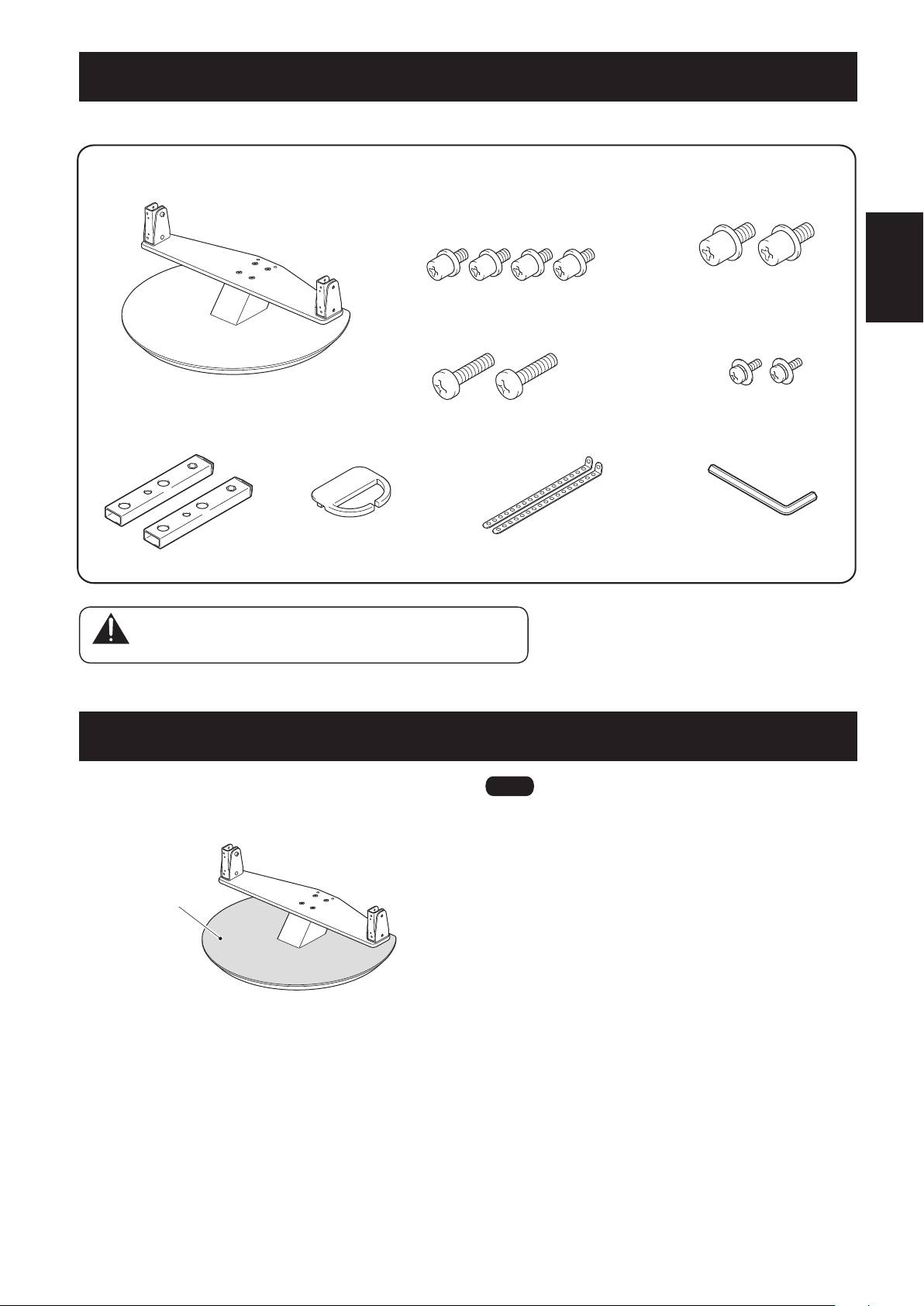
Checking the Enclosed Parts
Checktomakesurethatyouhavealltheenclosedpartsbeforeassemblyandinstallation.
English
11
En
• Table top stand ×1
• Screws
• Screws
(M6 × 12 mm: black) ×4
(M8 × 15 mm: black) ×2
[used to anchor the support columns and
the table top stand]
• Screws
• Screws
(M8 × 23 mm: black) ×2
(M4 × 10 mm: black) ×2
• Supp ort columns × 2
• Cable binder x 1
• Fall-prevention straps × 2
• Hexagonal wrench x 1
(Diagonal size: 4 mm)
• Operating instructions
(this document) x 1
Caution
Keep unused small parts out of reach of children to prevent
ingestion by mistake.
Care for the Glossy Surface of the Stand
Gently wipe the glossy surface of the stand with the wiping
cloth provided with the Pioneer display and television.
Glossy surface
Ìi
• Usingadustyorhardclothtowipethesurface,orrubbingit
forcefully may cause damage.
• Thestandincludesalargeamountofplastic,sobecareful
nottowipeitwithbenzene,thinner,orotherharsh
chemicals,asthismaycausedeteriorationandpaintpeeling.
• Donotapplyinsecticideorvolatilesubstancesonthestand.
Also,donotleaverubberorvinylarticlesincontactwiththe
baseforalongtime,asthismaycausedeteriorationand
paint peeling due to the plasticizer in the plastic.
