
Pioneer SE-MJ7NC: After use
After use: Pioneer SE-MJ7NC
Table of contents
WRA1103A_EN.fm Page 6 Monday, March 12, 2007 12:52 PM
*1
• The effectiveness of the noise canceller
Noise canceller + SRS surround
function may vary depending on the way in
function
which the headphones are worn.
1 Set the headphones’ power switch to
ON2.
After use
1 Set the power switch to OFF.
Sound can still be heard from the headphones
when the power switch is set to OFF, but the
noise-canceller function will not operate to
lower environmental noise.
Storing the headphones
The green power indicator will light, and both
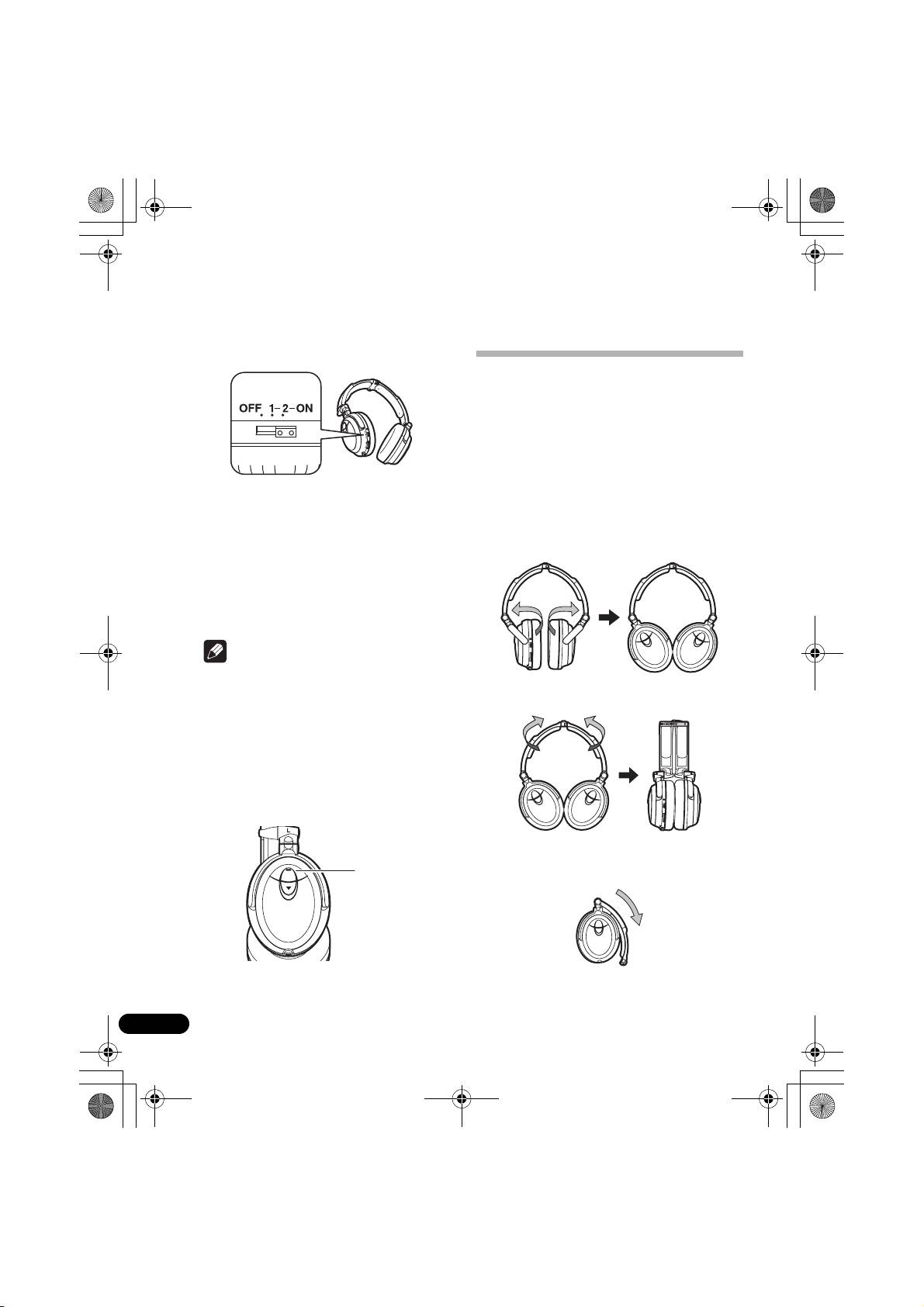
When not in use, store the headphones as
the noise canceller and SRS surround
shown below.
functions will operate.
1 Reverse the direction of the ear pads.
*1 The SRS surround function utilizes SRS HEADPHONE
technology developed by SRS Labs, Inc., (USA) to
reproduce headphone sound with a greater sense of
three-dimensional realism. When using headphones
equipped with SRS HEADPHONE technology, music is
not focused on the center of the head, but is
reproduced with a greater sense of natural expanse.
Note
• The noise-canceller function is designed to
reduce noise primarily in the low-frequency
2 Fold the headband as shown.
range, and is not effective at reducing high-
frequency noise.
• If the headphones’ microphone is covered
with your hand or other object, feedback
may be caused, resulting in a “howling”
sound. In this case, remove your hand or
other obstruction from the microphone.
3 Fold the headband as shown to align
Microphone
with the ear pads.
6
En
