
Pioneer DDJ-ERGO-V: Operation Loading tracks and playing them Outputting sound Quitting the system
Operation Loading tracks and playing them Outputting sound Quitting the system: Pioneer DDJ-ERGO-V
Table of contents
- Before start About trademarks and registered Installing the VIRTUAL DJ LE software trademarks About the installation procedure (Windows) What’s in the box Installing the software About the VIRTUAL DJ LE software
- About the installation procedure (Mac OS X) Checking the latest information on the VIRTUAL DJ LE software
- About the driver software (Windows) Connections Installing the driver software Starting the system Starting this unit
- Launching VIRTUAL DJ LE Launching VIRTUAL DJ LE (Windows) Launching VIRTUAL DJ LE (Mac OS X)
- Operation Loading tracks and playing them Outputting sound Quitting the system
- Additional information Specifications
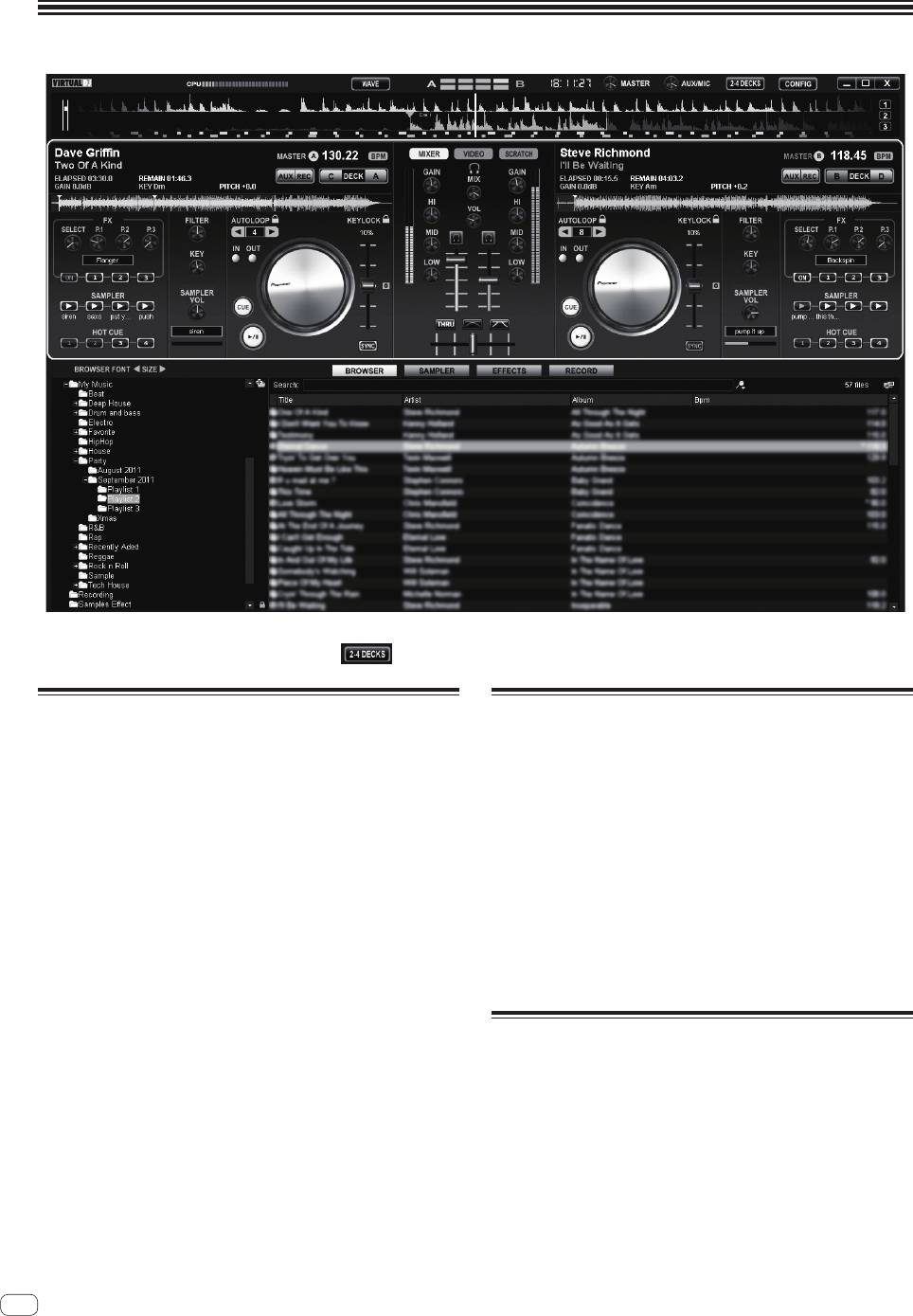
Operation
The screen above shows an example of 2-deck layout. The contents displayed on the screen differ according to the VIRTUAL DJ LE settings.
! The deck layout can be switched by clicking the [
] button on the computer’s screen.
Loading tracks and playing them
Outputting sound
The following example describes the procedure for playing tracks with a
Set the volume of the power amplifiers connected to the [MASTER OUT
2-deck layout.
1] and [MASTER OUT 2] terminals to an appropriate level. Note that if
the volume is set too high, the output sound could be very loud.
1 Turn the rotary selector while pressing the [SHIFT]
button to select a folder or item.
1 Operate the [GAIN] control and the channel faders to
! When a folder or item with the [+] mark is selected and the rotary
adjust the audio level output from the respective decks.
selector is pressed while pressing the [SHIFT] button, that folder or
item is opened or closed.
2 Operate the crossfader to switch the deck whose
sound is output from the speakers.
2 Release the [SHIFT] button then turn the rotary
— Left edge: Sound is output from deck [A] or [C].
selector to select the track.
— Center: The sound of all the decks is mixed and output.
— Right edge: Sound is output from deck [B] or [D].
3 Press the [LOAD] button to load the selected track
onto the deck.
3 Turn the [MASTER VOL] control to adjust the audio
level of the speakers.
4 Press the [f] button to play the track.
! When this button is pressed again during playback, playback
pauses.
Quitting the system
1 Quit VIRTUAL DJ LE.
2 Slide this unit’s [ON/OFF] switch to the [OFF] position.
3 Disconnect the USB cable from your computer.
4 Turn off the connected microphone and external
equipment.
6
En


