
Pioneer DDJ-ERGO-V: Before start About trademarks and registered Installing the VIRTUAL DJ LE software trademarks About the installation procedure (Windows) What’s in the box Installing the software About the VIRTUAL DJ LE software
Before start About trademarks and registered Installing the VIRTUAL DJ LE software trademarks About the installation procedure (Windows) What’s in the box Installing the software About the VIRTUAL DJ LE software: Pioneer DDJ-ERGO-V
Table of contents
- Before start About trademarks and registered Installing the VIRTUAL DJ LE software trademarks About the installation procedure (Windows) What’s in the box Installing the software About the VIRTUAL DJ LE software
- About the installation procedure (Mac OS X) Checking the latest information on the VIRTUAL DJ LE software
- About the driver software (Windows) Connections Installing the driver software Starting the system Starting this unit
- Launching VIRTUAL DJ LE Launching VIRTUAL DJ LE (Windows) Launching VIRTUAL DJ LE (Mac OS X)
- Operation Loading tracks and playing them Outputting sound Quitting the system
- Additional information Specifications
Before start
How to read this manual
Supported operating systems CPU and required memory
®
™
™
! Be sure to read both this leaflet and the Operating Instructions con-
Intel
Core
2 or AMD Athlon
X2
®
Windows
7
tained on the CD-ROM accompanying this product! Both documents
32-bit version
processor
Professional
include important information that you must understand before
1 GB or more of RAM
using this product.
! In this manual, names of screens and menus displayed on the
Others
computer screen, as well as names of buttons and terminals on the
Hard disk Free space of 200 MB or greater
product, etc., are indicated within brackets. (e.g.: [RECORD] panel,
Resolution of 1 280 x 1 024 or greater (Windows)
[CONFIG] menu, [CUE] button, [VINYL] mode, [AUX IN] terminals)
Display resolution
Resolution of 1 440 x 900 or greater (Mac)
About trademarks and registered
Installing the VIRTUAL DJ LE software
trademarks
! Cautions when the included software involves an Internet
environment
! Pioneer is a registered trademark of PIONEER CORPORATION.
A separate contract with and payment to a provider offering Internet
! The names of companies and products mentioned herein are the
services is required.
trademarks of their respective owners.
About the installation procedure (Windows)
What’s in the box
1 Insert the included VIRTUAL DJ LE software CD-ROM
! VIRTUAL DJ LE software CD-ROM
in the computer’s CD drive.
! Driver software/operating instructions CD-ROM
! USB cable
2 From the Windows [Start] menu, double-click the
! Read Before Use (Important)
[Computer (or My Computer)] > [VirtualDJ_LE] icon.
! Quick Start Guide (this document)
The contents of the CD-ROM are displayed.
! Hardware Diagram for Virtual DJ (Table of Supported Functions)
! Service Center Guide (for Japanese customers)
3 Double-click [install_virtualdj_le_ergo_v7.x.x.msi].
! Warranty card
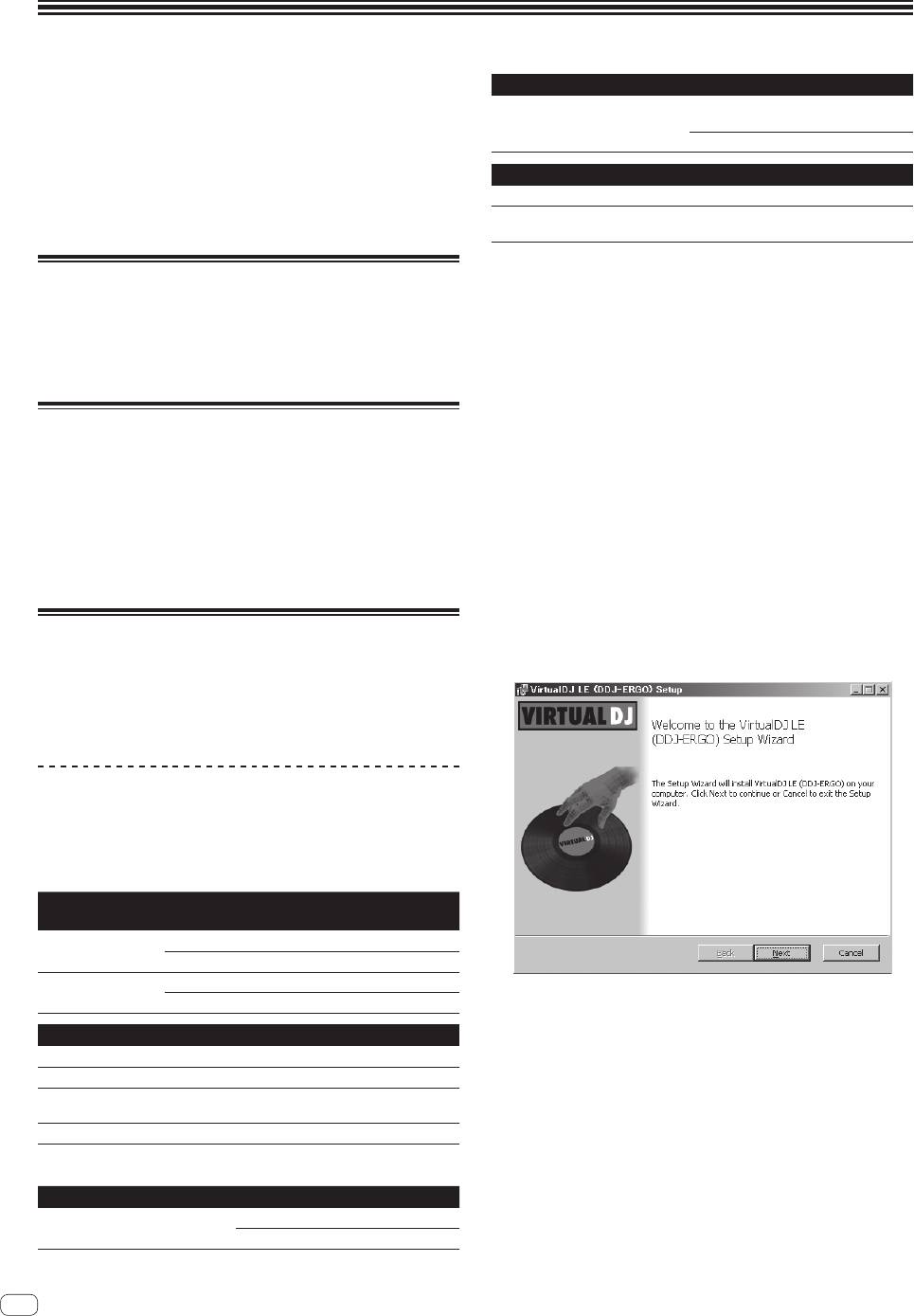
The VIRTUAL DJ LE installer is launched.
4 Once the VIRTUAL DJ LE installer is launched, click
[Next].
Installing the software
— To return to the previous screen, click [Back].
! Be sure to read the end-user license agreements that appear when
— To cancel installation, click [Cancel].
installing the software below. The software can only be used if you
accept the terms of the agreements.
— VIRTUAL DJ “End-User License Agreement”
— Pioneer DDJ ASIO Setup “Software end user license agreement”
About the VIRTUAL DJ LE software
VIRTUAL DJ LE is a DJ software application by Atomix productions. DJ
performances are possible by connecting the computer on which this
software is installed to this unit.
Minimum operating environment
Supported
CPU and required memory
operating systems
®
Intel
processor
Mac OS X 10.5.x
1 GB or more of RAM
®
®
®
™
Windows
XP (SP3
Intel
Pentium
4 or AMD Athlon
XP processor
or later)
512 MB or more of RAM
5 Read the contents of the [End-User License
Agreement] carefully, and if you agree, check [I accept
Others
the terms in the License Agreement], then click [Next].
Hard disk Free space of 50 MB or greater
If you do not agree to the terms of the [End-User License Agreement],
Optical drive Optical disc drive on which the CD-ROM can be read
click [Cancel] to cancel installation.
A USB 2.0 port is required to connect the computer
USB port
with this unit.
Display resolution Resolution of 1 024 x 768 or greater
Recomended operating environment
Supported operating systems CPU and required memory
®
Intel
processor
Mac OS X 10.6.x
2 GB or more of RAM
2
En


