
Pioneer S-LX70-LR: Secure brackets together with screws. Secure speaker to wall with a cord. Using separately sold stands
Secure brackets together with screws. Secure speaker to wall with a cord. Using separately sold stands: Pioneer S-LX70-LR
Table of contents
- Before you start Caution
- Confirm your accessories When using for home theater systems Speaker system grill
- Installing the speakers
- Temporarily attach the bracket (for wall) to the specified location on the template. Attach the bracket (for wall). Attach the bracket (for speaker) onto speaker. Attach speaker onto bracket (for wall).
- Secure brackets together with screws. Secure speaker to wall with a cord. Using separately sold stands
- Specifications
6
En
7
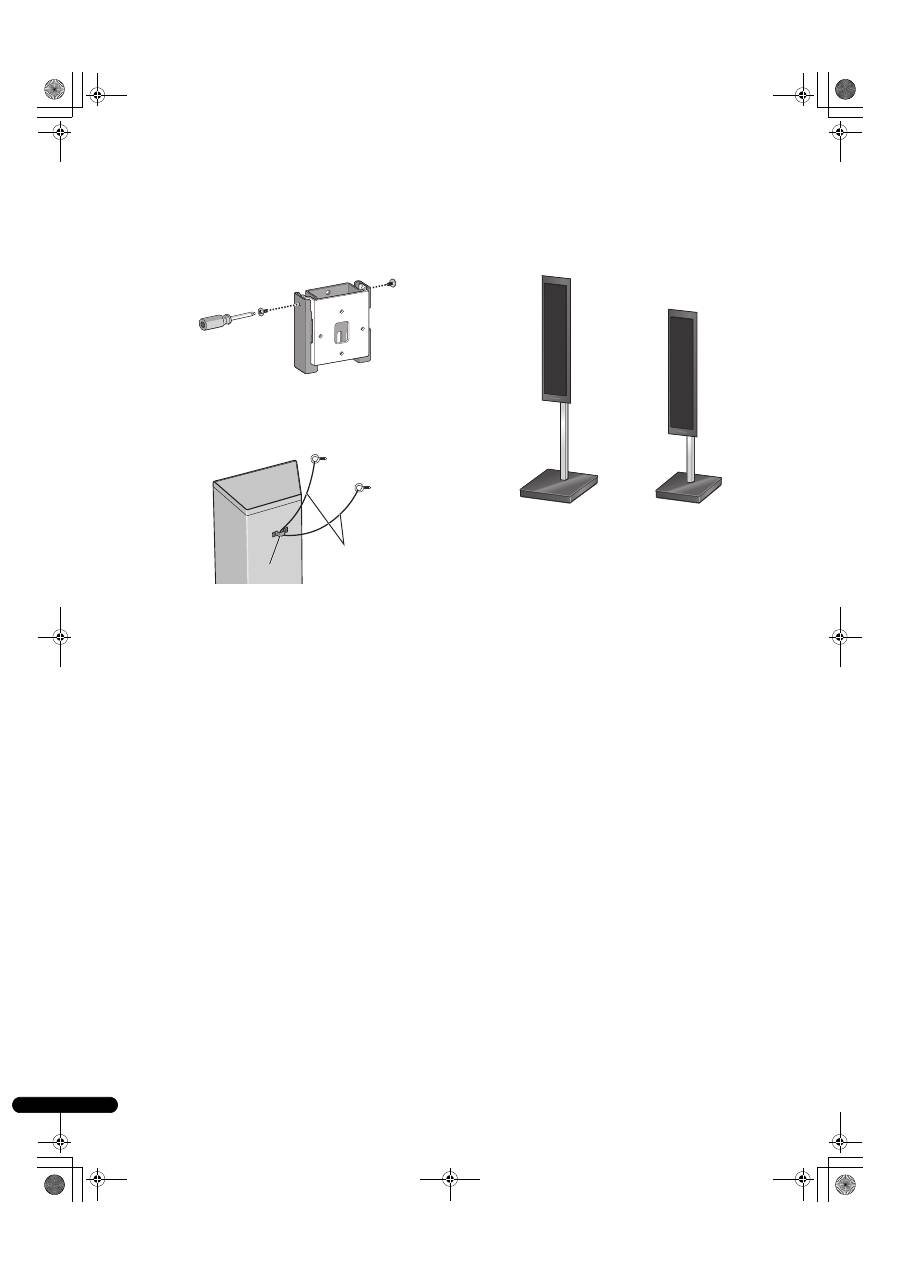
Secure brackets together with screws.
Secure the brackets together by using the supplied screws (short)
at the screw holes located on the top of the left and right side of the
brackets.
If you cannot secure both sides (due to such cases as lack of space
to use a screwdriver), make sure that one side is secured with a
screw.
8
Secure speaker to wall with a cord.
Screw two picture hooks or similar into the wall behind the speaker.
Pass a thick cord (not provided) around the hooks and through the
metal catch so that the speaker is stabilized (make sure to test that
it supports the weight of the speaker).
• Do not attach the metal catch directly to the wall. It should only
be used in conjunction with reinforced string to prevent the
speaker from falling.
Using separately sold stands
This speaker system can be placed on the floor by using speaker
stand CP-LX70 (floor stand). They can also be placed on shelves by
using speaker stand CP-LX70TS (tabletop stand).
For further information on attachment, refer to the instruction
manual of CP-LX70 or CP-LX70TS.
Metal catch
Sufficiently thick
cord (not provided)
When using CP-LX70
When using CP-LX70TS
01_S_LX70-LR_En.book 6 ページ 2007年9月12日 水曜日 午後2時58分
