
Pioneer PDK-TS35A: Attaching the Cushion Attachment Procedure
Attaching the Cushion Attachment Procedure: Pioneer PDK-TS35A
Table of contents
- Contents
- Checking the Standard Accessories
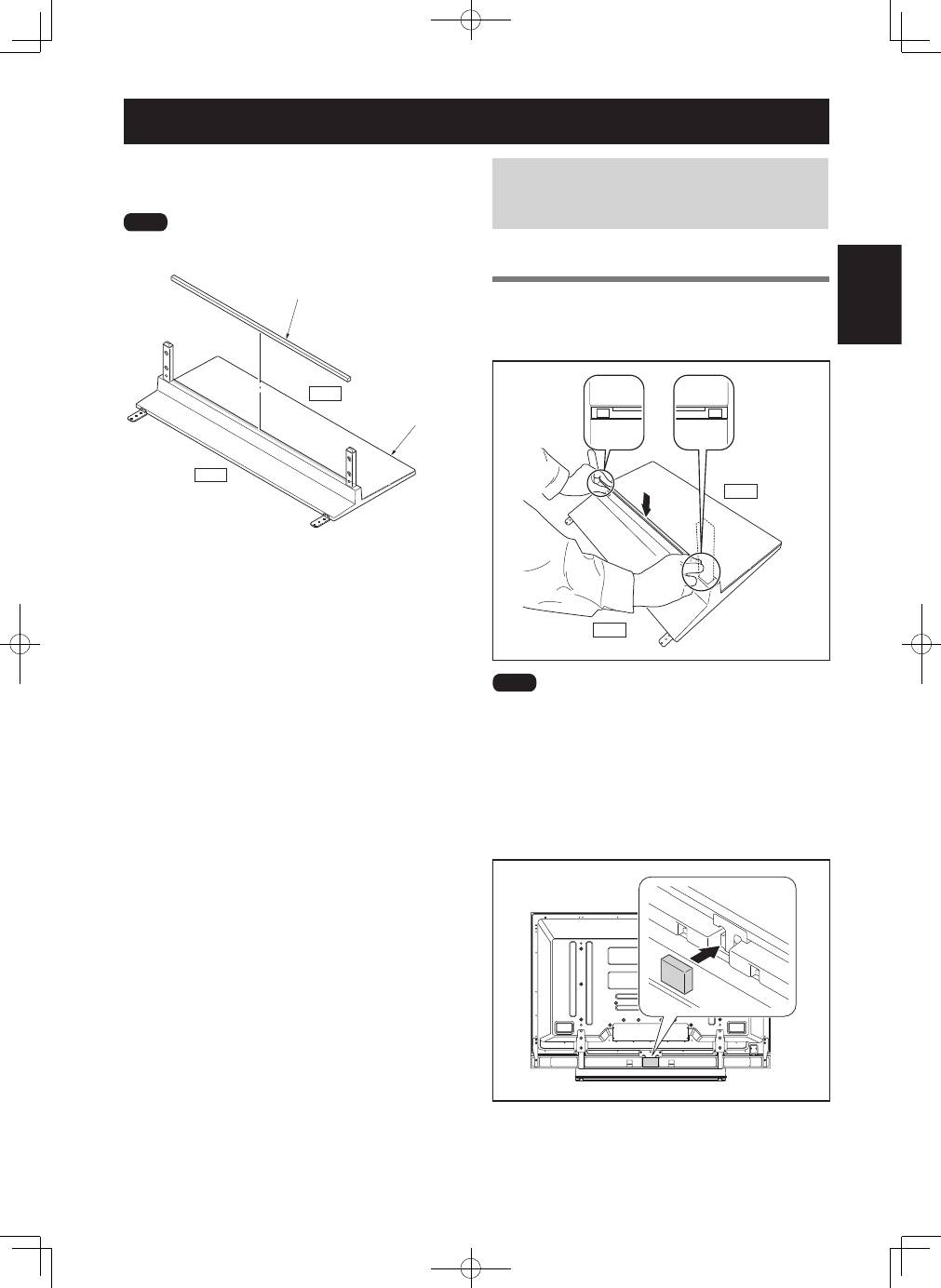
- Assembly Procedure Assembling the Stand
- Attaching the Light-blocking Shield Attachment Procedure
- Attaching the Cushion Attachment Procedure
- Attaching the Pioneer Display and Television Installing the Product on a Rack etc.
- Preventing Equipment from Falling Over Stabilizing on a rack etc. Using a wall for stabilization Specifications
- Dimensions Diagram When the side speakers are installed When the under speaker is installed Without speakers
13
En
English
This part prevents reflection of the cables connected to the
back of the Pioneer display and television on the base cover.
����
Attach it after anchoring the base cover on a flat stable place.
����������
�����
����
�������
Attaching the Cushion
In case of KRP-600P / KRP-600M (with side
speakers installed) / PDP-LX6090 / PDP-
LX6090H (with under speaker installed)
Attachment Procedure
1
Peel off one side of the double-stick tape on
the cushion and attach the cushion onto the
position in the bottom diagram.
�����
����
����
• Be careful that the cushion does not catch on the pipe
insertion holes.
• Anchor it in place so that there are no gaps. If there is a gap,
the cushion may peel off.
2
After attaching the Pioneer television onto the
stand, attach the light-blocking pad onto the
position in the bottom diagram (PDP-LX6090 /
PDP-LX6090H only).
