
Olympus µ 760: Set date and time
Set date and time: Olympus µ 760
Set date and time
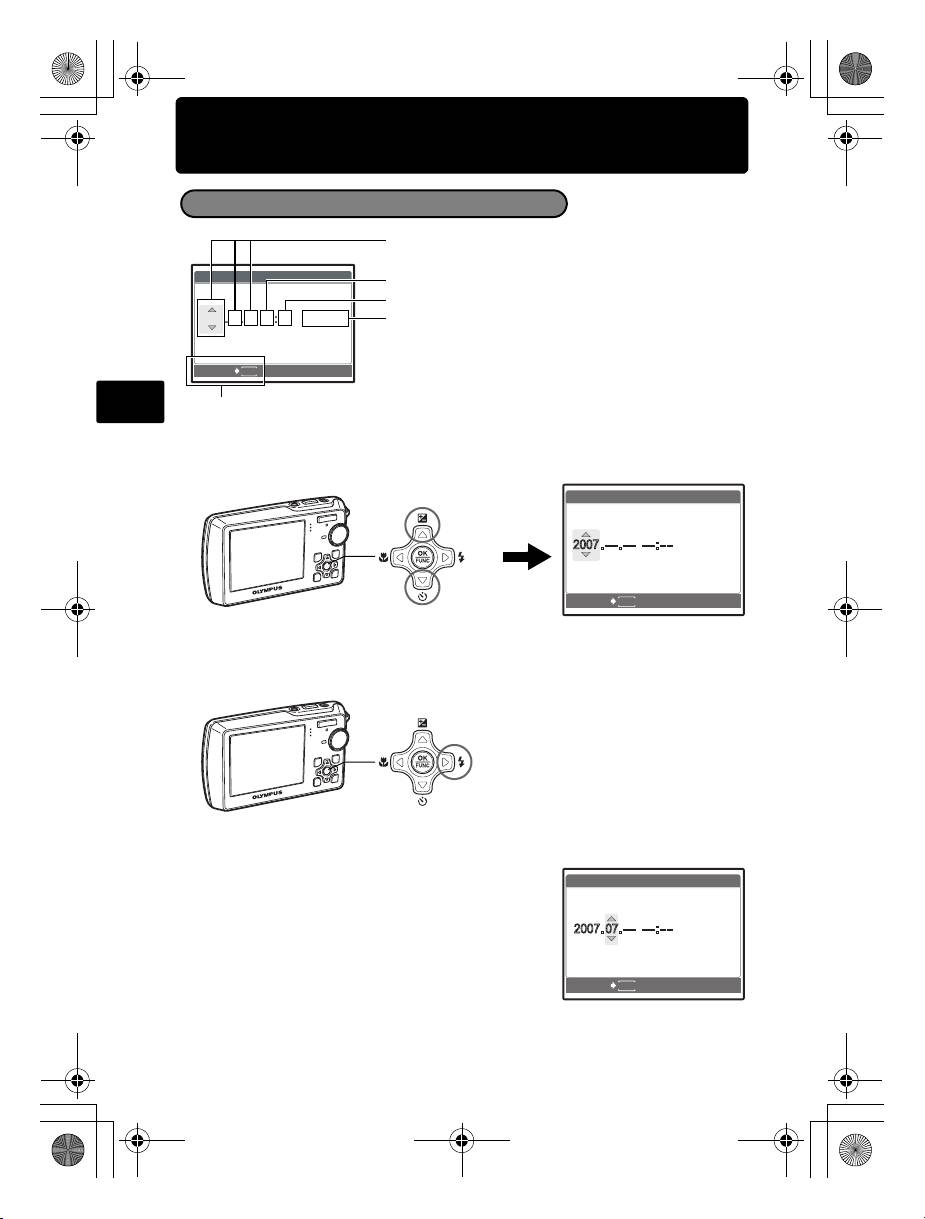
About the date and time setting screen
Y-M-D (Year-Month-Day)
Hour
Minute
Date formats (Y-M-D, M-D-Y, D-M-Y)
CANCEL
MENU
En
Exits a setting.
a. Press the 1F button and the 2Y button to select [Y].
• The first two digits of the year are fixed.
b. Press the 3# button.
c. Press the 1F button and the 2Y
button to select [M].
d. Press the 3# button.
6
X
Y/M/D
Y / M / D
Y M D TIME
Y M D T I M E
----.--.-- --:--
----.--.-- --:--
1F Button
X
Y/M/D
CANCEL
MENU
2Y Button
Y / M / D
Y
Y
M D
D
TIME
T I M E
3# Button
X
Y/M/D
CANCEL
MENU
Y / M / D
Y
Y
M D
D
TIME
T I M E
d4328_basic_e_00.book Page 6 Wednesday, December 13, 2006 10:29 AM
Set date and time
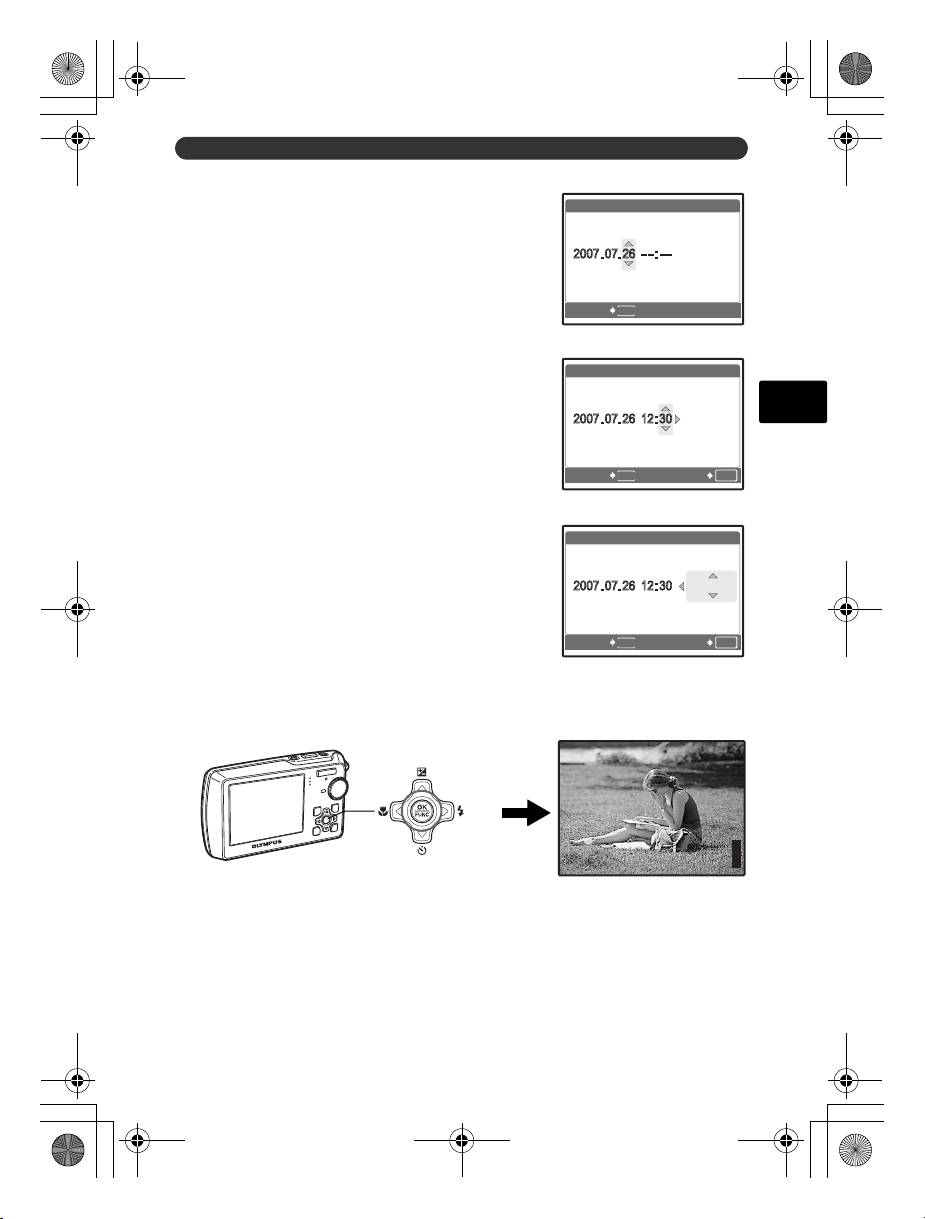
e. Press the 1F button and the 2Y
X
button to select [D].
Y/M/D
CANCEL
MENU
f. Press the 3# button.
g. Press the 1F button and the 2Y
button to select the hours and minutes.
• The time is displayed in the 24-hour format.
En
h. Press the 3# button.
i. Press the 1F button and the 2Y
button to select [Y/M/D].
j. After all items have been set, press the o button.
• For precise time setting, press the o button as the time signal strikes 00 seconds.
7
Y / M / D
Y
Y
M D
D
TIME
T I M E
X
Y/M/D
CANCEL SET
MENU
OK
Y / M / D
Y
Y
M D
D
TIME
T I M E
X
Y/M/D
CANCEL SET
MENU
OK
Y / M / D
Y
Y
M D
D
TIME
T I M E
P
o Button
HQ
HQ
3072
3072
×
2304
2304
[
IN
IN
d4328_basic_e_00.book Page 7 Wednesday, December 13, 2006 10:29 AM
[ ]
]
44
Оглавление
- Table of Contents
- Gather these items (box contents)
- Prepare the battery
- Turn the camera on
- Set date and time
- Select a language
- Take a picture
- View pictures
- Basic operation
- Menus and settings
- Connecting the camera
- Transfer images
- OLYMPUS Master Software
- Specifications
- Safety precautions
- Содержание
- Выньте из коробки эти предметы
- Подготовьте аккумулятор
- Включите фотокамеру
- Установите дату и время
- Выберите язык
- Съемка
- Просмотр снимков
- Основные операции
- Меню и настройки
- Подсоединение фотокамеры
- Перенос изображений
- Программное обеспечение OLYMPUS Master
- Технические характеристики
- Меры предосторожности
