
Pioneer MVH-350BT: Troubleshooting Error messages Adjusting the microphone angle
Troubleshooting Error messages Adjusting the microphone angle: Pioneer MVH-350BT
Table of contents
- About this unit About this manual In case of trouble
- Head unit Display indication Set up menu
- Tuner Basic operations Frequently used menu operations
- Switching the display Function settings PTY list Using PTY functions
- USB storage device Switching the display Operations using special buttons iPod Basic operations Basic operations Selecting and playing files/ tracks from the name list Switching the display Function settings
- Operations using special buttons Browsing for a song Operating this unit’s iPod function from your iPod Function settings Playing songs related to the currently playing song
- Connection menu operation Using Bluetooth wireless technology Using Bluetooth telephone
- Phone menu operation
- Function and operation Function settings Switching the display Bluetooth Audio Setting up for Bluetooth audio Operations using special buttons Audio adjustments
- System menu
- Switching the dimmer setting
- Connections Using an AUX source If an unwanted display appears System menu
- Power cord Installation DIN front/rear mount DIN Front-mount
- Installing the microphone When installing the microphone on the sun visor When installing the microphone DIN Rear-mount on the steering column
- Troubleshooting Error messages Adjusting the microphone angle
- Message Cause Action USB storage device/iPod Bluetooth device
- Handling guidelines Compressed audio compatibility (USB) iPod compatibility
- Bluetooth profiles Russian character chart
- Specifications
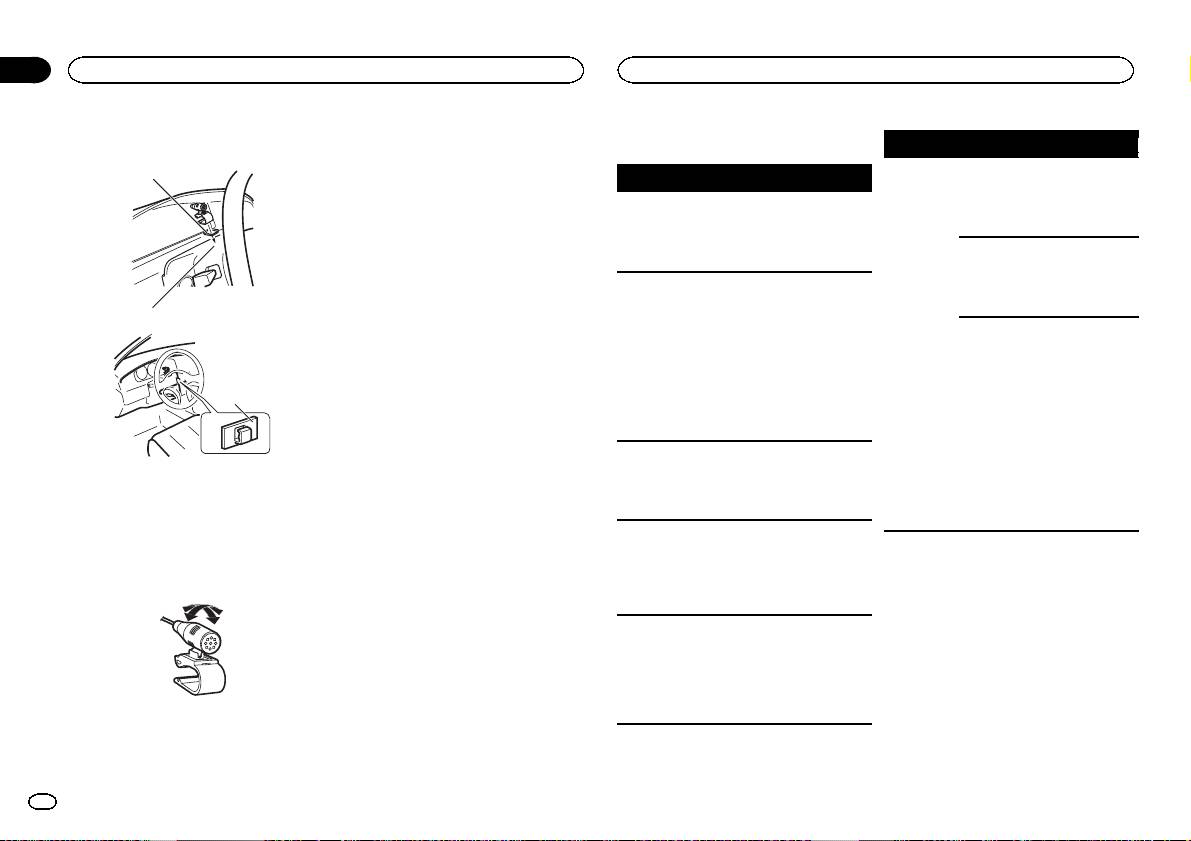
2 Install the microphone clip on the steer-
ing column.
2
Section
03
Installation
Additional information
Troubleshooting
Symptom Cause Action
The sound
There is a call in
The sound will be
1
Symptom Cause Action
from the
progress on a
played back when
Bluetooth
Bluetooth con-
the call is termi-
The display
You did not per-
Perform operation
audio source
nected cellular
nated.
automatically
form any opera-
again.
is not played
phone.
returns to the
tion within
back.
ordinary dis-
about 30 sec-
A Bluetooth
Do not operate
play.
onds.
connected cel-
the cellular phone
lular phone is
at this time.
The repeat
Depending on
Select the repeat
currently being
play range
the repeat play
play range again.
operated.
changes un-
range, the se-
expectedly.
lected range
A call was
Reconnect the
may change
made with a
Bluetooth con-
when another
Bluetooth con-
nection between
folder or track is
nected cellular
this unit and the
being selected
phone and then
cellular phone.
3
or during fast
immediately ter-
forwarding/re-
minated. As a
versing.
result, commu-
nication be-
A subfolder is
Subfolders can-
Select another re-
tween this unit
not played
not be played
peat play range.
1 Double-sided tape
and the cellular
back.
when FLD (fold-
2 Install the microphone clip on the rear side of
phone was not
er repeat) is se-
the steering column.
terminated
lected.
3 Clamp
properly.
NO XXXX ap-
There is no em-
Switch the display
Use separately sold clamps to secure the
pears when a
bedded text in-
or play another
lead where necessary inside the vehicle.
display is
formation.
track/file.
Error messages
changed (NO
Adjusting the microphone angle
TITLE, for ex-
When you contact your dealer or your nearest
ample).
Pioneer Service Center, be sure to note the error
message.
The unit is
You are using a
Move electrical
malfunction-
device, such as
devices that may
ing.
a cellular
be causing the in-
There is inter-
phone, that
terference away
ference.
transmits elec-
from the unit.
tric waves near
The microphone angle can be adjusted.
the unit.
16
En
