
Pioneer DEH-150MPG: Handling guidelines Compressed audio compatibility
Handling guidelines Compressed audio compatibility: Pioneer DEH-150MPG
Table of contents
- About this unit Head unit Display indication Set up menu
- Frequently used menu operations Basic operations
- Tuner Function settings Storing and recalling stations for each band
- Audio adjustments CD/CD-R/CD-RW
- System menu
- Switching the dimmer setting System menu Initial menu
- Connections Using an AUX source
- Installation DIN front/rear mount
- Troubleshooting Error messages
- Handling guidelines Compressed audio compatibility
- Specifications Russian character chart
Appendix
Additional information
Additional information
Message Cause Action
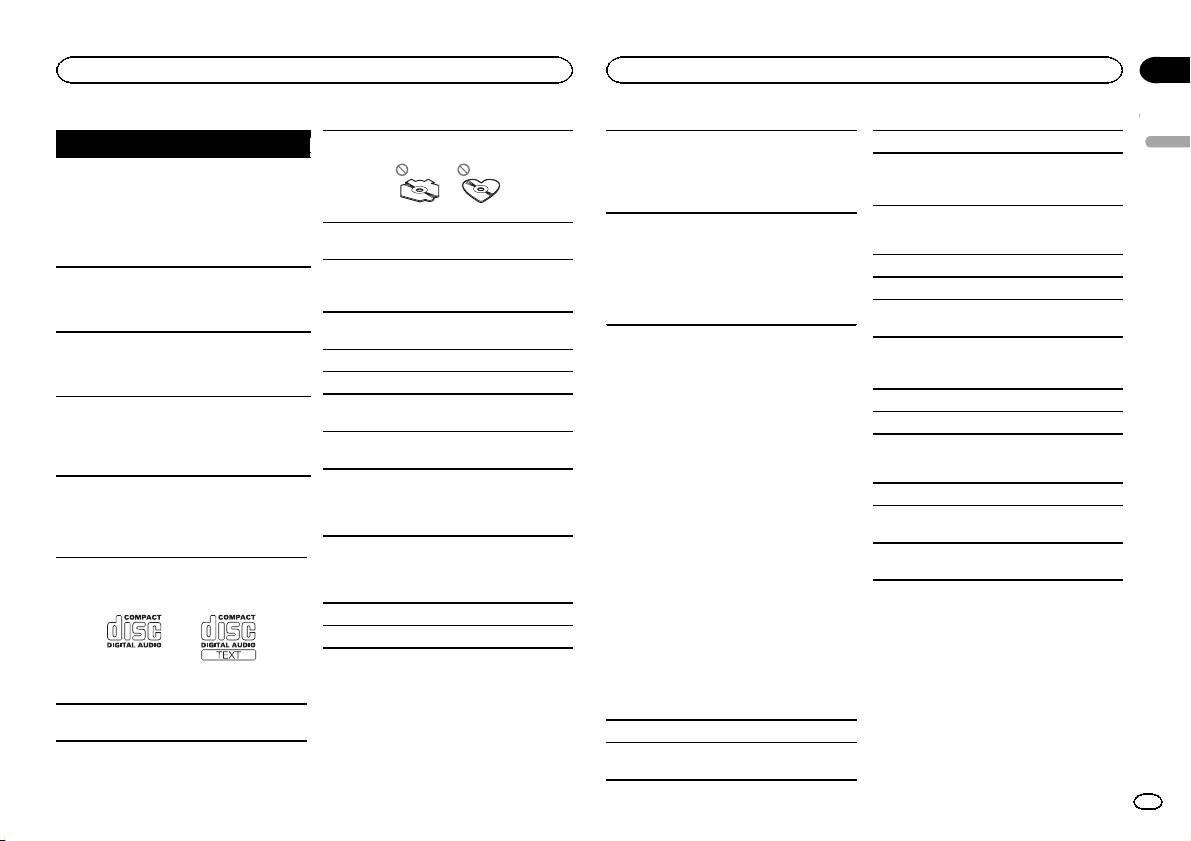
Use only conventional, fully circular discs. Do not
When using discs that can be printed on label sur-
Sampling frequency: 32 kHz, 44.1 kHz, 48 kHz
English
use shaped discs.
faces, check the instructions and the warnings of
Windows Media Audio Professional, Lossless,
FORMAT
Sometimes
Wait until the
the discs. Depending on the discs, inserting and
Voice/DRM Stream/Stream with video: Not com-
READ
there is a delay
message disap-
ejecting may not be possible. Using such discs
patible
between the
pears and you
may result in damage to this equipment.
start of playback
hear sound.
Do not attach commercially available labels or
and when you
Do not insert anything other than a CD into the
other materials to the discs.
MP3
start to hear any
CD loading slot.
! The discs may warp making the disc unplay-
sound.
Do not use cracked, chipped, warped, or other-
able.
File extension: .mp3
NO AUDIO The inserted
Replace the disc.
wise damaged discs as they may damage the play-
! The labels may come off during playback and
Bit rate: 8 kbps to 320 kbps (CBR), VBR
disc does not
er.
prevent ejection of the discs, which may result
contain any
in damage to the equipment.
Sampling frequency: 8 kHz to 48 kHz (32 kHz,
playable files.
Unfinalized CD-R/RW discs cannot be played
44.1 kHz, 48 kHz for emphasis)
back.
SKIPPED The inserted
Replace the disc.
Compatible ID3 tag version: 1.0, 1.1, 2.2, 2.3, 2.4
disc contains
DualDiscs
Do not touch the recorded surface of the discs.
(ID3 tag Version 2.x is given priority over Version
DRM protected
DualDiscs are two-sided discs that have a record-
1.x.)
Store discs in their cases when not in use.
files.
able CD for audio on one side and a recordable
M3u playlist: Not compatible
PROTECT All the files on
Replace the disc.
Do not attach labels, write on or apply chemicals
DVD for video on the other.
the inserted
to the surface of the discs.
MP3i (MP3 interactive), mp3 PRO: Not compatible
Since the CD side of DualDiscs is not physically
disc are em-
To clean a CD, wipe the disc with a soft cloth out-
compatible with the general CD standard, it may
bedded with
ward from the center.
not be possible to play the CD side with this unit.
DRM.
WAV
Frequent loading and ejecting of a DualDisc may
Condensation may temporarily impair the player’s
result in scratches on the disc. Serious scratches
performance. Let it rest for about one hour to ad-
File extension: .wav
can lead to playback problems on this unit. In
Handling guidelines
just to a warmer temperature. Also, wipe any
some cases, a DualDisc may become stuck in the
Quantization bits: 8 and 16 (LPCM), 4 (MS
damp discs off with a soft cloth.
disc loading slot and will not eject. To prevent this,
ADPCM)
Discs and player
Playback of discs may not be possible because of
we recommend you refrain from using DualDisc
Sampling frequency: 16 kHz to 48 kHz (LPCM),
disc characteristics, disc format, recorded applica-
with this unit.
Use only discs that feature either of the following
22.05 kHz and 44.1 kHz (MS ADPCM)
tion, playback environment, storage conditions,
Please refer to the information from the disc man-
two logos.
and so on.
ufacturer for more detailed information about
DualDiscs.
Road shocks may interrupt disc playback.
Read the precautions for discs before using them.
Compressed audio
compatibility
WMA
Use 12-cm discs. Do not use 8-cm discs or an
adapter for 8-cm discs.
File extension: .wma
Bit rate: 48 kbps to 320 kbps (CBR), 48 kbps to
384 kbps (VBR)
En
11
