
Pioneer DEH-150MPG: Frequently used menu operations Basic operations
Frequently used menu operations Basic operations: Pioneer DEH-150MPG
Table of contents
- About this unit Head unit Display indication Set up menu
- Frequently used menu operations Basic operations
- Tuner Function settings Storing and recalling stations for each band
- Audio adjustments CD/CD-R/CD-RW
- System menu
- Switching the dimmer setting System menu Initial menu
- Connections Using an AUX source
- Installation DIN front/rear mount
- Troubleshooting Error messages
- Handling guidelines Compressed audio compatibility
- Specifications Russian character chart
Section
Operating this unit
Operating this unit
02
1 After installation of this unit, turn the
FM STEP (FM tuning step)
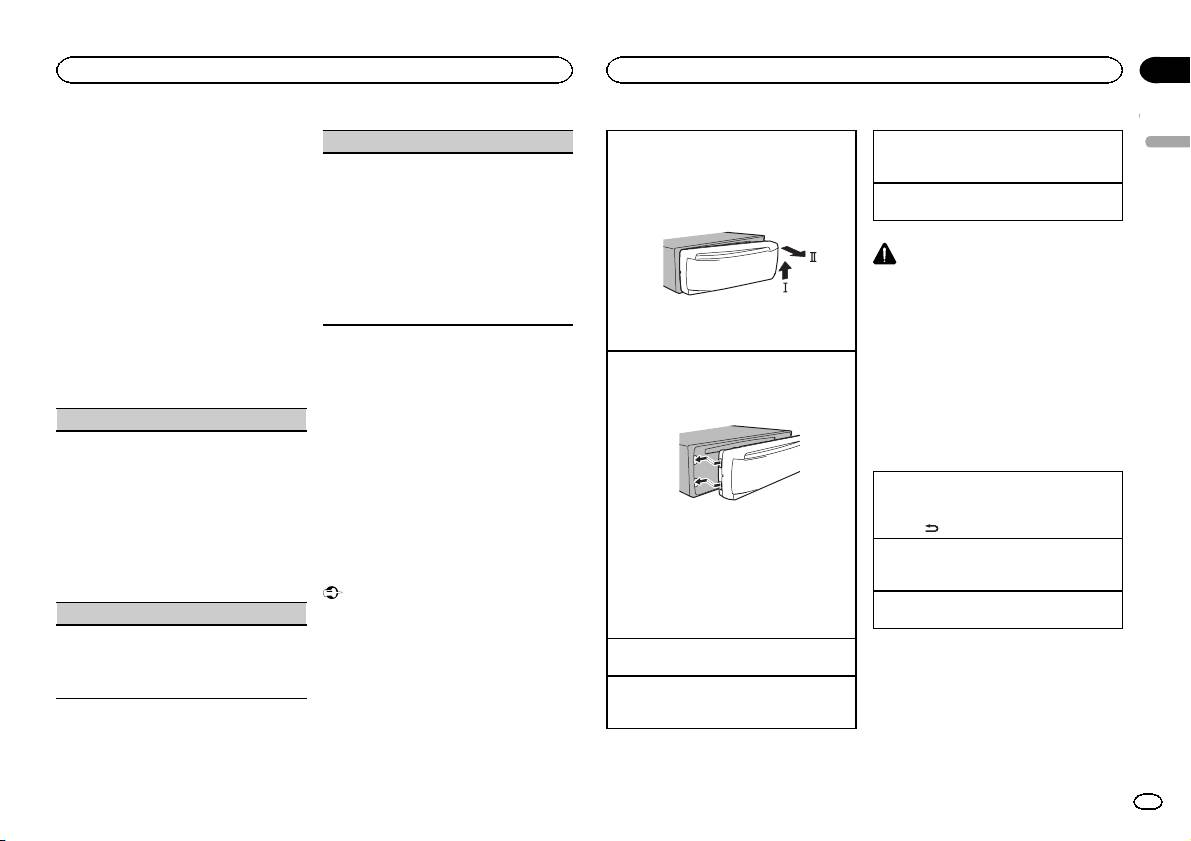
Removing the front panel to protect your unit from
Selecting a source
ignition switch to ON.
English
theft
1 Press SRC/OFF to cycle between:
SET UP appears.
Normally, the FM tuning step employed by seek
1 Press the detach button to release the front
TUNER (tuner)—CD (CD player)—AUX (AUX)
tuning is 50 kHz. When AF or TA is on, the tuning
panel.
2 Turn M.C. to switch to YES.
step automatically changes to 100 kHz. It may be
Adjusting the volume
2 Push the front panel upward (M) and then pull
# If you do not operate for 30 seconds, the set up
preferable to set the tuning step to 50 kHz when
1 Turn M.C. to adjust the volume.
it toward (N) you.
menu will not be displayed.
AF is on.
# If you prefer not to set up at this time, turn M.C.
! The tuning step remains at 50 kHz during man-
to switch to NO. Press to select.
ual tuning.
CAUTION
If you select NO, you cannot set up in the set up
1 Turn M.C. to select the FM tuning step.
For safety reasons, park your vehicle when re-
menu.
50 (50 kHz)—100 (100 kHz)
moving the front panel.
2 Press M.C. to confirm the selection.
3 Press M.C. to select.
QUIT appears.
Note
3 Always keep the detached front panel in a pro-
When this unit’s blue/white lead is connected to
tection device such as a protection case.
4 Perform the following procedures to set
the vehicle’s auto-antenna relay control termi-
5 To finish your settings, turn M.C. to select
the menu.
Re-attaching the front panel
nal, the vehicle’s antenna extends when this
YES.
To proceed to the next menu option, you need to
1 Slide the front panel to the left.
unit’s source is turned on. To retract the anten-
# If you prefer to change your setting again, turn
confirm your selection.
Make sure to insert the tabs on the left side of
na, turn the source off.
M.C. to switch to NO. Press to select.
the head unit into the slots on the front panel.
LANGUAGE (multi-language)
6 Press M.C. to select.
Frequently used menu
This unit can display the text information from a
Notes
operations
compressed audio file even for information em-
! You can set up the menu options from the
bedded in English or Russian.
system menu. For details about the settings,
Returning to the previous display
! If the embedded language and the selected
refer to System menu on page 6.
Returning to the previous list (the folder one level
language setting are not the same, text infor-
! You can cancel set up menu by pressing
higher)
mation may not display properly.
2 Press the right side of the front panel until it is
SRC/OFF.
1 Press
/DIMMER.
! Some characters may not be displayed prop-
firmly seated.
erly.
If you cannot attach the front panel to the
Returning to the ordinary display
1 Turn M.C. to select the desired setting.
head unit successfully, make sure that you are
Canceling the main menu
Basic operations
ENG (English)—РУС (Russian)
placing the front panel onto the head unit cor-
1 Press BAND.
2 Press M.C. to confirm the selection.
Important
rectly. Forcing the front panel into place may
Returning to the ordinary display from the list
! Handle gently when removing or attaching
CLOCK SET (setting the clock)
result in damage to the front panel or head
1 Press BAND.
the front panel.
unit.
! Avoid subjecting the front panel to excessive
1 Turn M.C. to adjust hour.
shock.
Turning the unit on
2 Press M.C. to select minute.
! Keep the front panel out of direct sunlight
1 Press SRC/OFF to turn the unit on.
3 Turn M.C. to adjust minute.
and high temperatures.
4 Press M.C. to confirm the selection.
Turning the unit off
! To avoid damaging the device or vehicle inte-
1 Press and hold SRC/OFF until the unit turns
rior, remove any cables and devices attached
off.
to the front panel before detaching it.
En
3
