
Pioneer SC-LX78-S: Using Android device About using Wiring Navi
Using Android device About using Wiring Navi: Pioneer SC-LX78-S
Table of contents
- Quick Start Guide
- English Connection and initial setup
- Using Built-in AVNavigator Connecting to the network through LAN interface Connecting to a wireless LAN
- Launching the built-in AVNavigator Using Mac Using iPad/iPhone/iPod touch
- Using Android device About using Wiring Navi
- Connecting the speakers
- Connecting a TV and playback components Connecting antennas
- Before you start Automatically setting up for surround sound (MCACC)
- Multichannel playback
- Playing an iPod Listening to Internet radio stations
5
■
Using iPad
On an iPad, you can operate AVNavigator for iPad. Download
AVNavigator for iPad from the App Store. After launching
AVNavigator for iPad, follow the instructions on the screen.
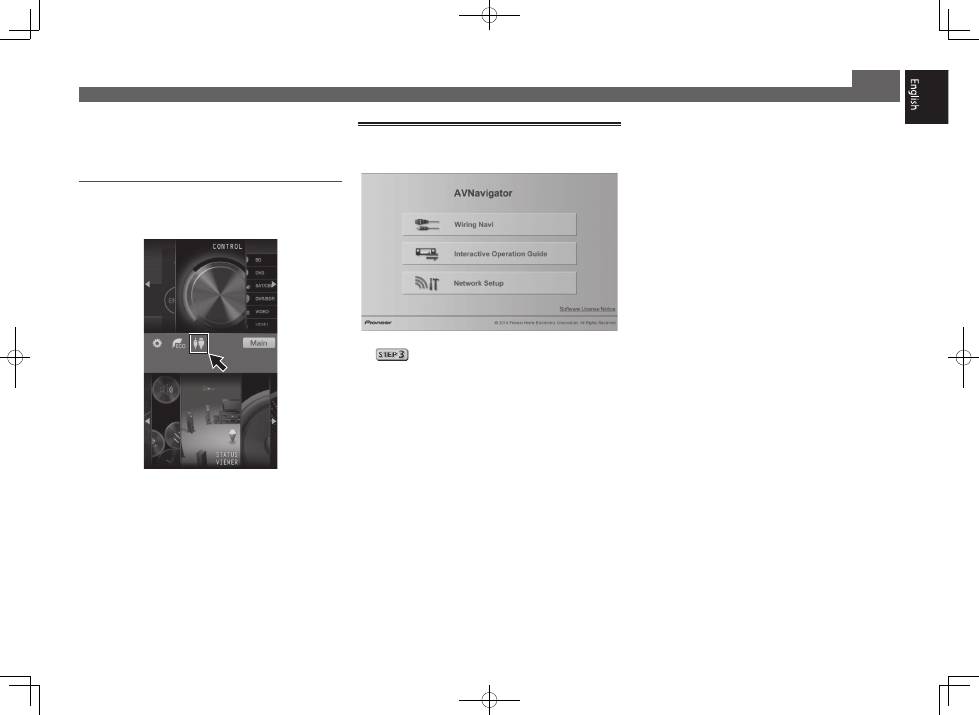
Using Android device
Download a free application, iControlAV5, from the Google Play
Store. After launching iControlAV5, follow the instructions on
the screen. After that, on the Home screen, press the icon.
Using Built-in AVNavigator (continued)
About using Wiring Navi
Wiring Navi starts when ‘
Wiring Navi
’ is pressed on the
AVNavigator screen.
• When connection navigation is finished, proceed to
.
Top 10 manuals
100.00
NZXT HALE90 1000W99.99
Samsung SM-R38099.97
AEG BSB 18C99.97
Dell 2700W99.97
Smeg KSEC70X99.96
Beurer HDE 4099.96
Pyramida KH 50 v.299.96
MSI CSM-H81M-P3299.96
AEG HR 562799.95
Melissa 640-048