
Pioneer KURO PDP-S65: 2. Fit the speaker to the brackets in the correct direction. 3. Tighten from back using the supplied screws (three locations).
2. Fit the speaker to the brackets in the correct direction. 3. Tighten from back using the supplied screws (three locations).: Pioneer KURO PDP-S65
Table of contents
- CAUTION CHECKING THE ACCESSORIES Installation
- INSTALLATION ON THE FLAT SCREEN TV When using the table top stand: 1. Attach the speaker brackets to the rear of the flat screen TV.
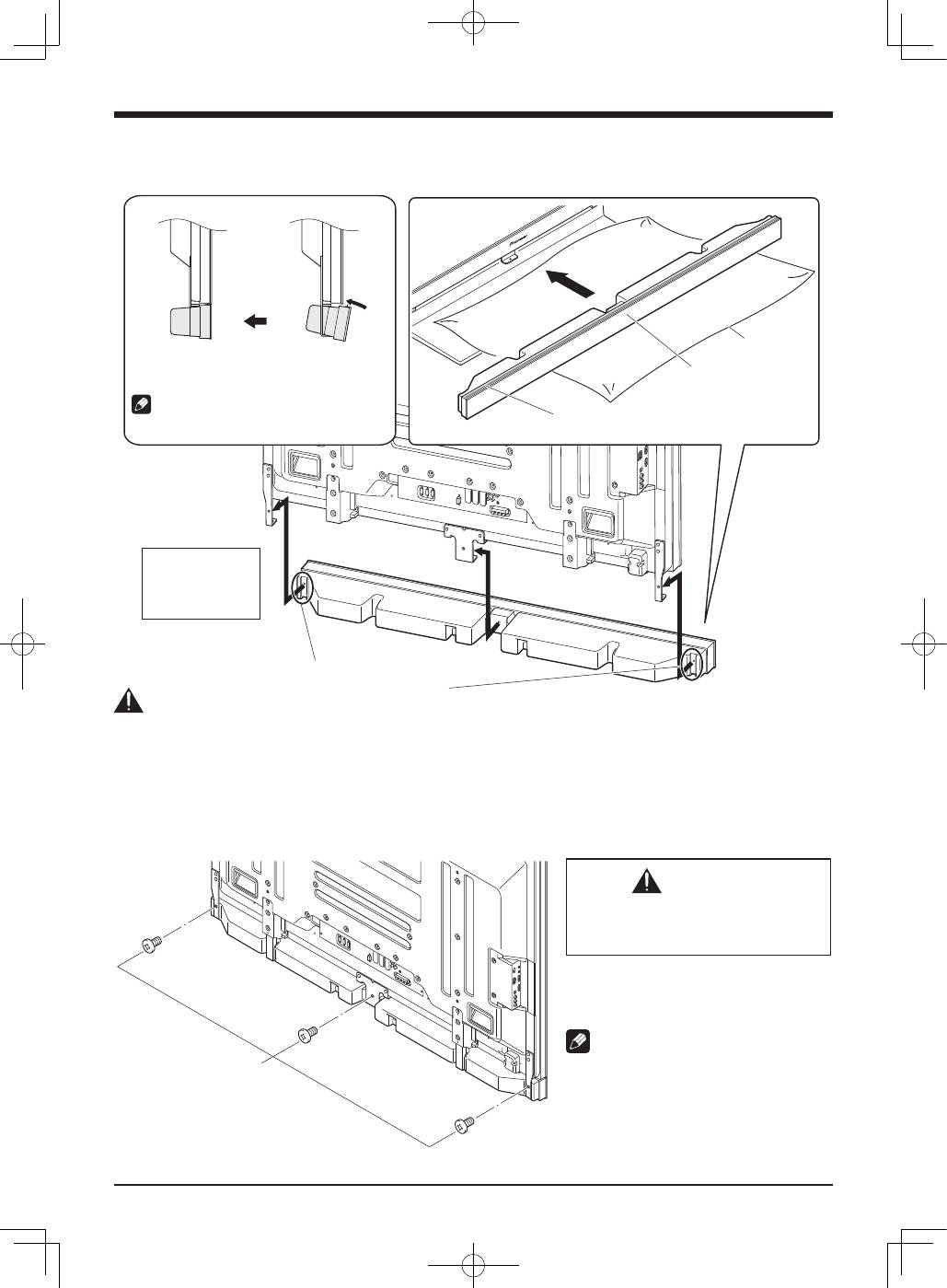
- 2. Fit the speaker to the brackets in the correct direction. 3. Tighten from back using the supplied screws (three locations).
- 4. Connect the supplied the speaker cables to the speaker. 5. Connect the other end of the speaker cables to the rear of flat screen TV.
- 6. Fit the cables into the groove of the speaker.
- When using the hung on wall unit:
- CABINET MAINTENANCE SPECIFICATIONS
English
4
2. Fit the speaker to the brackets in the correct direction.
• Be sure not to mount the speaker upside down.
��������������������������
������������������������
�������������������
�������������������������
�����������������
��������������������
�����������������
���������������
�������������������������������������
�����������������������������������
�������������������������������������������������
����������������������������������������������������
������������
����������������������������������������
Caution
• To avoid any damage to the speaker and/or table top stand from striking against each other, fit the speaker to the bracket while
confirming their locations. As you may easily strike the stand, use the protective wrapping in which the speaker was wrapped
between the speaker and stand.
• When the speaker brackets do not fit the grooves at the rear of the speaker, adjust the speaker brackets angle.
3. Tighten from back using the supplied screws (three locations).
• Tighten the three screws in order
➀
,
➁
,
➂
as shown in the diagram.
�����������������
������������������
�
�
�
CAUTION
Do not move the flat screen TV holding on
to the bracket. This can result in injury or
damage to the flat screen TV.
The screw hole at the bottom surface of the
speaker bracket is used when the flat screen
TV is installed on the wall. It is not used when
installed with the stand.
NOTE:
If after attaching the speaker its position needs
to be adjusted horizontally or vertically, first
loosen the speaker mounting screws, reposition
and then tighten the screws again at the
appropriate position.
