
Pioneer KRP-S01: When using the hung on wall unit:
When using the hung on wall unit:: Pioneer KRP-S01
Table of contents
English
6
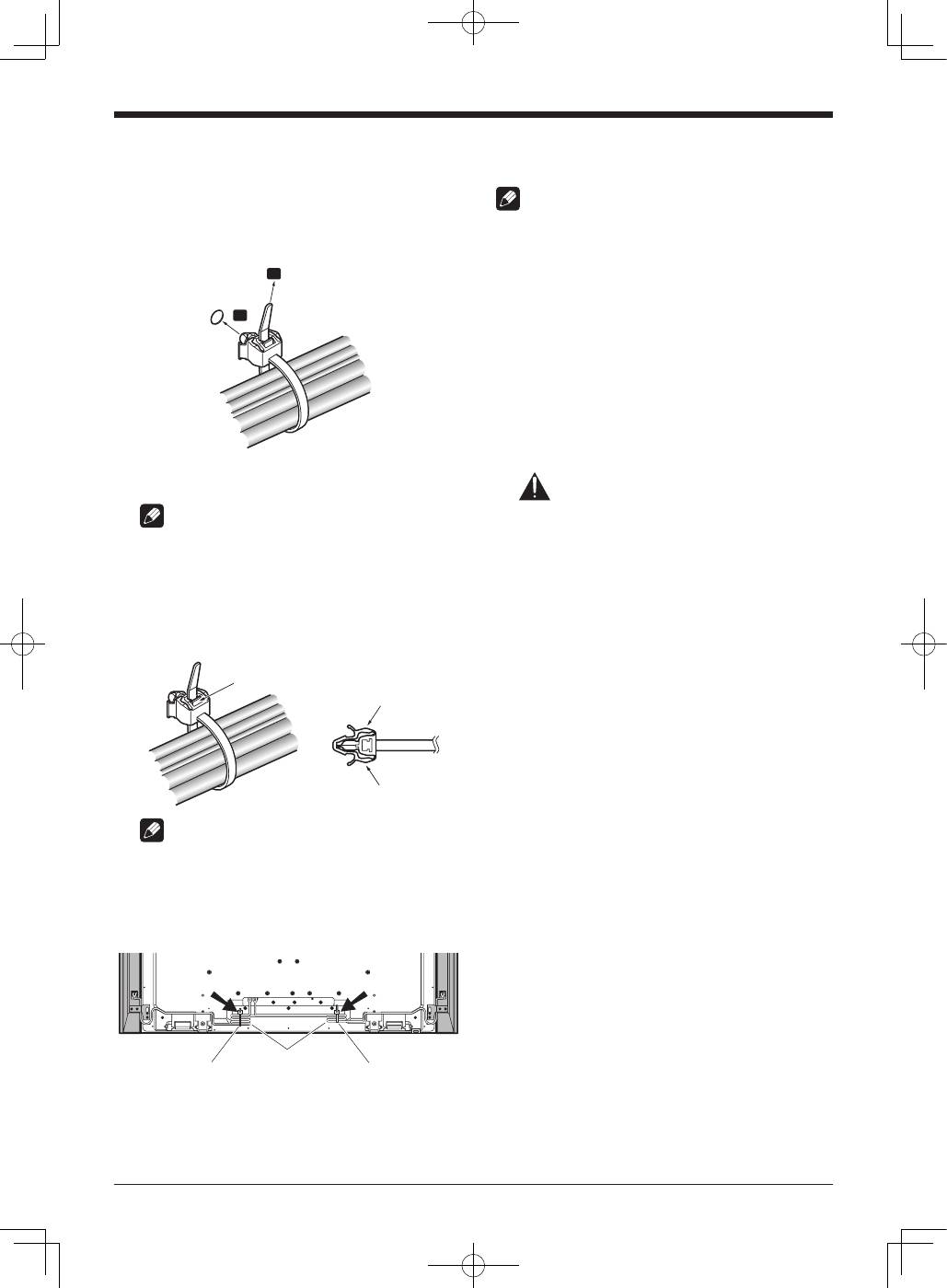
10. Bundling the cables.
Follow the steps below to attach a cable clamp.
1 ) Thread the clamp band through the holder and
bundle the cable(s) in the cable clamp.
2 ) Push and hold the levers then insert the hook into
an appropriate hole on the rear of the flat screen TV.
3 ) Pull up the clamp band to lock.
1
2
4 ) Confirm that the cable clamp is seated firmly in the
panel.
NOTE:
Avoid pinching or creating pressure points when routing
or bundling cables.
To remove the clamp band, pull and hold the latch to
release.
To remove the cable clamp, push and hold the levers
then pull it out from the hole.
Latch
Lever
Lever
NOTE:
The longer a clamp is in place, the better chance of
deterioration. An older clamp is more easily damaged
while being removed and may not be reusable.
Rear of flat screen TV
Speaker cable
Cable clamp
Cable clamp
When using the hung on wall unit:
NOTE:
First lay the flat screen TV on top of a soft sheet etc., then
attach the speakers.
1. Attach the speakers to the flat screen
TV (See procedures 1 to 10 on pages
3 to 6).
Connect the other cables and power cord to the flat
screen TV.
2. Place the flat screen TV on the
mounting fittings of the hung on
wall unit.
For details, refer to the operating instructions supplied
with the hung on wall unit.
Caution
Do not move the flat screen TV by holding these speakers
or speaker brackets. This could result in injury or damage
to the brackets. When moving the TV, hold by the top and
handles.
