
Pioneer X-SMC22-S: POWER-CORD CAUTION Information for users on collection and disposal of old equipment and used batteries Radio wave caution • Make sure to grasp the body of the AC adapter Condensation Store the AC adapter out of the reach of children and infants.
POWER-CORD CAUTION Information for users on collection and disposal of old equipment and used batteries Radio wave caution • Make sure to grasp the body of the AC adapter Condensation Store the AC adapter out of the reach of children and infants.: Pioneer X-SMC22-S
Table of contents
- What’s in the box
- POWER-CORD CAUTION Information for users on collection and disposal of old equipment and used batteries Radio wave caution • Make sure to grasp the body of the AC adapter Condensation Store the AC adapter out of the reach of children and infants.
- Installing the unit Connecting a playback component
- Basic control
- Troubleshooting Specifi cations
English
For detailed descriptions of the unit, see the “Operating Instructions” provided on the included CD-ROM. The operating instructions can also be downloaded from the Pioneer website (http:// www.pioneer.
eu). See below for instructions on handling the CD-ROM.
Operating Environment — In regard to viewing the user’s manual PDF included on the CD-ROM, operation has been confi rmed on the following operating environments. Microsoft® Windows® XP /
Windows Vista® / Windows® 7 / Windows® 8 and Apple Mac OS X 10.7 or later, Adobe Reader (Version 10, 11).
Precautions For Use — This CD-ROM is for use with a computer. It cannot be used with
a DVD player or music CD player. Attempting to play this CD-ROM with a DVD player or music CD player can damage speakers or cause impaired hearing due to the large volume.
License — Please
agree to the “Terms of Use” indicated below before using this CD-ROM. Do not use if you are unwilling to consent to the terms of its use.
Terms of Use — Copyright to data provided on this CD-ROM
belongs to PIONEER CORPORATION. Unauthorized transfer, duplication, broadcast, public transmission, translation, sales, lending or other such matters that go beyond the scope of “personal use” or
“citation” as defi ned by Copyright Law may be subject to punitive actions. Permission to use this CD-ROM is granted under license by PIONEER CORPORATION.
General Disclaimer — PIONEER
CORPORATION does not guarantee the operation of this CD-ROM with respect to computers using any of the applicable OS. In addition, PIONEER CORPORATION is not liable for any damages incurred
as a result of use of this CD-ROM and is not responsible for any compensation. The names of private corporations, products and other entities described herein are the registered trademarks or trademarks
of their respective fi rms.
* When Using a Mac OS: Place the CD-ROM in the CD drive, click the CD drive from Finder, and double click the Index.html (table of contents) for operation instructions.
POWER-CORD CAUTION
Information for users on collection and disposal of old equipment and used batteries
Handle the power cord by the plug. Do not pull out the
plug by tugging the cord and never touch the power
Symbol for
These symbols on the products, packaging, and/or accompanying documents mean
equipment
that used electrical and electronic products and batteries should not be mixed with
cord when your hands are wet as this could cause a
general household waste.
short circuit or electric shock. Do not place the unit, a
piece of furniture, etc., on the power cord, or pinch the
For proper treatment, recovery and recycling of old products and used batteries,
cord. Never make a knot in the cord or tie it with other
please take them to applicable collection points in accordance with your national
cords. The power cords should be routed such that they
legislation.
are not likely to be stepped on. A damaged power cord
By disposing of these products and batteries correctly, you will help to save valuable
can cause a fire or give you an electrical shock. Check
Symbol examples
resources and prevent any potential negative effects on human health and the
the power cord once in a while. When you find it
for batteries
environment which could otherwise arise from inappropriate waste handling.
damaged, ask your nearest PIONEER authorized
service center or your dealer for a replacement.
For more information about collection and recycling of old products and batteries,
S002*_A1_En
please contact your local municipality, your waste disposal service or the point of sale
where you purchased the items.
Radio wave caution
This unit uses a 2.4 GHz radio wave frequency, which is
These symbols are only valid in the European Union.
a band used by other wireless systems (Microwave
For countries outside the European Union:
ovens and Cordless phones, etc.). In this event noise
If you wish to discard these items, please contact your local authorities or dealer and
appears in your television image, there is the possibility
ask for the correct method of disposal.
this unit (including products supported by this unit) is
Pb
causing signal interference with the antenna input
K058a_A1_En
connector of your television, video, satellite tuner, etc. In
this event, increase the distance between the antenna
CAUTION
CAUTION
input connector and this unit (including products
TO PREVENT THE RISK OF ELECTRIC SHOCK, DO NOT
The
STANDBY/ON switch on this unit will not
supported by this unit).
REMOVE COVER (OR BACK). NO USER-SERVICEABLE
completely shut off all power from the AC outlet.
• Pioneer is not responsible for any malfunction of the
PARTS INSIDE. REFER SERVICING TO QUALIFIED
Since the power cord serves as the main disconnect
compatible Pioneer product due to communication
SERVICE PERSONNEL.
error/malfunctions associated with your network
D3-4-2-1-1_B1_En
device for the unit, you will need to unplug it from the
AC outlet to shut down all power. Therefore, make
connection and/or your connected equipment. Please
WARNING
sure the unit has been installed so that the power
contact your Internet service provider or network
This equipment is not waterproof. To prevent a fire or
cord can be easily unplugged from the AC outlet in
device manufacturer.
shock hazard, do not place any container filled with
case of an accident. To avoid fire hazard, the power
• A separate contract with/payment to an Internet
liquid near this equipment (such as a vase or flower
cord should also be unplugged from the AC outlet
service provider is required to use the Internet.
pot) or expose it to dripping, splashing, rain or
when left unused for a long period of time (for
moisture.
example, when on vacation).
AC adapter caution
D3-4-2-1-3_A1_En
D3-4-2-2-2a*_A1_En
• Make sure to grasp the body of the AC adapter
when removing it from the power outlet. If you pull
WARNING
When using this product, confirm the safety
the power cord, it may become damaged which
To prevent a fire hazard, do not place any naked flame
information shown on the bottom of the unit and the
could lead to fire and/or electrocution.
sources (such as a lighted candle) on the equipment.
• Do not attempt to plug in or remove the AC adapter
D3-4-2-1-7a_A1_En
AC adapter label.
D3-4-2-2-4_B1_En
with wet hands. This may result in electrocution.
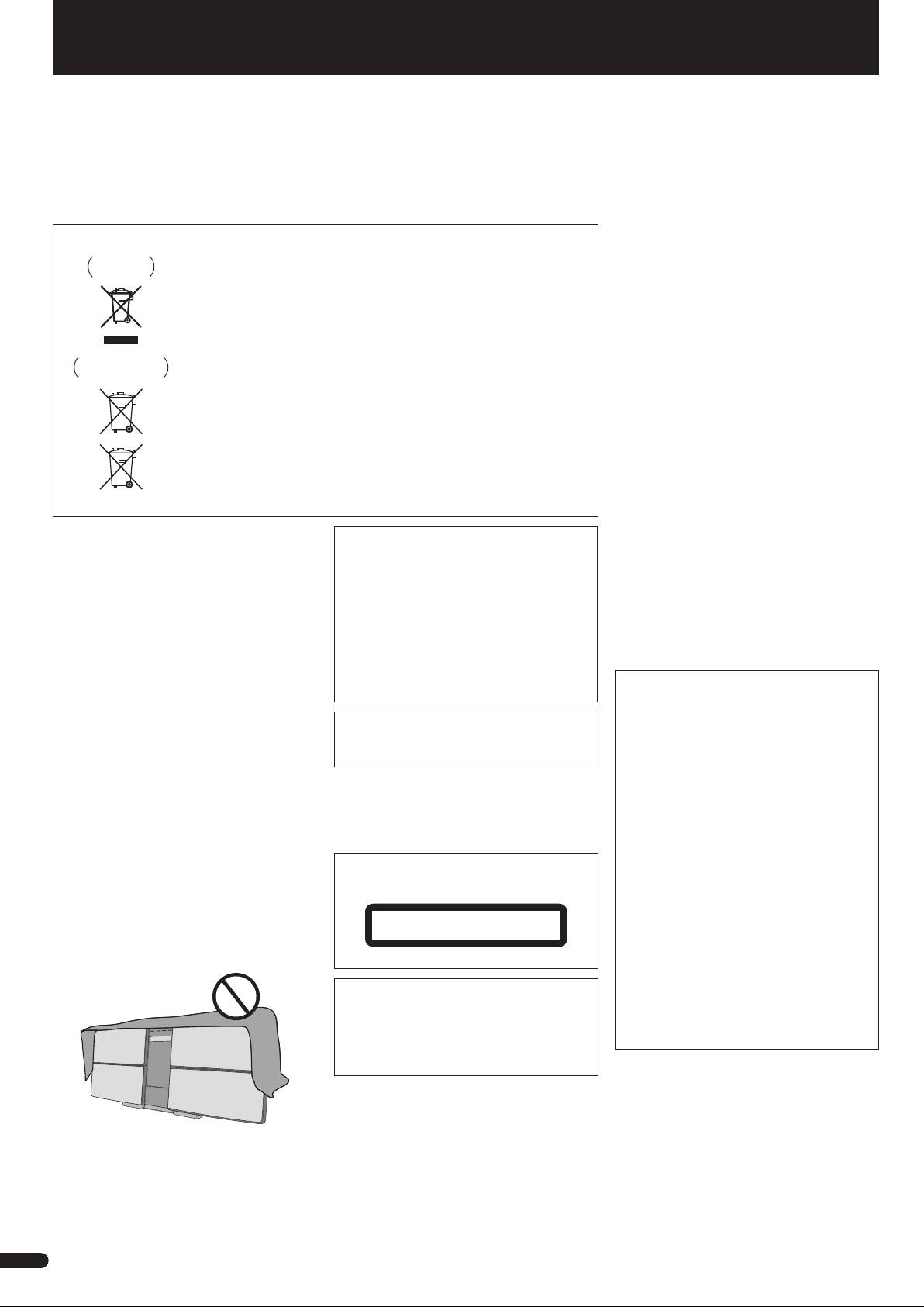
VENTILATION CAUTION
• Insert the prongs of the AC adapter all the way into
WARNING
When installing this unit, make sure to leave space
the power outlet. If the connection is incomplete,
Store small parts out of the reach of children and
around the unit for ventilation to improve heat radiation
heat may be generated which could lead to fire.
infants. If accidentally swallowed, contact a doctor
(at least 20 cm at top, 10 cm at rear, and 10 cm at each
Furthermore, contact with the connected prongs of
immediately.
side).
the adapter may result in electrocution.
D41-6-4_A1_En
• Do not insert the AC adapter into a power outlet
WARNING
where the connection remains loose despite
Slots and openings in the cabinet are provided for
CAUTION
inserting the prongs all the way into the outlet. Heat
ventilation to ensure reliable operation of the product,
This product is a class 1 laser product classified
may be generated which could lead to fire. Consult
and to protect it from overheating. To prevent fire
under the Safety of laser products, IEC 60825-1:2007.
with the retailer or an electrician regarding
hazard, the openings should never be blocked or
replacement of the power outlet.
covered with items (such as newspapers, table-cloths,
• Do not place the unit, a piece of furniture, etc., on
CLASS 1 LASER PRODUCT
curtains) or by operating the equipment on thick carpet
the power cord, or pinch the cord. Never make a
or a bed.
knot in the cord or tie it with other cords. The power
D3-4-2-1-7b*_A1_En
D58-5-2-2a_A1_En
cords should be routed such that they are not likely
to be stepped on. A damaged AC adapter and
power cord can cause a fire or give you an electrical
This product is for general household purposes. Any
shock. Check the AC adapter and the power cord
failure due to use for other than household purposes
once in a while. When you find it damaged, ask
(such as long-term use for business purposes in a
your nearest PIONEER authorized service center or
restaurant or use in a car or ship) and which requires
your dealer for a replacement.
repair will be charged for even during the warranty
period.
K041_A1_En
Condensation
If the player is moved suddenly from a cold place into a
Store the AC adapter out of the reach of
warm room (in winter, for example) or if the
children and infants.
temperature in the room in which the player is installed
rises suddenly due to a heater, etc., water droplets
The AC adapter cord may accidentally wind around the
(condensation) may form inside (on operating parts and
neck and it may cause suffocation.
Operating Environment
the lens). When condensation is present, the player will
Operating environment temperature and humidity:
not operate properly and playback is not possible. Let
+5 °C to +35 °C (+41 °F to +95 °F); less than 85 %RH
the player stand at room temperature for 1 or 2 hours
(cooling vents not blocked)
with the power turned on (the time depends on the
Do not install this unit in a poorly ventilated area, or in
extent of condensation). The water droplets will
locations exposed to high humidity or direct sunlight (or
dissipate and playback will become possible.
strong artificial light).
Condensation can also occur in the summer if the
D3-4-2-1-7c*_A2_En
player is exposed to the direct wind from an
air-conditioner. If this happens, move the player to a
different place.
2
S005_A1_En
En
