
Pioneer X-SMC00BT: CAUTION Operating Environment
CAUTION Operating Environment: Pioneer X-SMC00BT
Table of contents
- CAUTION Operating Environment
- Information for users on collection and disposal of old equipment and used batteries Radio wave caution AC adapter caution POWER-CORD CAUTION
- Contents
- Chapter 1: Before you start What’s in the box Loading the batteries in the remote control
- Using the remote control
- Chapter 2: Part names and functions Remote control
- Hang from the wall to use
- Front panel
- Top panel/Rear panel
- Change the interchangeable panel
- Chapter 3: Connections Plugging in Connecting antenna
- Chapter 4: Getting started To turn the power on General control
- Sound controls Setting the wake-up timer
- Using Headphones Using the sleep timer
- Chapter 5: iPod/iPhone/iPad mini playback Connecting your iPod/iPhone Confirming what iPod/iPhone/iPad mini models are supported
- Playing iPod/iPhone/iPad mini
- Chapter 6: Disc playback Playing discs or files
- Advanced CD or MP3/WMA disc playback
- Programmed play (CD or MP3/WMA) About downloading MP3/WMA About folder playback order
- Specify the folder to play Switch the display contents
- Chapter 7: USB playback Playing USB storage devices
- Playing in the desired order (Programmed Play)
- Chapter 8: Using the tuner Listening to the radio broadcasts
- Using the Radio Data System (RDS)
- Using the tuner08 Information provided by RDS Notes for RDS operation Using the Auto Station Program Memory (ASPM)
- Chapter 9: Other connections Connecting auxiliary components
- Chapter 10: Bluetooth Audio playback Music playback using Bluetooth wireless Pairing with the unit (Initial registration) technology
- Listen to music on the unit from a Radio wave caution Bluetooth capable device
- Bluetooth ® Audio playback
- Chapter 11: Additional information Troubleshooting General problem Problem Check Remedy
- Problem Check Remedy When a USB storage device is connected Problem Check Remedy
- Problem Check Remedy When an iPod/iPhone/iPad mini is connected Problem Remedy
- Playable discs and formats Cautions on use
- Handling discs
- About iPod/iPhone Restoring all the settings to the defaults
- Specifications
CAUTION
This product is for general household purposes. Any
TO PREVENT THE RISK OF ELECTRIC SHOCK, DO NOT
failure due to use for other than household purposes
REMOVE COVER (OR BACK). NO USER-SERVICEABLE
(such as long-term use for business purposes in a
PARTS INSIDE. REFER SERVICING TO QUALIFIED
restaurant or use in a car or ship) and which requires
SERVICE PERSONNEL.
D3-4-2-1-1_B1_En
repair will be charged for even during the warranty
WARNING
period.
K041_A1_En
This equipment is not waterproof. To prevent a fire or
shock hazard, do not place any container filled with
liquid near this equipment (such as a vase or flower
CAUTION
pot) or expose it to dripping, splashing, rain or
The STANDBY/ON switch on this unit will not
moisture.
completely shut off all power from the AC outlet.
D3-4-2-1-3_A1_En
Since the power cord serves as the main disconnect
device for the unit, you will need to unplug it from the
WARNING
AC outlet to shut down all power. Therefore, make
To prevent a fire hazard, do not place any naked flame
sure the unit has been installed so that the power
sources (such as a lighted candle) on the equipment.
D3-4-2-1-7a_A1_En
cord can be easily unplugged from the AC outlet in
case of an accident. To avoid fire hazard, the power
WARNING
cord should also be unplugged from the AC outlet
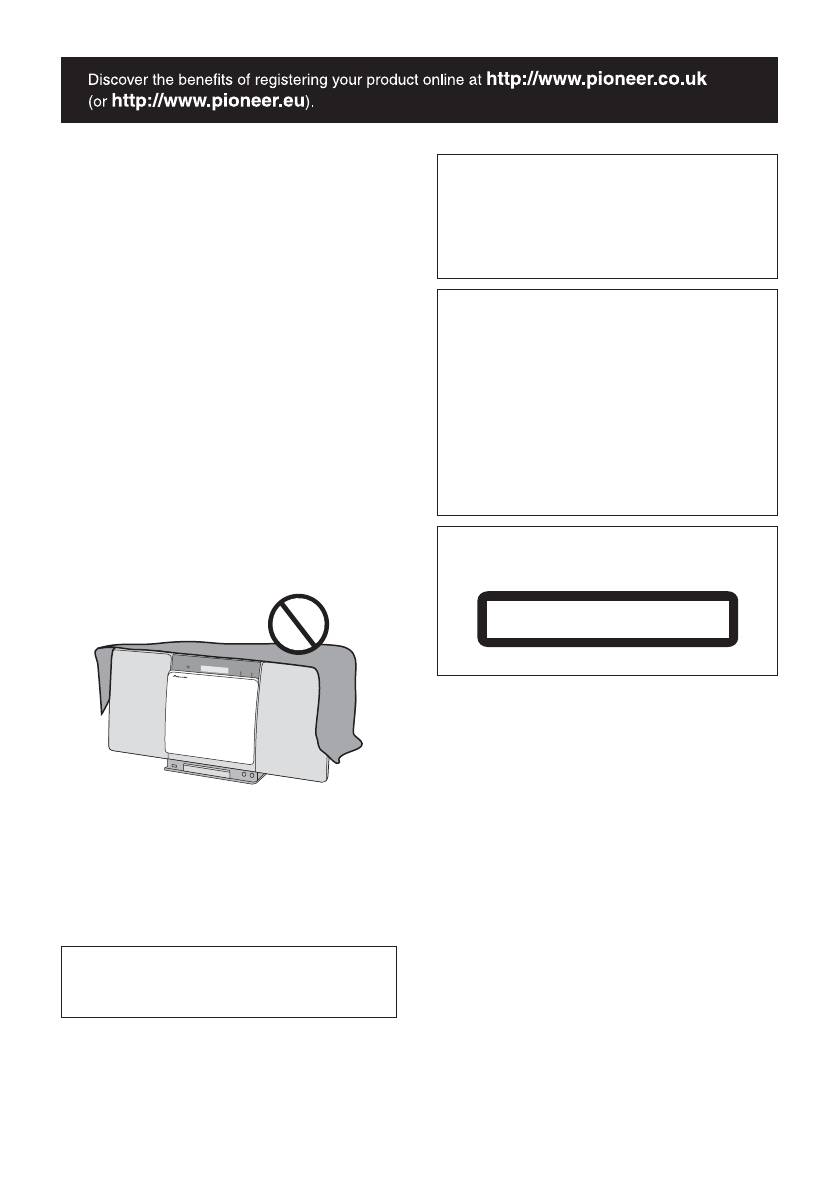
Slots and openings in the cabinet are provided for
when left unused for a long period of time (for
ventilation to ensure reliable operation of the product,
example, when on vacation).
and to protect it from overheating. To prevent fire
D3-4-2-2-2a*_A1_En
hazard, the openings should never be blocked or
covered with items (such as newspapers, table-cloths,
curtains) or by operating the equipment on thick carpet
CAUTION
or a bed.
This product is a class 1 laser product classified
D3-4-2-1-7b*_A1_En
under the Safety of laser products, IEC 60825-1:2007.
CLASS 1 LASER PRODUCT
D58-5-2-2a_A1_En
WARNING
Store small parts out of the reach of children and
infants. If accidentally swallowed, contact a doctor
immediately.
D41-6-4_A1_En
Operating Environment
Operating environment temperature and humidity:
+5 °C to +35 °C (+41 °F to +95 °F); less than 85 %RH
(cooling vents not blocked)
Do not install this unit in a poorly ventilated area, or in
locations exposed to high humidity or direct sunlight
(or strong artificial light)
D3-4-2-1-7c*_A1_En
When using this product, confirm the safety
information shown on the bottom of the unit and the
AC adapter label.
D3-4-2-2-4_B1_En
;60&B6<;(B(QERRN࣮࣌ࢪ㸰㸮㸯㸱ᖺ㸱᭶㸰㸳᪥ࠉ᭶᭙᪥ࠉ༗ᚋ㸵㸰㸲ศ
