
Pioneer VSX-924-S: Connection and initial setup
Connection and initial setup: Pioneer VSX-924-S
Table of contents
- AV Receiver What’s in the box
- Connection and initial setup
- Using Built-in AVNavigator Connecting to the network through LAN interface Connecting to a wireless LAN Plugging in the receiver Turning the power on
- Launching the built-in AVNavigator
- About using Wiring Navi
- Connecting up Connecting the speakers
- Connecting a TV and playback Connecting antennas Plugging in the receiver
- Initial Setup Before you start Automatically setting up for surround sound (MCACC)
- Basic playback Multichannel playback Listening to the radio
- Playing an iPod Listening to Internet radio stations
2
English
Connection and initial setup
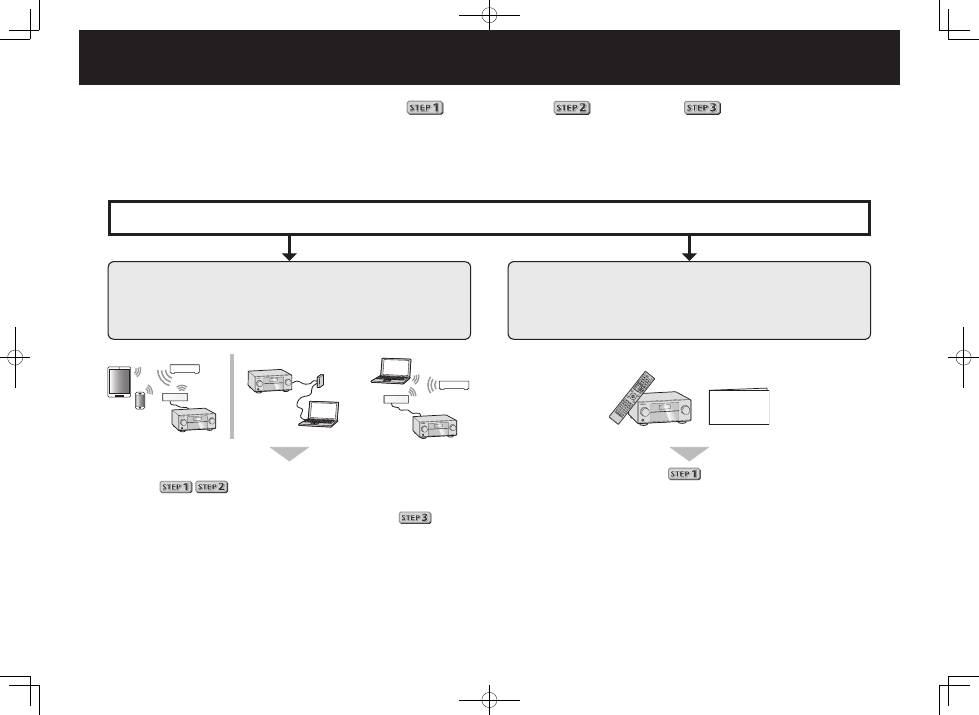
Enjoy easy multichannel playback with this unit in 3 steps:
Connecting up
→
Initial setup
→
Basic playback
.
Connection and initial setup can be performed by referring to this Quick Start Guide, but it is easier when using the
Wiring Navi
in AVNavigator.
Perform connection and initial setup with either method according to the circumstances in which you are using AVNavigator.
Additionally, using the
Interactive Operation Guide
in AVNavigator allows you to learn basic operations effectively.
It is unnecessary to read this guide for explanations;
will be explained in the
Wiring Navi
.
Move on to “Using Built-in AVNavigator” in this guide.
You can use the
Interactive Operation Guide
in
.
The contents are linked interactively with the product, allowing you
to remember them while reading, and actually use the product while
becoming used to it.
Move on to
in this guide.
Quick Start
Guide
Connection and initial setup following the instructions
in the “Wiring Navi” in AVNavigator
(Connection to the network is required for the initial setup.)
Connection and initial setup by referring to
this Quick Start Guide
or
