
Pioneer KURO KRP-TS02: Attaching the Cushion
Attaching the Cushion: Pioneer KURO KRP-TS02
Table of contents
12
En
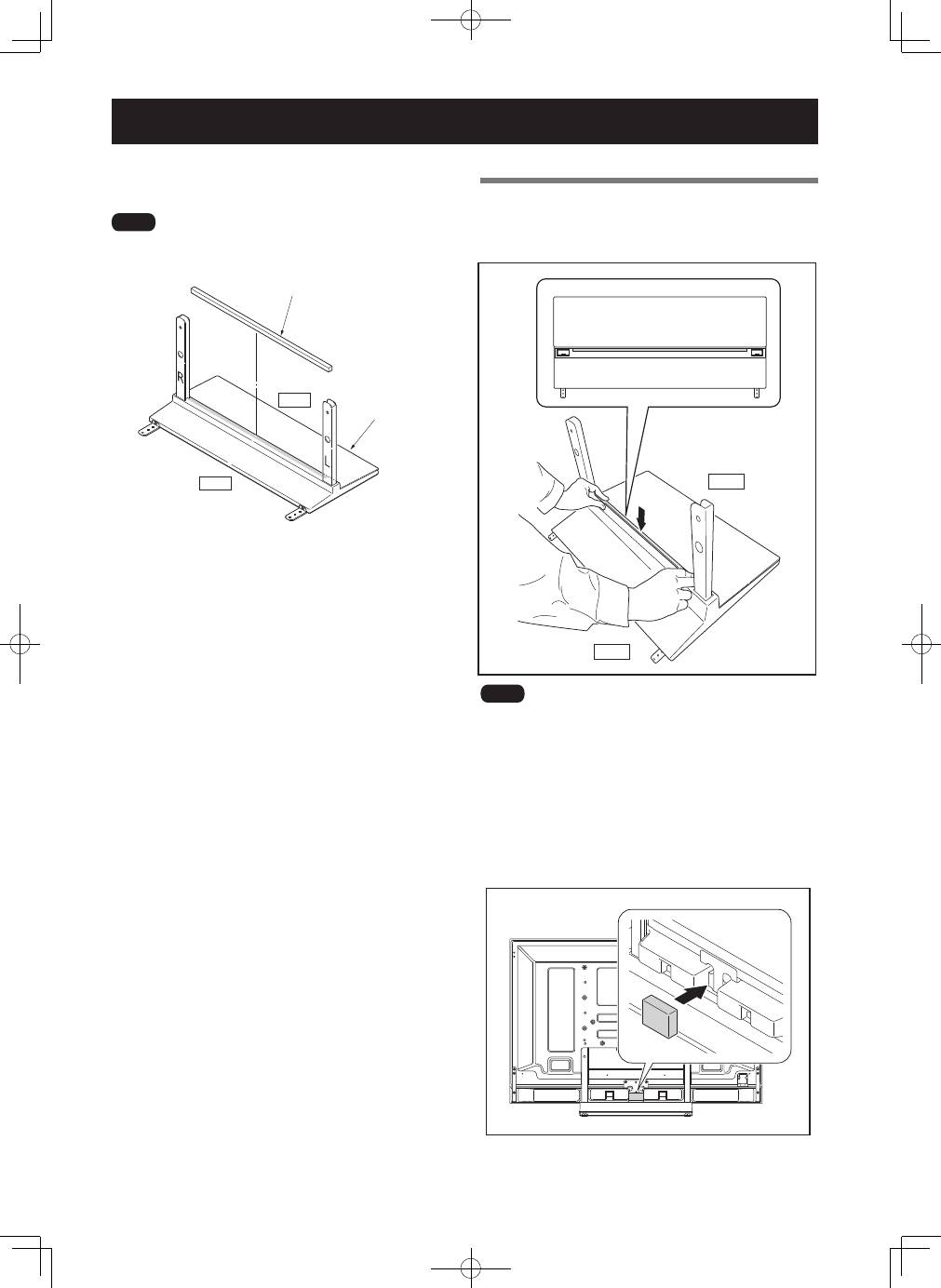
This part prevents reflection of the cables connected to the
back of the Pioneer display and television on the base cover.
����
Attach it after anchoring the base cover on a flat stable place.
�����
����
����������
�������
Attaching the Cushion
Attachment Procedure
1
Peel off one side of the double-stick tape on
the cushion and attach the cushion onto the
base cover.
�����
����
����
• Be careful that the cushion does not catch on the pipe
insertion holes.
• Anchor it in place so that there are no gaps. If there is a gap,
the cushion may peel off.
2
After attaching the Pioneer television onto the
stand, peel off one side of double-stick tape
and attach the light-blocking pad onto the
position in the bottom diagram (PDP-LX5090 /
PDP-LX5090H / PDP-C509A only).
Top 10 manuals
100.00
NZXT HALE90 1000W99.99
Samsung SM-R38099.97
AEG BSB 18C99.97
Dell 2700W99.97
Smeg KSEC70X99.96
Beurer HDE 4099.96
Pyramida KH 50 v.299.96
MSI CSM-H81M-P3299.96
AEG HR 562799.95
Melissa 640-048