
Pioneer X-CM31-N: Top panel
Top panel: Pioneer X-CM31-N
Table of contents
- IMPORTANT VENTILATION CAUTION Operating Environment
- Information for users on collection and disposal of old equipment and used batteries
- Contents
- Chapter 1: Before you start What’s in the box Loading the batteries in the remote control
- Chapter 2: Part names and functions Remote control
- Part names and functions 02 Speaker system
- Front panel
- Top panel
- Chapter 3: Connections Connecting a TV Speaker connection
- Connecting antennas Plugging in
- Chapter 4: Getting started To turn the power on General control Setting the clock
- Sound controls Setting the wake-up timer
- Using Headphones Using the sleep timer
- Chapter 5: iPod/iPhone/iPad playback Confirming what iPod/iPhone/iPad models are supported Connecting your iPod/iPhone/iPad
- Connecting iPod/iPhone to the top panel Connecting iPod/iPhone/iPad using supplied stand
- Watching iPod/iPhone videos on your Playing iPad Playing iPod/iPhone
- Chapter 6: Disc playback Various disc functions Playing discs or files
- Advanced CD or MP3/WMA disc playback
- Disc playback06 Programmed play (CD or MP3/WMA) About downloading MP3/WMA About folder playback order
- Specify the folder to play Switch the display contents
- Chapter 7: USB playback Playing USB storage devices
- Specify the folder to play Playing in the desired order (Programmed Play)
- Chapter 8: Using the tuner Listening to the radio broadcasts Saving station presets Tuning
- To recall a memorised station To erase entire preset memory Using the Radio Data System (RDS) Searching for RDS programs An introduction to RDS
- Information provided by RDS Notes for RDS operation Using the Auto Station program Memory (ASPM)
- Chapter 9: Other connections Connecting auxiliary components
- Chapter 10: Additional information Troubleshooting General problem Problem Check Remedy
- Additional information 10 When a USB storage device is connected Problem Check Remedy When an iPod/iPhone/iPad is connected Problem Remedy
- Additional information10 Playable discs and formats Cautions on use
- Handling discs
- About iPod/iPhone/iPad Restoring all the settings to the defaults
- Specifications
Part names and functions 02
9
En
English Français Español
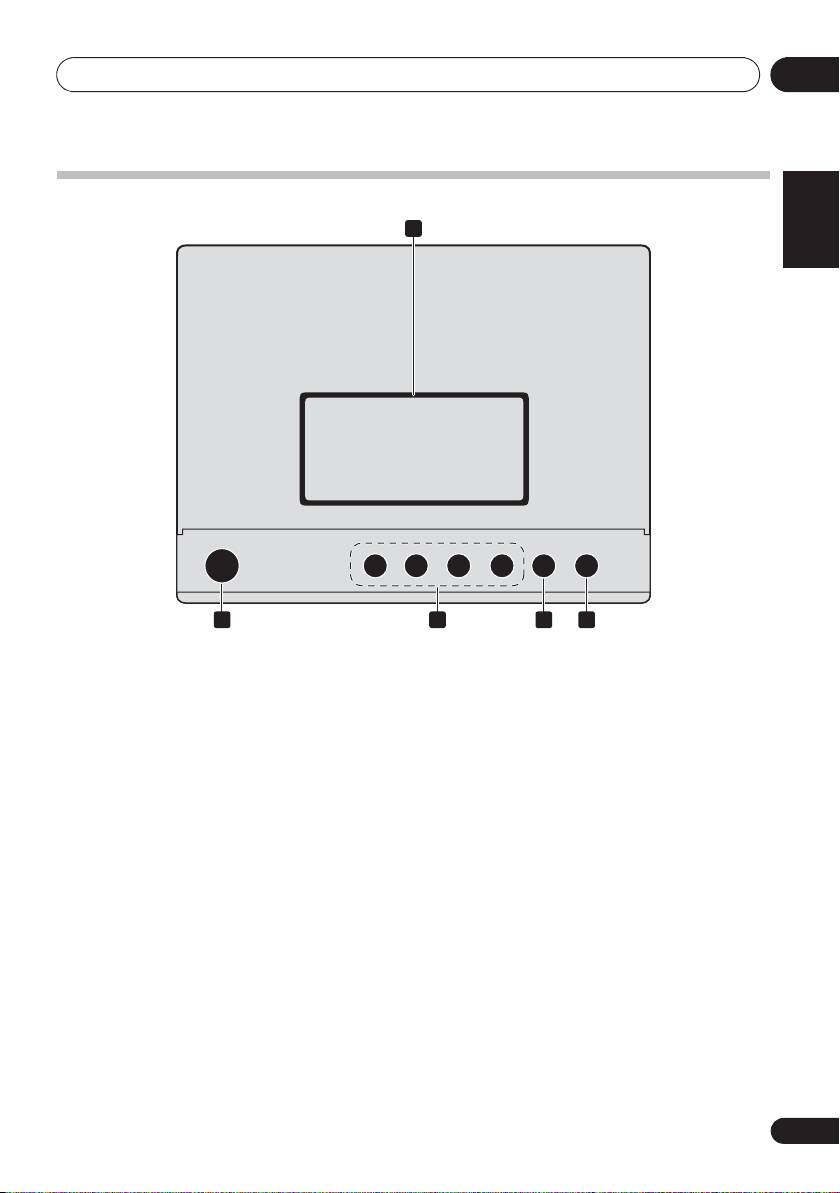
Top panel
1 iPod/iPhone connector port
4 INPUT
To connect the iPod/iPhone, press the PUSH OPEN tab
Selects the input source.
(page 15).
5 Disc tray open/close button
2
1 STANDBY/ON
Use to open or close the disc tray (page 18).
Switches the receiver between standby and on (page 18).
3 Playback control buttons
Selects the desired track or file to be played back. Use to stop
the playback. Stops playback or resumes playback from the
pause point.
1
PUSH OPEN
STANDBY/ON
INPUT
2 5
3 4
;&0B6<;(B(QERRN࣮࣌ࢪ㸰㸮㸯㸱ᖺ㸲᭶㸶᪥ࠉ᭶᭙᪥ࠉ༗๓㸯㸯㸲㸷ศ
Top 10 manuals
100.00
NZXT HALE90 1000W99.99
Samsung SM-R38099.97
AEG BSB 18C99.97
Dell 2700W99.97
Smeg KSEC70X99.96
Beurer HDE 4099.96
Pyramida KH 50 v.299.96
MSI CSM-H81M-P3299.96
AEG HR 562799.95
Melissa 640-048