
Pioneer PDK-TS33A: Attachment Procedure
Attachment Procedure: Pioneer PDK-TS33A
Table of contents
- Contents
- Checking the Standard Accessories
- Assembling the Stand Assembly Procedure
- Attachment Procedure
- Attaching the Pioneer Display and Television
- Installing the Product on a Rack etc.
- Preventing Equipment from Falling Over Stabilizing on a rack etc. Using a wall for stabilization Specifications
- When the side speakers are installed Without speakers Dimensions Diagram When the under speaker is installed
12
En
This part prevents reflection of the cables connected to the
back of the Pioneer display and television on the base cover.
����
Attach it after anchoring the base cover on a flat stable place.
�����
����
����������
�������
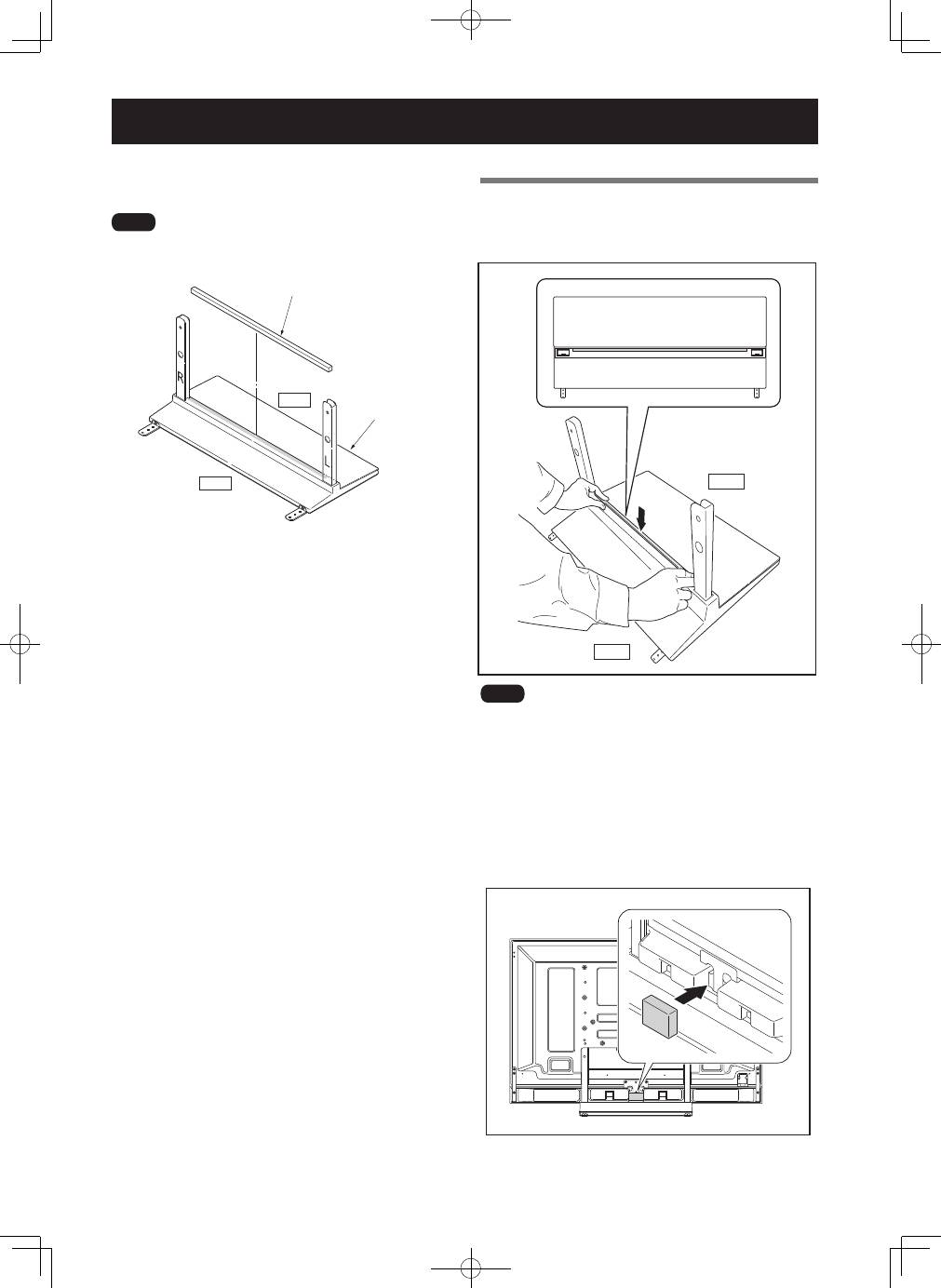
Attaching the Cushion
Attachment Procedure
1
Peel off one side of the double-stick tape on
the cushion and attach the cushion onto the
base cover.
�����
����
����
• Be careful that the cushion does not catch on the pipe
insertion holes.
• Anchor it in place so that there are no gaps. If there is a gap,
the cushion may peel off.
2
After attaching the Pioneer television onto the
stand, peel off one side of double-stick tape
and attach the light-blocking pad onto the
position in the bottom diagram (PDP-LX5090 /
PDP-LX5090H / PDP-C509A only).
Top 10 manuals
100.00
NZXT HALE90 1000W99.99
Samsung SM-R38099.97
AEG BSB 18C99.97
Dell 2700W99.97
Smeg KSEC70X99.96
Beurer HDE 4099.96
Pyramida KH 50 v.299.96
MSI CSM-H81M-P3299.96
AEG HR 562799.95
Melissa 640-048