
Dell Latitude X300 – страница 3
Инструкция к Ноутбуку Dell Latitude X300
Оглавление
- Dell™ Latitude™ X300 User's Guide
Finding Information for Your Computer
What are you looking for?
Find It Here
l
A diagnostic program for my
computer
l
Drivers for my computer
l
My computer documentation
l
My device documentation
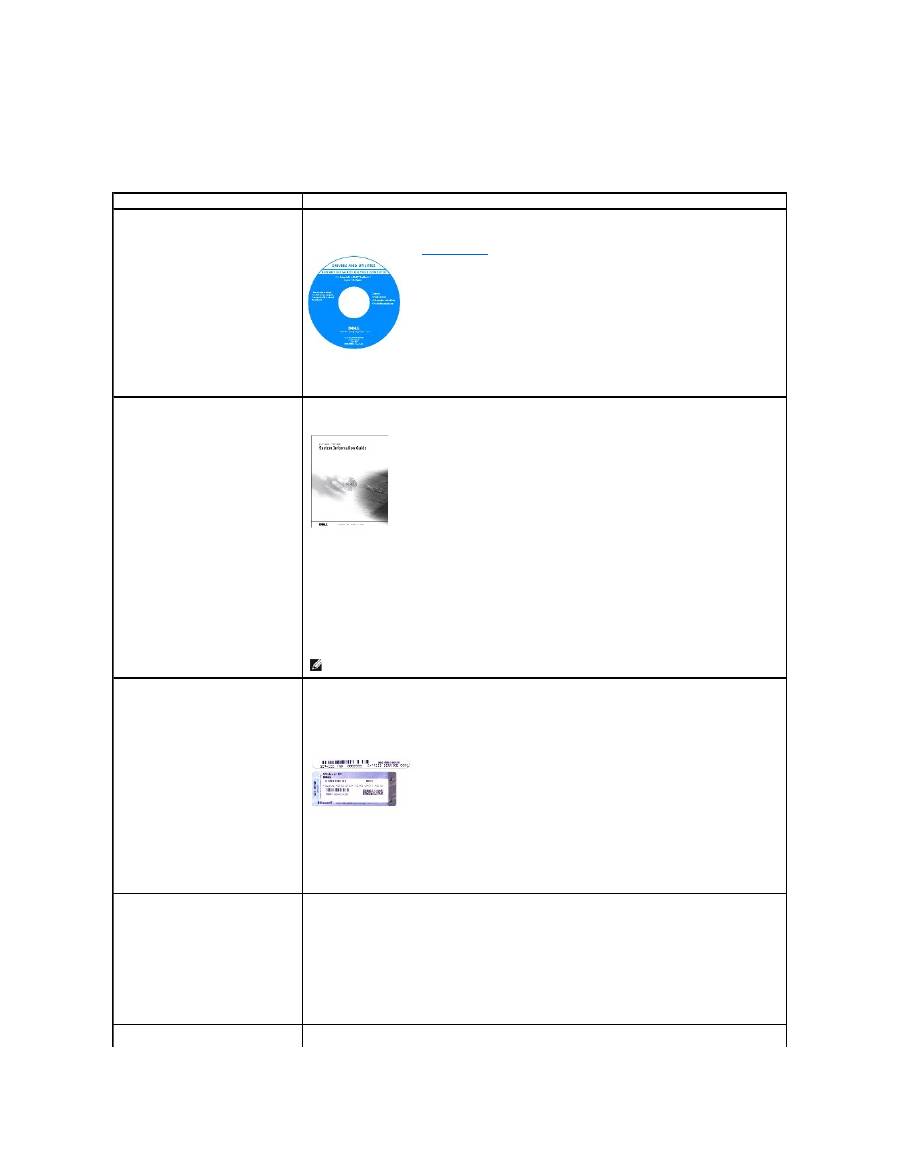
Drivers and Utilities CD (also known as the ResourceCD)
Documentation and drivers are already installed on your computer when shipped from Dell. You can use the CD
to reinstall drivers, run the
Dell Diagnostics
, or access your documentation.
Readme files may be included on your CD to provide last-minute updates about technical changes to your
computer or advanced technical-reference material for technicians or experienced users.
l
How to set up my computer
l
Warranty Information
l
Safety Instructions
Dell System Information Guide
NOTE:
This document is available as a pdf at support.dell.com.
l
Service Tag and Express Service
Code
l
Microsoft
®
Windows
®
License Label
Service Tag and Microsoft Windows License
These labels are located on your computer.
l
Use the Service Tag to identify your computer when you use
support.dell.com
or contact technical
support.
l
Enter the Express Service Code to direct your call when contacting technical support. The Express Service
Code is not available in all countries.
l
Use the number on the Microsoft Windows License Label if you reinstall your operating system.
l
Latest drivers for my computer
l
Answers to technical service and
support questions
l
Online discussions with other users
and technical support
l
Documentation for my computer
Dell Support Website
—
support.dell.com
The Dell Support website provides several online tools, including:
l
Solutions
—
Troubleshooting hints and tips, articles from technicians, and online courses
l
Community Forum
—
Online discussion with other Dell customers
l
Upgrades
—
Upgrade information for components, such as memory, the hard drive, and the operating
system
l
Customer Care
—
Contact information, order status, warranty, and repair information
l
Downloads
—
Drivers, patches, and software updates
l
Reference
—
Computer documentation, product specifications, and white papers
l
Service call status and support
history
Dell Premier Support Website
—
premiersupport.dell.com
l
Top technical issues for my computer
l
Frequently asked questions
l
File downloads
l
Details on my computer
configuration
l
Service contract for my computer
The Dell Premier Support website is customized for corporate, government, and education customers. This
website may not be available in all regions.
l
How to use Windows XP
l
Documentation for my computer
l
Documentation for devices (such as
a modem)
Windows Help and Support Center
1.
Click the
Start
button and click
Help and Support
.
2.
Type a word or phrase that describes your problem and click the arrow icon.
3.
Click the topic that describes your problem.
4.
Follow the instructions on the screen.
l
How to reinstall my operating
system
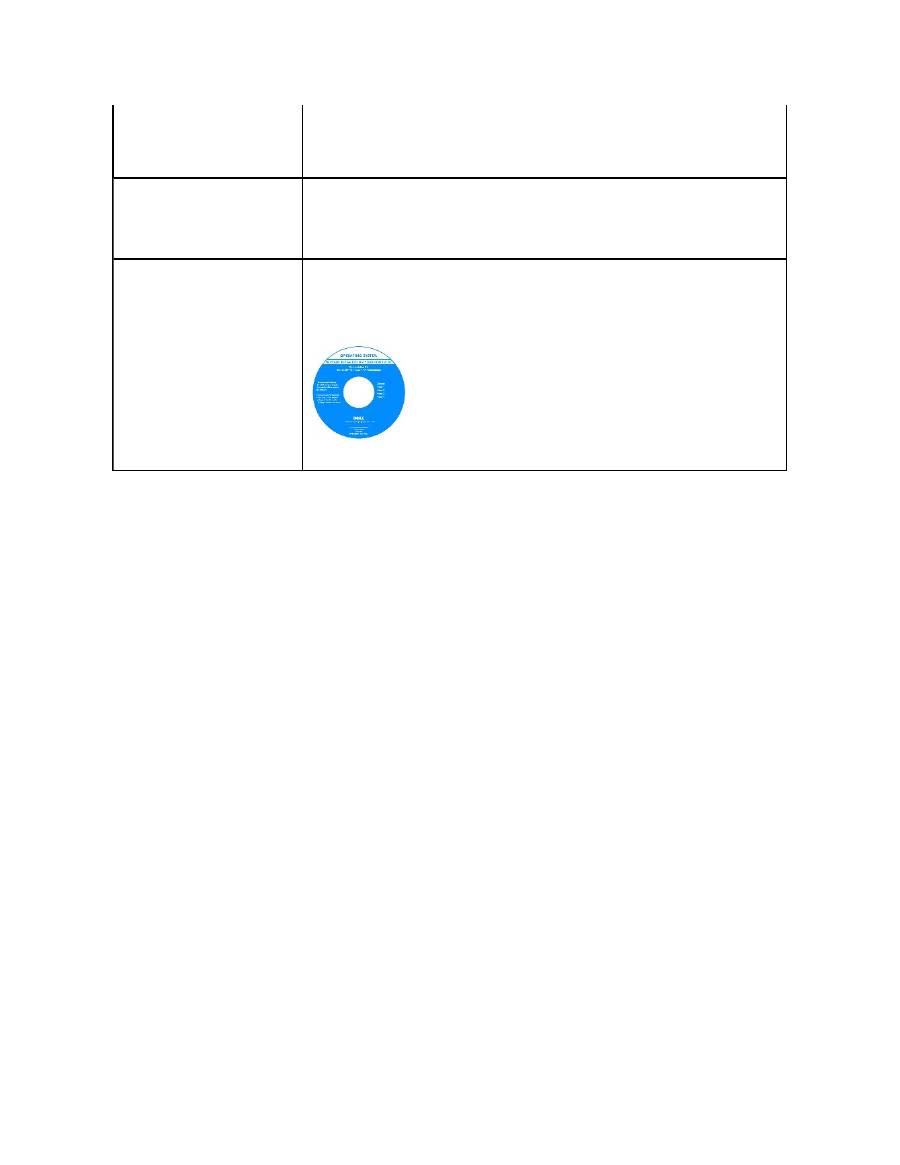
Operating System CD
After you reinstall your operating system using the Operating System Reinstallation CD, use the
Drivers and
Utilities
CD to reinstall drivers for the devices that came with your computer.
The product key for your operating system is located on your computer.
Getting Help
Technical Assistance
Problems With Your Order
Product Information
Returning Items for Warranty Repair or Credit
Before You Call
Contacting Dell
Technical Assistance
If you need help with a technical problem, Dell is ready to assist you.
1.
Complete the procedures in "
Solving Problems
."
2.
Run the
Dell Diagnostics
.
3.
Make a copy of the
Diagnostics Checklist
and fill it out.
4.
Use Dell's extensive suite of online services available at Dell Support (
support.dell.com
) for help with installation and troubleshooting procedures.
5.
If the preceding steps have not resolved the problem, contact Dell.
NOTE:
Call technical support from a telephone near or at the computer so that technical support can assist you with any necessary procedures.
NOTE:
Dell's Express Service Code system may not be available in all countries.
When prompted by Dell's automated telephone system, enter your Express Service Code to route the call directly to the proper support personnel. If
you do not have an Express Service Code, open the
Dell Accessories
folder, double-click the
Express Service Code
icon, and follow the directions.
For instructions on using the technical support service, see "
Technical Support Service
."
NOTE:
Some of the following services are not always available in all locations outside the continental U.S. Call your local Dell representative for information on
availability.
Online Services
You can access Dell Support at
support.dell.com
. Select your region on the
WELCOME TO DELL SUPPORT
page, and fill in the requested details to access
help tools and information.
You can contact Dell electronically using the following addresses:
l
World Wide Web
www.dell.com/
www.dell.com/ap/
(Asian/Pacific countries only)
www.euro.dell.com
(Europe only)
www.dell.com/la/
(Latin American countries)
www.dell.ca
(Canada only)
l
Anonymous file transfer protocol (FTP)
ftp.dell.com/
Log in as user:
anonymous
, and use your e-mail address as your password.
l
Electronic Support Service
CAUTION:
If you need to remove the computer covers, first disconnect the computer power and modem cables from all electrical outlets.

mobile_support@us.dell.com
support@us.dell.com
apsupport@dell.com
(Asian/Pacific countries only)
support.euro.dell.com
(Europe only)
l
Electronic Quote Service
sales@dell.com
apmarketing@dell.com
(Asian/Pacific countries only)
sales_canada@dell.com (Canada only)
l
Electronic Information Service
info@dell.com
AutoTech Service
Dell's automated technical support service
—
AutoTech
—
provides recorded answers to the questions most frequently asked by Dell customers about their
portable and desktop computers.
When you call AutoTech, use your touch-tone telephone to select the subjects that correspond to your questions.
The AutoTech service is available 24 hours a day, 7 days a week. You can also access this service through the technical support service. For the telephone
number to call, see the
contact numbers
for your region.
Automated Order-Status Service
To check on the status of any Dell™ products that you have ordered, you can go to
support.dell.com
,
or you can call the automated order-status service. A
recording prompts you for the information needed to locate and report on your order. For the telephone number to call, see the
contact numbers
for your
region.
Technical Support Service
Dell's technical support service is available 24 hours a day, 7 days a week, to answer your questions about Dell hardware. Our technical support staff uses
computer-based diagnostics to provide fast, accurate answers.
To contact Dell's technical support service, see "
Getting Help
" and then call the number for your country as listed in "
Contacting Dell
."
Problems With Your Order
If you have a problem with your order, such as missing parts, wrong parts, or incorrect billing, contact Dell for customer assistance. Have your invoice or
packing slip handy when you call. For the telephone number to call, see the
contact numbers
for your region.
Product Information
If you need information about additional products available from Dell, or if you would like to place an order, visit the Dell website at
www.dell.com
. For the
telephone number to call to speak to a sales specialist, see the
contact numbers
for your region.
Returning Items for Warranty Repair or Credit

Prepare all items being returned, whether for repair or credit, as follows:
1.
Call Dell to obtain a Return Material Authorization Number, and write it clearly and prominently on the outside of the box.
For the telephone number to call, see the
contact numbers
for your region.
2.
Include a copy of the invoice and a letter describing the reason for the return.
3.
Include a copy of the
Diagnostics Checklist
indicating the tests you have run and any error messages reported by the Dell Diagnostics.
4.
Include any accessories that belong with the item(s) being returned (power cables, software floppy disks, guides, and so on) if the return is for credit.
5.
Pack the equipment to be returned in the original (or equivalent) packing materials.
You are responsible for paying shipping expenses. You are also responsible for insuring any product returned, and you assume the risk of loss during shipment
to Dell. Collect On Delivery (C.O.D.) packages are not accepted.
Returns that are missing any of the preceding requirements will be refused at Dell's receiving dock and returned to you.
Before You Call
NOTE:
Have your Express Service Code ready when you call. The code helps Dell's automated-support telephone system direct your call more efficiently.
Remember to fill out the
Diagnostics Checklist
. If possible, turn on your computer before you call Dell for technical assistance and call from a telephone at or
near the computer. You may be asked to type some commands at the keyboard, relay detailed information during operations, or try other troubleshooting
steps possible only at the computer itself. Ensure that the computer documentation is available.
Contacting Dell
To contact Dell electronically, you can access the following websites:
l
www.dell.com
l
support.dell.com
(technical support)
l
premiersupport.dell.com
(technical support for educational, government, healthcare, and medium/large business customers, including Premier,
Platinum, and Gold customers)
CAUTION:
Before working inside your computer, read the safety instructions in your
System Information
Guide
.
Diagnostics Checklist
Name:
Date:
Address:
Phone number:
Service Tag (bar code on the back of the computer):
Express Service Code:
Return Material Authorization Number (if provided by Dell support technician):
Operating system and version:
Devices:
Expansion cards:
Are you connected to a network? Yes No
Network, version, and network adapter:
Programs and versions:
See your operating system documentation to determine the contents of the system's start-up files. If the computer is connected to a printer, print each file.
Otherwise, record the contents of each file before calling Dell.
Error message, beep code, or diagnostic code:
Description of problem and troubleshooting procedures you performed:
For specific web addresses for your country, find the appropriate country section in the table below.
NOTE:
Toll-free numbers are for use within the country for which they are listed.
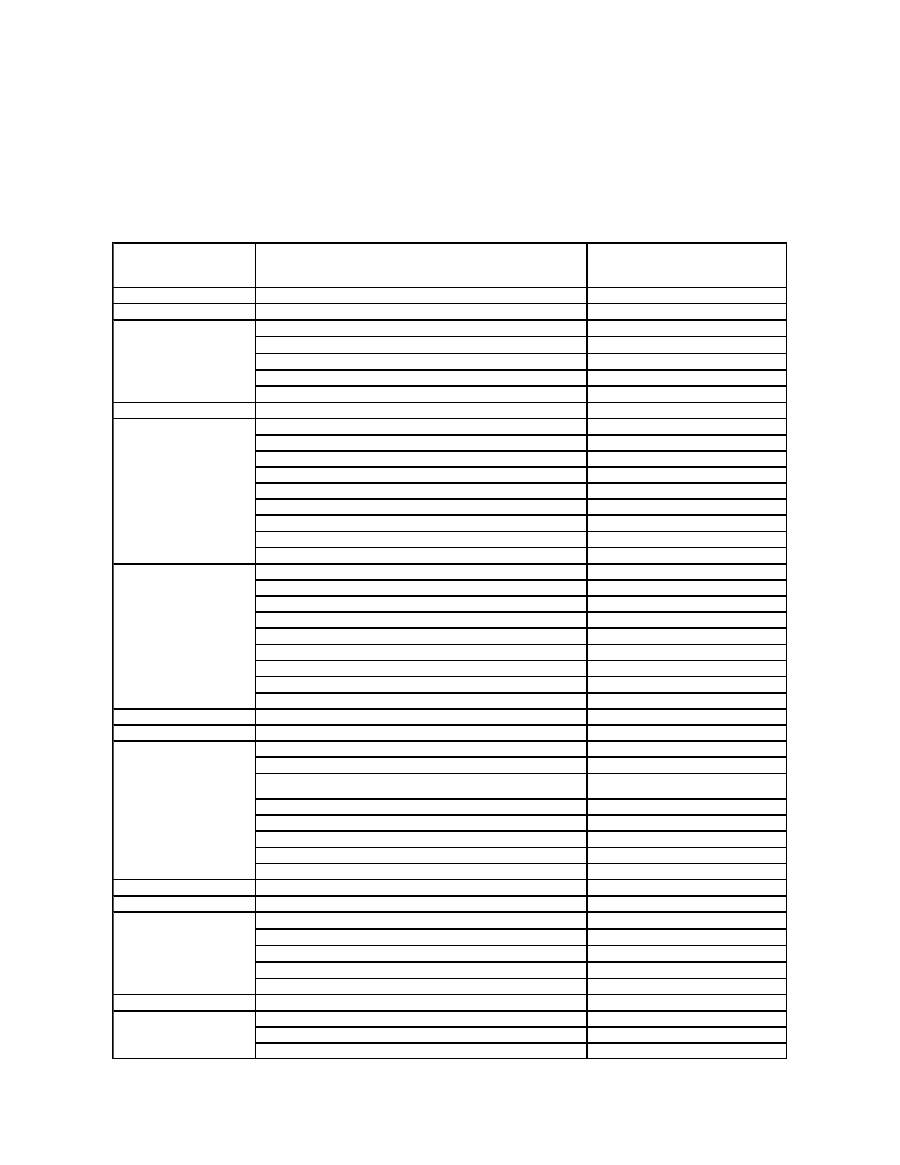
When you need to contact Dell, use the electronic addresses, telephone numbers, and codes provided in the following table. If you need assistance in
determining which codes to use, contact a local or an international operator.
Country (City)
International Access Code
Country Code
City Code
Department Name or Service Area,
Website and E-Mail Address
Area Codes,
Local Numbers, and
Toll-Free Numbers
Anguilla
General Support
toll-
free: 800
-335-0031
Antigua and Barbuda
General Support
1-800-805-5924
Argentina (Buenos Aires)
International Access Code:
00
Country Code:
54
City Code:
11
Website:
www.dell.com.ar
Tech Support and Customer Care
toll-
free: 0
-800-444-0733
Sales
0-810-444-3355
Tech Support Fax
11 4515 7139
Customer Care Fax
11 4515 7138
Aruba
General Support
toll-
free: 800
-1578
Australia (Sydney)
International Access Code:
0011
Country Code:
61
City Code:
2
E-mail (Australia): au_tech_support@dell.com
E-mail (New Zealand): nz_tech_support@dell.com
Home and Small Business
1-300-65-55-33
Government and Business
toll-
free: 1
-800-633-559
Preferred Accounts Division (PAD)
toll-
free: 1
-800-060-889
Customer Care
toll-
free: 1
-800-819-339
Corporate Sales
toll-
free: 1
-800-808-385
Transaction Sales
toll-
free: 1
-800-808-312
Fax
toll-
free: 1
-800-818-341
Austria (Vienna)
International Access Code:
900
Country Code:
43
City Code:
1
Website:
support.euro.dell.com
E-mail: tech_support_central_europe@dell.com
Home/Small Business Sales
0820 240 530 00
Home/Small Business Fax
0820 240 530 49
Home/Small Business Customer Care
0820 240 530 14
Preferred Accounts/Corporate Customer Care
0820 240 530 16
Home/Small Business Technical Support
0820 240 530 14
Preferred Accounts/Corporate Technical Support
0660 8779
Switchboard
0820 240 530 00
Bahamas
General Support
toll-
free: 1
-866-278-6818
Barbados
General Support
1-800-534-3066
Belgium (Brussels)
International Access Code:
00
Country Code:
32
City Code:
2
Website:
support.euro.dell.com
E-mail: tech_be@dell.com
E-mail for French Speaking Customers:
support.euro.dell.com/be/fr/emaildell/
Technical Support
02 481 92 88
Customer Care
02 481 91 19
Corporate Sales
02 481 91 00
Fax
02 481 92 99
Switchboard
02 481 91 00
Bermuda
General Support
1-800-342-0671
Bolivia
General Support
toll-
free: 800
-10-0238
Brazil
International Access Code:
00
Country Code:
55
City Code:
51
Website:
www.dell.com/br
Customer Support, Technical Support
0800 90 3355
Tech Support Fax
51 481 5470
Customer Care Fax
51 481 5480
Sales
0800 90 3390
British Virgin Islands
General Support
toll-
free: 1
-866-278-6820
Brunei
Country Code:
673
Customer Technical Support (Penang, Malaysia)
604 633 4966
Customer Service (Penang, Malaysia)
604 633 4949
Transaction Sales (Penang, Malaysia)
604 633 4955

Canada (North York, Ontario)
International Access Code:
011
Online Order Status:
www.dell.ca/ostatus
AutoTech (automated technical support)
toll-
free: 1
-800-247-9362
TechFax
toll-
free: 1
-800-950-1329
Customer Care (Home Sales/Small Business)
toll-
free: 1
-800-847-4096
Customer Care (med./large business, government)
toll-
free: 1
-800-326-9463
Technical Support (Home Sales/Small Business)
toll-
free: 1
-800-847-4096
Technical Support (med./large bus., government)
toll-
free: 1
-800-387-5757
Sales (Home Sales/Small Business)
toll-
free: 1
-800-387-5752
Sales (med./large bus., government)
toll-
free: 1
-800-387-5755
Spare Parts Sales & Extended Service Sales
1 866 440 3355
Cayman Islands
General Support
1-800-805-7541
Chile (Santiago)
Country Code:
56
City Code:
2
Sales, Customer Support, and Technical Support
toll-
free: 1230
-020-4823
China (Xiamen)
Country Code:
86
City Code:
592
Tech Support website:
support.ap.dell.com/china
Tech Support E-mail: cn_support@dell.com
Tech Support Fax
818 1350
Home and Small Business Technical Support
toll-
free: 800 858 2437
Corporate Accounts Technical Support
toll-
free: 800 858 2333
Customer Experience
toll-
free: 800 858 2060
Home and Small Business
toll-
free: 800 858 2222
Preferred Accounts Division
toll-
free: 800 858 2062
Large Corporate Accounts GCP
toll-
free: 800 858 2055
Large Corporate Accounts Key Accounts
toll-
free: 800 858 2628
Large Corporate Accounts North
toll-
free: 800 858 2999
Large Corporate Accounts North Government and Education
toll-
free: 800 858 2955
Large Corporate Accounts East
toll-
free: 800 858 2020
Large Corporate Accounts East Government and Education
toll-
free: 800 858 2669
Large Corporate Accounts Queue Team
toll-
free: 800 858 2572
Large Corporate Accounts South
toll-
free: 800 858 2355
Large Corporate Accounts West
toll-
free: 800 858 2811
Large Corporate Accounts Spare Parts
toll-
free: 800 858 2621
Colombia
General Support
980-9-15-3978
Costa Rica
General Support
0800-012-0435
Czech Republic (Prague)
International Access Code:
00
Country Code:
420
City Code:
2
Website:
support.euro.dell.com
E-mail: czech_dell@dell.com
Technical Support
02 2186 27 27
Customer Care
02 2186 27 11
Fax
02 2186 27 14
TechFax
02 2186 27 28
Switchboard
02 2186 27 11
Denmark (Copenhagen)
International Access Code:
00
Country Code:
45
Website:
support.euro.dell.com
E-mail Support (portable computers): den_nbk_support@dell.com
E-mail Support (desktop computers): den_support@dell.com
E-mail Support (servers): Nordic_server_support@dell.com
Technical Support
7023 0182
Customer Care (Relational)
7023 0184
Home/Small Business Customer Care
3287 5505
Switchboard (Relational)
3287 1200
Fax Switchboard (Relational)
3287 1201
Switchboard (Home/Small Business)
3287 5000
Fax Switchboard (Home/Small Business)
3287 5001
Dominica
General Support
toll-
free: 1
-866-278-6821
Dominican Republic
General Support
1-800-148-0530
Ecuador
General Support
toll-
free: 999
-119
El Salvador
General Support
01-899-753-0777
Finland (Helsinki)
International Access Code:
990
Website:
support.euro.dell.com
E-mail: fin_support@dell.com
Country Code:
358
City Code:
9
E-mail Support (servers): Nordic_support@dell.com
Technical Support
09 253 313 60
Technical Support Fax
09 253 313 81
Relational Customer Care
09 253 313 38
Home/Small Business Customer Care
09 693 791 94
Fax
09 253 313 99
Switchboard
09 253 313 00
France (Paris) (Montpellier)
International Access Code:
00
Country Code:
33
City Codes:
(1) (4)
Website:
support.euro.dell.com
E-mail:
support.euro.dell.com/fr/fr/emaildell/
Home and Small Business
Technical Support
0825 387 270
Customer Care
0825 823 833
Switchboard
0825 004 700
Switchboard (calls from outside of France)
04 99 75 40 00
Sales
0825 004 700
Fax
0825 004 701
Fax (calls from outside of France)
04 99 75 40 01
Corporate
Technical Support
0825 004 719
Customer Care
0825 338 339
Switchboard
01 55 94 71 00
Sales
01 55 94 71 00
Fax
01 55 94 71 01
Germany (Langen)
International Access Code:
00
Country Code:
49
City Code:
6103
Website:
support.euro.dell.com
E-mail: tech_support_central_europe@dell.com
Technical Support
06103 766
-7200
Home/Small Business Customer Care
0180-5-224400
Global Segment Customer Care
06103 766
-9570
Preferred Accounts Customer Care
06103 766
-9420
Large Accounts Customer Care
06103 766
-9560
Public Accounts Customer Care
06103 766
-9555
Switchboard
06103 766
-7000
Greece
International Access Code: 00
Country Code: 30
Website:
support.euro.dell.com
E-mail: support.euro.dell.com/gr/en/emaildell/
Technical Support
080044149518
Gold Technical Support
08844140083
Switchboard
2108129800
Sales
2108129800
Fax
2108129812
Grenada
General Support
toll-
free: 1
-866-540-3355
Guatemala
General Support
1-800-999-0136
Guyana
General Support
toll-
free: 1
-877-270-4609
Hong Kong
International Access Code:
001
Country Code:
852
Website:
support.ap.dell.com
E-mail: ap_support@dell.com
Technical Support (Dimension™ and Inspiron™)
296 93188
Technical Support (OptiPlex™, Latitude™, and Dell Precision™)
296 93191
Customer Service (non-technical, post-sales issues)
800 93 8291
Transaction Sales
toll-
free: 800 96 4109
Large Corporate Accounts HK
toll-
free: 800 96 4108
Large Corporate Accounts GCP HK
toll-
free: 800 90 3708
India
Technical Support
1600 33 8045
Sales
1600 33 8044
Ireland (Cherrywood)
International Access Code:
16
Country Code:
353
City Code:
1
Website:
support.euro.dell.com
E-mail: dell_direct_support@dell.com
Ireland Technical Support
1850 543 543
U.K. Technical Support (dial within U.K. only)
0870 908 0800
Home User Customer Care
01 204 4014
Small Business Customer Care
01 204 4014
U.K. Customer Care (dial within U.K. only)
0870 906 0010
Corporate Customer Care
1850 200 982
Corporate Customer Care (dial within U.K. only)
0870 907 4499
Ireland Sales
01 204 4444
U.K. Sales (dial within U.K. only)
0870 907 4000
Fax/SalesFax
01 204 0103
Switchboard
01 204 4444
Italy (Milan)
International Access Code:
00
Country Code:
39
City Code:
02
Website:
support.euro.dell.com
E-mail:
support.euro.dell.com/it/it/emaildell/
Home and Small Business
Technical Support
02 577 826 90
Customer Care
02 696 821 14
Fax
02 696 821 13
Switchboard
02 696 821 12
Corporate
Technical Support
02 577 826 90
Customer Care
02 577 825 55
Fax
02 575 035 30
Switchboard
02 577 821
Jamaica
General Support (dial from within Jamaica only)
1-800-682-3639
Japan (Kawasaki)
International Access Code:
001
Country Code:
81
City Code:
44
Website:
support.jp.dell.com
Technical Support (servers)
toll-free: 0120-198-498
Technical Support outside of Japan (servers)
81-44-556-4162
Technical Support (Dimension™ and Inspiron™)
toll-free: 0120-198-226
Technical Support outside of Japan (Dimension and Inspiron)
81-44-520-1435
Technical Support (Dell Precision™, OptiPlex™, and Latitude™)
toll-free:0120-198-433
Technical Support outside of Japan (Dell Precision, OptiPlex, and Latitude)
81-44-556-3894
Faxbox Service
044-556-3490
24-Hour Automated Order Service
044-556-3801
Customer Care
044-556-4240
Business Sales Division (up to 400 employees)
044-556-1465
Preferred Accounts Division Sales (over 400 employees)
044-556-3433
Large Corporate Accounts Sales (over 3500 employees)
044-556-3430
Public Sales (government agencies, educational institutions, and medical
institutions)
044-556-1469
Global Segment Japan
044-556-3469
Individual User
044-556-1760
Switchboard
044-556-4300
Korea (Seoul)
International Access Code:
001
Country Code:
82
City Code:
2
Technical Support
toll-
free: 080
-200-3800
Sales
toll-
free: 080
-200-3600
Customer Service (Seoul, Korea)
toll-free: 080-200-3800
Customer Service (Penang, Malaysia)
604 633 4949
Fax
2194-6202
Switchboard
2194-6000
Latin America
Customer Technical Support (Austin, Texas, U.S.A.)
512 728
-4093
Customer Service (Austin, Texas, U.S.A.)
512 728
-3619
Fax (Technical Support and Customer Service) (Austin, Texas, U.S.A.)
512 728
-3883
Sales (Austin, Texas, U.S.A.)
512 728
-4397
SalesFax (Austin, Texas, U.S.A.)
512 728
-4600
or 512 728
-3772
Luxembourg
International Access Code:
00
Country Code:
352
Website:
support.euro.dell.com
E-mail: tech_be@dell.com
Technical Support (Brussels, Belgium)
3420808075
Home/Small Business Sales (Brussels, Belgium)
toll-
free: 080016884
Corporate Sales (Brussels, Belgium)
02 481 91 00
Customer Care (Brussels, Belgium)
02 481 91 19
Fax (Brussels, Belgium)
02 481 92 99
Switchboard (Brussels, Belgium)
02 481 91 00
Macao
Country Code:
853
Technical Support
toll-
free: 0800 582
Customer Service (Penang, Malaysia)
604 633 4949
Transaction Sales
toll-
free: 0800 581
Malaysia (Penang)
International Access Code:
00
Country Code:
60
City Code:
4
Technical Support
toll-
free: 1 800 888 298
Customer Service
04 633 4949
Transaction Sales
toll-
free: 1 800 888 202
Corporate Sales
toll-
free: 1 800 888 213
Mexico
International Access Code:
00
Country Code:
52
Customer Technical Support
001-877-384-8979
or 001-877-269-3383
Sales
50-81-8800
or 01-800-888-3355
Customer Service
001-877-384-8979
or 001-877-269-3383
Main
50-81-8800
or 01-800-888-3355
Montserrat
General Support
toll-
free: 1
-866-278-6822
Netherlands Antilles
General Support
001-800-882-1519
Netherlands (Amsterdam)
International Access Code:
00
Country Code:
31
City Code:
20
Website:
support.euro.dell.com
E-mail (Technical Support):
(Enterprise): nl_server_support@dell.com
(Latitude): nl_latitude_support@dell.com
(Inspiron): nl_inspiron_support@dell.com
(Dimension): nl_dimension_support@dell.com
(OptiPlex): nl_optiplex_support@dell.com
(Dell Precision): nl_workstation_support@dell.com
Technical Support
020 674 45 00
Technical Support Fax
020 674 47 66
Home/Small Business Customer Care
020 674 42 00
Relational Customer Care
020 674 4325
Home/Small Business Sales
020 674 55 00
Relational Sales
020 674 50 00
Home/Small Business Sales Fax
020 674 47 75
Relational Sales Fax
020 674 47 50
Switchboard
020 674 50 00
Switchboard Fax
020 674 47 50
New Zealand
International Access Code:
00
Country Code:
64
E-mail (New Zealand): nz_tech_support@dell.com
E-mail (Australia): au_tech_support@dell.com
Home and Small Business
0800 446 255
Government and Business
0800 444 617
Sales
0800 441 567
Fax
0800 441 566
Nicaragua
General Support
001-800-220-1006
Norway (Lysaker)
International Access Code:
00
Country Code:
47
Website:
support.euro.dell.com
E-mail Support (portable computers):
nor_nbk_support@dell.com
E-mail Support (desktop computers):
nor_support@dell.com
E-mail Support (servers):
nordic_server_support@dell.com
Technical Support
671 16882
Relational Customer Care
671 17514
Home/Small Business Customer Care
23162298
Switchboard
671 16800
Fax Switchboard
671 16865
Panama
General Support
001-800-507-0962
Peru
General Support
0800-50-669
Poland (Warsaw)
International Access Code:
011
Country Code:
48
City Code:
22
Website:
support.euro.dell.com
E-mail: pl_support@dell.com
Customer Service Phone
57 95 700
Customer Care
57 95 999
Sales
57 95 999
Customer Service Fax
57 95 806
Reception Desk Fax
57 95 998
Switchboard
57 95 999
Portugal
International Access Code:
00
Country Code:
351
Website:
support.euro.dell.com
E-mail:
support.euro.dell.com/pt/en/emaildell/
Technical Support
707200149
Customer Care
800 300 413
Sales
800 300 410 or 800 300 411 or
800 300 412 or 21 422 07 10
Fax
21 424 01 12
Puerto Rico
General Support
1-800-805-7545
St. Kitts and Nevis
General Support
toll-
free: 1
-877-441-4731
St. Lucia
General Support
1-800-882-1521
St. Vincent and the
Grenadines
General Support
toll-
free: 1
-877-270-4609
Singapore (Singapore)
International Access Code:
005
Country Code:
65
Technical Support
toll-
free: 800 6011 051
Customer Service (Penang, Malaysia)
604 633 4949
Transaction Sales
toll-
free: 800 6011 054
Corporate Sales
toll-
free: 800 6011 053
South Africa (Johannesburg)
International Access Code:
09/091
Country Code:
27
City Code:
11
Website:
support.euro.dell.com
E-mail: dell_za_support@dell.com
Technical Support
011 709 7710
Customer Care
011 709 7707
Sales
011 709 7700
Fax
011 706 0495
Switchboard
011 709 7700
Southeast Asian and Pacific
Countries
Customer Technical Support, Customer Service, and Sales (Penang,
Malaysia)
604 633 4810
Spain (Madrid)
International Access Code:
00
Country Code:
34
City Code:
91
Website:
support.euro.dell.com
E-mail:
support.euro.dell.com/es/es/emaildell/
Home and Small Business
Technical Support
902 100 130
Customer Care
902 118 540
Sales
902 118 541
Switchboard
902 118 541
Fax
902 118 539
Corporate
Technical Support
902 100 130
Customer Care
902 118 546
Switchboard
91 722 92 00
Fax
91 722 95 83
Sweden (Upplands Vasby)
International Access Code:
00
Country Code:
46
City Code:
8
Website:
support.euro.dell.com
E-mail: swe_support@dell.com
E-mail Support for Latitude and Inspiron:
Swe-nbk_kats@dell.com
E-mail Support for OptiPlex: Swe_kats@dell.com
E-mail Support for Servers: Nordic_server_support@dell.com
Technical Support
08 590 05 199
Relational Customer Care
08 590 05 642
Home/Small Business Customer Care
08 587 70 527
Employee Purchase Program (EPP) Support
20 140 14 44
Fax Technical Support
08 590 05 594
Sales
08 590 05 185
Switzerland (Geneva)
Website:
support.euro.dell.com
International Access Code:
00
Country Code:
41
City Code:
22
E-mail: swisstech@dell.com
E-mail for French-speaking HSB and Corporate Customers:
support.euro.dell.com/ch/fr/emaildell/
Technical Support (Home and Small Business)
0844 811 411
Technical Support (Corporate)
0844 822 844
Customer Care (Home and Small Business)
0848 802 202
Customer Care (Corporate)
0848 821 721
Fax
022 799 01 90
Switchboard
022 799 01 01
Taiwan
International Access Code:
002
Country Code:
886
Technical Support (portable and desktop computers)
toll-
free: 00801 86 1011
Technical Support (servers)
toll-
free: 0080 60 1256
Transaction Sales
toll-
free: 0080 651 228
or 0800 33 556
Corporate Sales
toll-
free: 0080 651 227
or 0800 33 555
Thailand
International Access Code:
001
Country Code:
66
Technical Support
toll-
free: 0880 060 07
Customer Service (Penang, Malaysia)
604 633 4949
Sales
toll-
free: 0880 060 09
Trinidad/Tobago
General Support
1-800-805-8035
Turks and Caicos Islands
General Support
toll-
free: 1
-866-540-3355
U.K. (Bracknell)
International Access Code:
00
Country Code:
44
City Code:
1344
Website:
support.euro.dell.com
Customer Care website:
support.euro.dell.com/uk/en/ECare/Form/Home.asp
E-mail: dell_direct_support@dell.com
Technical Support (Corporate/Preferred Accounts/PAD [1000+ employees])
0870 908 0500
Technical Support (direct/PAD and general)
0870 908 0800
Global Accounts Customer Care
01344 373 186
Home and Small Business Customer Care
0870 906 0010
Corporate Customer Care
01344 373 185
Preferred Accounts (500
–
5000 employees) Customer Care
0870 906 0010
Central Government Customer Care
01344 373 193
Local Government & Education Customer Care
01344 373 199
Health Customer Care
01344 373 194
Home and Small Business Sales
0870 907 4000
Corporate/Public Sector Sales
01344 860 456
Uruguay
General Support
toll-
free: 000
-413-598-2521
U.S.A. (Austin, Texas)
International Access Code:
011
Country Code:
1
Automated Order-Status Service
toll-
free: 1
-800-433-9014
AutoTech (portable and desktop computers)
toll-
free: 1
-800-247-9362
Consumer
(Home and Home Office)
Technical Support
toll-
free: 1
-800-624-9896
Customer Service
toll-
free: 1
-800-624-9897
DellNet™ Service and Support
toll-
free: 1
-877-Dellnet
(1-877-335-5638)
Employee Purchase Program (EPP) Customers
toll-
free: 1
-800-695-8133
Financial Services website:
www.dellfinancialservices.com
Financial Services (lease/loans)
toll-
free: 1
-877-577-3355
Financial Services (Dell Preferred Accounts [DPA])
toll-
free: 1
-800-283-2210
Business
Customer Service and Technical Support
toll-
free: 1
-800-822-8965
Employee Purchase Program (EPP) Customers
toll-
free: 1
-800-695-8133
Projectors Technical Support
toll-
free: 1
-877-459-7298
Public
(government, education, and healthcare)
Customer Service and Technical Support
toll-
free: 1
-800-456-3355
Employee Purchase Program (EPP) Customers
toll-
free: 1
-800-234-1490
Dell Sales
toll-
free: 1
-800-289-3355
or toll-
free: 1
-800-879-3355
Dell Outlet Store (Dell refurbished computers)
toll-
free: 1
-888-798-7561

Software and Peripherals Sales
toll-
free: 1
-800-671-3355
Spare Parts Sales
toll-
free: 1
-800-357-3355
Extended Service and Warranty Sales
toll-
free: 1
-800-247-4618
Fax
toll-
free: 1
-800-727-8320
Dell Services for the Deaf, Hard-of-Hearing, or Speech-Impaired
toll-
free: 1
-877-DELLTTY
(1-877-335-5889)
U.S. Virgin Islands
General Support
1-877-673-3355
Venezuela
General Support
8001-3605

Glossary
A
B
C
D
E
F
G
H
I
K
L
M
N
O
P
R
S
T
U
V
W
X
Z
Terms in this Glossary are provided for informational purposes only and may or may not describe features included with your particular computer.
A
AC
—
alternating current
—
The form of electricity that powers your computer when you plug the AC adapter power cable in to an electrical outlet.
ACPI
—
advanced configuration and power interface
—
A power management specification that enables Microsoft
®
Windows
®
operating systems to put a
computer in standby or hibernate mode to conserve the amount of electrical power allocated to each device attached to the computer.
AGP
—
accelerated graphics port
—
A dedicated graphics port that allows system memory to be used for video-related tasks. AGP delivers a smooth, true-color
video image because of the faster interface between the video circuitry and the computer memory.
antivirus software
—
A program designed to identify, quarantine, and/or delete viruses from your computer.
APR
—
advanced port replicator
—
A docking device that allows you to conveniently use a monitor, keyboard, mouse, and other devices with your portable
computer.
ASF
—
alert standards format
—
A standard to define a mechanism for reporting hardware and software alerts to a management console. ASF is designed to
be platform- and operating system-independent.
B
backup
—
A copy of a program or data file on a floppy disk, CD, or hard drive. As a precaution, back up the data files from your hard drive regularly.
battery
—
An internal power source used to operate portable computers when not connected to an AC adapter and an electrical outlet.
battery life span
—
The length of time (years) during which a portable computer battery is able to be depleted and recharged.
battery operating time
—
The length of time (minutes or hours) that a portable computer battery holds a charge while powering the computer.
BIOS
—
basic input/output system
—
A program (or utility) that serves as an interface between the computer hardware and the operating system. Unless you
understand what effect the settings have on the computer, do not change the settings for this program. Also referred to as the
system setup program
.
bit
—
The smallest unit of data interpreted by your computer.
Bluetooth™ —
A wireless technology standard for short-range (9 m [29 feet]) networking devices that allows for enabled devices to automatically recognize
each other.
boot sequence
—
Specifies the order of the devices from which the computer attempts to boot.
bootable CD
—
A CD that you can use to start your computer. In case your hard drive is damaged or your computer has a virus, ensure that you always have
a bootable CD or floppy disk available. Your
Drivers and Utilities
or Resource CD is a bootable CD.

bootable disk
—
A disk that you can use to start your computer. In case your hard drive is damaged or your computer has a virus, ensure that you always
have a bootable CD or floppy disk available.
bps
—
bits per second
—
The standard unit for measuring data transmission speed.
BTU
—
British thermal unit
—
A measurement of heat output.
bus
—
A communication pathway between the components in your computer.
bus speed
—
The speed, given in MHz, that indicates how fast a bus can transfer information.
byte
—
The basic data unit used by your computer. A byte is usually equal to 8 bits.
C
C
—
Celsius
—
A temperature measurement system where 0° is the freezing point and 100° is the boiling point of water.
cache
—
A special high-speed storage mechanism which can be either a reserved section of main memory or an independent high-speed storage device. The
cache enhances the efficiency of many microprocessor operations.
L1 cache
—
Primary cache stored inside the microprocessor.
L2 cache
—
Secondary cache which can either be external to the microprocessor or incorporated into the microprocessor architecture.
carnet
—
An international customs document that facilitates temporary imports into foreign countries. Also known as a
merchandise passport
.
CD
—
compact disc
—
An optical form of storage media, typically used for audio and software programs.
CD drive
—
A drive that uses optical technology to read data from CDs.
CD player
—
The software used to play music CDs. The CD player displays a window with buttons that you use to play a CD.
CD-R
—
CD recordable
—
A recordable version of a CD. Data can be recorded only once onto a CD-R. Once recorded, the data cannot be erased or written
over.
CD-RW
—
CD rewritable
—
A rewritable version of a CD. Data can be written to a CD-RW disc, and then erased and written over (rewritten).
CD-RW drive
—
A drive that can read CDs and write to CD-RW (rewritable CDs) and CD-R (recordable CDs) discs. You can write to CD-RW discs multiple times,
but you can write to CD-R discs only once.
CD-RW/DVD drive
—
A drive, sometimes referred to as a combo drive, that can read CDs and DVDs and write to CD-RW (rewritable CDs) and CD-R
(recordable CDs) discs. You can write to CD-RW discs multiple times, but you can write to CD-R discs only once.
clock speed
—
The speed, given in MHz, that indicates how fast computer components that are connected to the system bus operate.
COA
—
Certificate of Authenticity
—
The Windows alpha-numeric code located on a sticker on your computer. You may need the COA to complete the operating
system setup or reinstallation. Also referred to as the
Product Key
or
Product ID
.

Control Panel
—
A Windows utility that allows you to modify operating system and hardware settings, such as display settings.
controller
—
A chip that controls the transfer of data between the microprocessor and memory or between the microprocessor and devices.
CRIMM
—
continuity rambus in-line memory module
—
A special module that has no memory chips and is used to fill unused RIMM slots.
cursor
—
The marker on a display or screen that shows where the next keyboard, touch pad, or mouse action will occur. It often is a blinking solid line, an
underline character, or a small arrow.
D
DDR SDRAM
—
double-data-rate SDRAM
—
A type of SDRAM that doubles the data burst cycle, improving system performance.
device
—
Hardware such as a disk drive, printer, or keyboard that is installed in or connected to your computer.
device driver
—
See
driver
.
DIN connector
—
A round, six-pin connector that conforms to DIN (Deutsche Industrie-Norm) standards; it is typically used to connect PS/2 keyboard or mouse
cable connectors.
disk striping
—
A technique for spreading data over multiple disk drives. Disk striping can speed up operations that retrieve data from disk storage.
Computers that use disk striping generally allow the user to select the data unit size or stripe width.
DMA
—
direct memory access
—
A channel that allows certain types of data transfer between RAM and a device to bypass the microprocessor.
docking device
—
See
APR
.
DMTF
—
Distributed Management Task Force
—
A consortium of hardware and software companies who develop management standards for distributed
desktop, network, enterprise, and Internet environments.
domain
—
A group of computers, programs, and devices on a network that are administered as a unit with common rules and procedures for use by a specific
group of users. A user logs on to the domain to gain access to the resources.
DRAM
—
dynamic random-access memory
—
Memory that stores information in integrated circuits containing capacitors.
driver
—
Software that allows the operating system to control a device such as a printer. Many devices do not work properly if the correct driver is not
installed in the computer.
DSL
—
Digital Subscriber Line
—
A technology that provides a constant, high-speed Internet connection through an analog telephone line.
dual display mode
—
A display setting that allows you to use a second monitor as an extension of your display. Also referred to as
extended display mode
.
DVD
—
digital versatile disc
—
A disc usually used to store movies. DVDs are double-sided, whereas CDs are single-sided. DVD drives read most CD media as
well.

DVD drive
—
A drive that uses optical technology to read data from DVDs and CDs.
DVD player
—
The software used to watch DVD movies. The DVD player displays a window with buttons that you use to watch a movie.
DVD+RW
—
DVD rewritable
—
A rewritable version of a DVD. Data can be written to a DVD+RW disc, and then erased and written over (rewritten). (DVD+RW
technology is different from DVD-RW technology.)
DVD+RW drive
—
A drive that can read DVDs and most CD media and write to DVD+RW (rewritable DVDs) discs.
DVI
—
digital video interface
—
A standard for digital transmission between a computer and a digital video display; the DVI adapter works through the
computer's integrated graphics.
E
ECC
—
error checking and correction
—
A type of memory that includes special circuitry for testing the accuracy of data as it passes in and out of memory.
ECP
—
extended capabilities port
—
A parallel connector design that provides improved bidirectional data transmission. Similar to EPP, ECP uses direct memory
access to transfer data and often improves performance.
EIDE
—
enhanced integrated device electronics
—
An improved version of the IDE interface for hard drives and CD drives.
EMI
—
electromagnetic interference
—
Electrical interference caused by electromagnetic radiation.
ENERGY STAR
® —
Environmental Protection Agency requirements that decrease the overall consumption of electricity.
EPP
—
enhanced parallel port
—
A parallel connector design that provides bidirectional data transmission.
ESD
—
electrostatic discharge
—
A rapid discharge of static electricity. ESD can damage integrated circuits found in computer and communications equipment.
expansion card
—
A circuit board that installs in an expansion slot on the system board in some computers, expanding the capabilities of the computer.
Examples include video, modem, and sound cards.
expansion slot
—
A connector on the system board (in some computers) where you insert an expansion card, connecting it to the system bus.
Express Service Code
—
A numeric code located on a sticker on your Dell™ computer. Use the Express Service Code when contacting Dell for assistance.
Express Service Code service may not be available in some countries.
extended display mode
—
A display setting that allows you to use a second monitor as an extension of your display. Also referred to as
dual display mode
.
extended PC Card
—
A PC Card that extends beyond the edge of the PC Card slot when installed.
F
Fahrenheit
—
A temperature measurement system where 32° is the freezing point and 212° is the boiling point of water.

FCC
—
Federal Communications Commission
—
A U.S. agency responsible for enforcing communications-related regulations that state how much radiation
computers and other electronic equipment can emit.
floppy drive
—
A disk drive that can read and write to floppy disks.
folder
—
A term used to describe space on a disk or drive where files are organized and grouped. Files in a folder can be viewed and ordered in various ways,
such as alphabetically, by date, and by size.
format
—
The process that prepares a drive or disk for file storage. When a drive or disk is formatted, the existing information on it is lost.
FSB
—
front side bus
—
The data path and physical interface between the microprocessor and RAM.
FTP
—
file transfer protocol
—
A standard Internet protocol used to exchange files between computers connected to the Internet.
G
G
—
gravity
—
A measurement of weight and force.
GB
—
gigabyte
—
A measurement of data storage that equals 1024 MB (1,073,741,824 bytes). When used to refer to hard drive storage, the term is often
rounded to 1,000,000,000 bytes.
GHz
—
gigahertz
—
A measurement of frequency that equals one thousand million Hz, or one thousand MHz. The speeds for computer microprocessors, buses,
and interfaces are often measured in GHz.
graphics mode
—
A video mode that can be defined as
x
horizontal pixels by
y
vertical pixels by
z
colors. Graphics modes can display an unlimited variety of
shapes and fonts.
GUI
—
graphical user interface
—
Software that interacts with the user by means of menus, windows, and icons. Most programs that operate on the Windows
operating systems are GUIs.
H
hard drive
—
A drive that reads and writes data on a hard disk. The terms hard drive and hard disk are often used interchangeably.
heat sink
—
A metal plate on some microprocessors that helps dissipate heat.
help file
—
A file that contains descriptive or instructional information about a product. Some help files are associated with a particular program, such as
Help
in
Microsoft Word. Other help files function as stand-alone reference sources. Help files typically have a filename extension of
.hlp
or
.chm
.
hibernate mode
—
A power management mode that saves everything in memory to a reserved space on the hard drive and then turns off the computer.
When you restart the computer, the memory information that was saved to the hard drive is automatically restored.
HTML
—
hypertext markup language
—
A set of codes inserted into an Internet web page intended for display on an Internet browser.
HTTP
—
hypertext transfer protocol
—
A protocol for exchanging files between computers connected to the Internet.

Hz
—
hertz
—
A unit of frequency measurement that equals 1 cycle per second. Computers and electronic devices are often measured in kilohertz (kHz),
megahertz (MHz), gigahertz (GHz), or terahertz (THz).
I
IC
—
Industry Canada
—
The Canadian regulatory body responsible for regulating emissions from electronic equipment, much as the FCC does in the United
States.
IC
—
integrated circuit
—
A semiconductor wafer, or chip, on which thousands or millions of tiny electronic components are fabricated for use in computer,
audio, and video equipment.
IDE
—
integrated device electronics
—
An interface for mass storage devices in which the controller is integrated into the hard drive or CD drive.
IEEE 1394
—
Institute of Electrical and Electronics Engineers, Inc.
—
A high-performance serial bus used to connect IEEE 1394-compatible devices, such as
digital cameras and DVD players, to the computer.
infrared sensor
—
A port that allows you to transfer data between the computer and infrared-compatible devices without using a cable connection.
integrated
—
Usually refers to components that are physically located on the computer's system board. Also referred to as
built-in
.
I/O
—
input/output
—
An operation or device that enters and extracts data from your computer. Keyboards and printers are I/O devices.
I/O address
—
An address in RAM that is associated with a specific device (such as a serial connector, parallel connector, or expansion slot) and allows the
microprocessor to communicate with that device.
IrDA
—
Infrared Data Association
—
The organization that creates international standards for infrared communications.
IRQ
—
interrupt request
—
An electronic pathway assigned to a specific device so that the device can communicate with the microprocessor. Each device
connection must be assigned an IRQ. Although two devices can share the same IRQ assignment, you cannot operate both devices simultaneously.
ISP
—
Internet service provider
—
A company that allows you to access its host server to connect directly to the Internet, send and receive e-mail, and access
websites. The ISP typically provides you with a software package, user name, and access phone numbers for a fee.
K
Kb
—
kilobit
—
A unit of data that equals 1024 bits. A measurement of the capacity of memory integrated circuits.
KB
—
kilobyte
—
A unit of data that equals 1024 bytes but is often referred to as 1000 bytes.
keyboard shortcut
—
A command requiring you to press multiple keys at the same time. Also referred to as a
key combination
.
kHz
—
kilohertz
—
A measurement of frequency that equals 1000 Hz.
L

LAN
—
local area network
—
A computer network covering a small area. A LAN usually is confined to a building or a few nearby buildings. A LAN can be
connected to another LAN over any distance through telephone lines and radio waves to form a wide area network (WAN).
LCD
—
liquid crystal display
—
The technology used by portable computer and flat-panel displays.
LED
—
light-emitting diode
—
An electronic component that emits light to indicate the status of the computer.
local bus
—
A data bus that provides a fast throughput for devices to the microprocessor.
LPT
—
line print terminal
—
The designation for a parallel connection to a printer or other parallel device.
M
Mb
—
megabit
—
A measurement of memory chip capacity that equals 1024 Kb.
Mbps
—
megabits per second
—
One million bits per second. This measurement is typically used for transmission speeds for networks and modems.
MB
—
megabyte
—
A measurement of data storage that equals 1,048,576 bytes. 1 MB equals 1024 KB. When used to refer to hard drive storage, the term is
often rounded to 1,000,000 bytes.
MB/sec
—
megabytes per second
—
One million bytes per second. This measurement is typically used for data transfer ratings.
memory
—
A temporary data storage area inside your computer. Because the data in memory is not permanent, it is recommended that you frequently save
your files while you are working on them, and always save your files before you shut down the computer. Your computer can contain several different forms of
memory, such as RAM, ROM, and video memory. Frequently, the word memory is used as a synonym for RAM.
memory address
—
A specific location where data is temporarily stored in RAM.
memory mapping
—
The process by which the computer assigns memory addresses to physical locations at start-up. Devices and software can then identify
information that the microprocessor can access.
memory module
—
A small circuit board containing memory chips, which connects to the system board.
MHz
—
megahertz
—
A measure of frequency that equals 1 million cycles per second. The speeds for computer microprocessors, buses, and interfaces are
often measured in MHz.
microprocessor
—
A computer chip that interprets and executes program instructions. Sometimes the microprocessor is referred to as the processor or the
CPU (central processing unit).
modem
—
A device that allows your computer to communicate with other computers over analog telephone lines. Three types of modems include: external, PC
Card, and internal. You typically use your modem to connect to the Internet and exchange e-mail.
module bay
—
A bay that supports devices such as optical drives, a second battery, or a Dell TravelLite™ module.
monitor
—
The high-resolution TV-like device that displays computer output.
mouse
—
A pointing device that controls the movement of the cursor on your screen. Typically you roll the mouse over a hard, flat surface to move the pointer
or cursor on your screen.
