
Asus DSL-N66U: инструкция
Раздел: Бытовая, кухонная техника, электроника и оборудование
Тип: Беспроводная гарнитура и прочие аксессуары
Инструкция к Беспроводной гарнитуре и прочей аксессуарам Asus DSL-N66U
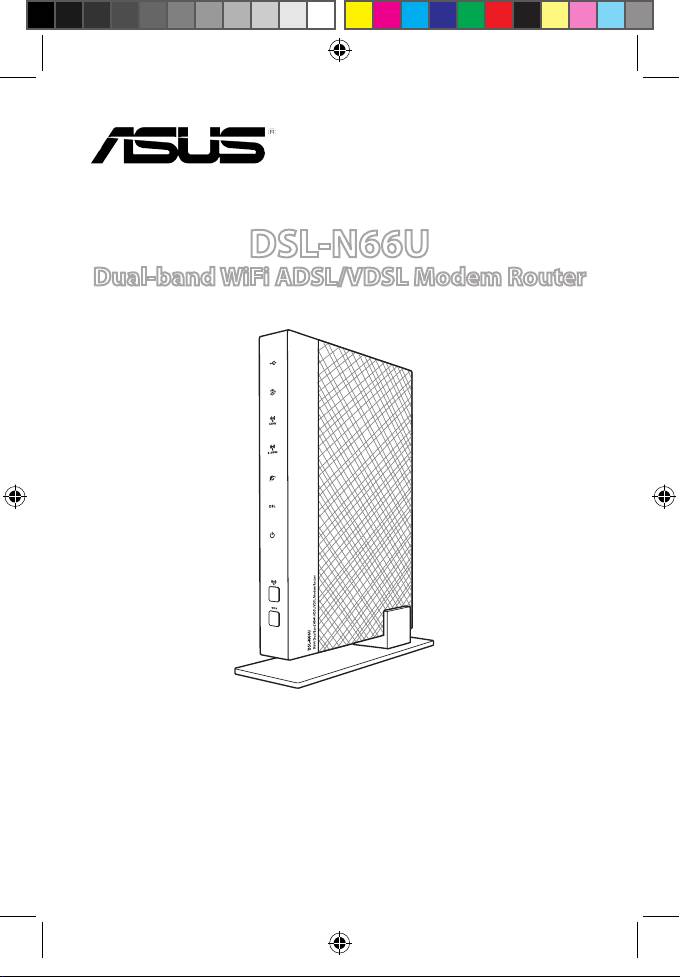
DSL-N66U
Dual-band WiFi ADSL/VDSL Modem Router
Quick Start Guide
Q8322_DSL-N66U_QSG_add_tr.indd 1 7/1/13 11:11:37 AM
Q8322_DSL-N66U_QSG_add_tr.indd 2 7/1/13 11:11:38 AM
Table of contents
English .........................................................................................................................5
Français .......................................................................................................................10
Deutsch .......................................................................................................................15
Italiano ........................................................................................................................20
Русский .......................................................................................................................25
Български ..................................................................................................................30
Čeština .........................................................................................................................35
Nederlands ................................................................................................................40
Eesti ..............................................................................................................................45
Suomi ...........................................................................................................................50
Ελληνικά ......................................................................................................................55
Magyar ........................................................................................................................60
Latviski ........................................................................................................................65
Lietuvių .......................................................................................................................70
Polski ............................................................................................................................75
Português ...................................................................................................................80
Română .......................................................................................................................85
Slovensky....................................................................................................................90
Español ........................................................................................................................95
Türkçe ..........................................................................................................................100
Українська .................................................................................................................105
Norsk ............................................................................................................................110
Svenska .......................................................................................................................115
English .........................................................................................................................120
Bahasa Indonesia .....................................................................................................125
Bahasa Malaysia .......................................................................................................130
ไทย ..............................................................................................................................135
Q8322 / First Edition / April 2012
Q8322_DSL-N66U_QSG_add_tr.indd 3 7/1/13 11:11:38 AM
Note / Забележка / Poznámka /märkus / Megjegyzés/
piezīme/ Pastaba/ Uwaga/ Notă/
Примечание
/ Obs/not/
Примітка
/ Hinweis/NAPOMENA / BELEŠKA /OPOMBA
• For more details, refer to the user manual included in the support
CD.
•
За повече информация, вижте ръководството на потребителя,
намиращо се на помощния CD диск.
• Podrobnější informace viz uživatelská příručka na podpůrném disku
CD.
• Täpsemat teavet leiate seadmega kaasnenud tugijuhendi CD-lt.
• A további részleteket illetően tekintse meg a támogató CD-n lévő
felhasználói útmutatót.
• Detalizētāku informāciju meklējiet atbalsta CD esošajā lietotāja
rokasgrāmatā.
• Išsamiau žr. vartotojo vadovą, esantį šiame pagalbos kompaktiniame
(CD) diske.
• Dalsze szczegółowe informacje znajdują się w podręczniku
użytkownika na pomocniczym dysku CD.
• Pentru mai multe detalii, consultaţi manualul de utilizare inclus pe
CD-ul suport.
•
Для получения дополнительной информации обратитесь к
руководству пользователя на компакт-диске.
• Viac podrobností nájdete v návode na obsluhu na CD s podporou.
• Daha fazla ayrıntı için destek CD'sinde bulunan kullanıcı kılavuzuna
bakın.
•
Детальніше див. посібник користувача на компакт-диску
підтримки
.
• Weitere Details nden Sie im Benutzerhandbuch auf der Support-
CD.
• Dodatne pojedinosti potražite u korisničkom priručniku na CD-u
podrške.
• Za više detalja, pogledajte uputstvo za korišćenje koje se nalazi na
CD-u za podršku.
• Za več podrobnosti glejte uporabniški priročnik na priloženem
CD-ju.
Q8322_DSL-N66U_QSG_add_tr.indd 4 7/1/13 11:11:39 AM
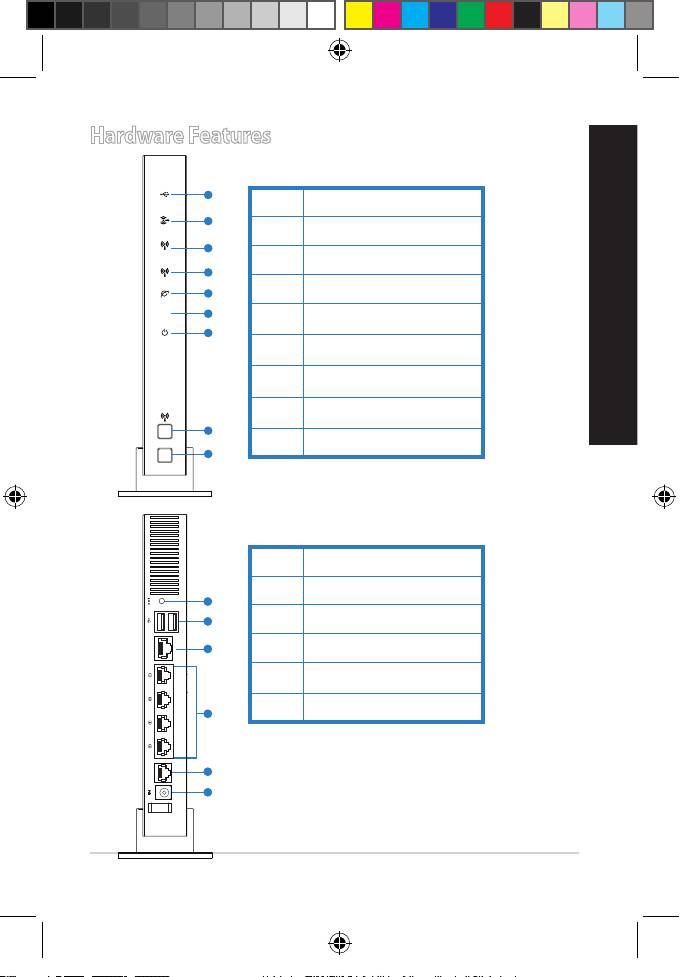
Hardware Features
English
5
1
2
Ethernet WAN
3
4
DSL WAN
5
6
1. Reset button
2. USB 2.0 ports
3. Ethernet WAN
4. LAN 1~4 ports
5. DSL WAN
6. Power (DC-In) port
1
2
3
5GHz
4
2.4GHz
5
DSL
6
7
8
WPS
9
Front
1. USB 2.0 LED
2. LAN LED
3. 5GHz LED
4. 2.4GHz LED
5. WAN LED
6. VDSL/ADSL LED
7. Power LED
8. Wireless button
9. WPS button
Rear
Q8322_DSL-N66U_QSG_add_tr.indd 5 7/1/13 11:11:40 AM
6
English
• USB External HDD/Flash disk:
• This wireless router works with most USB HDDs/Flash disks up
to 2TB and supports read-write access for FAT16, FAT32, EXT2,
EXT3, and NTFS.
• To safely remove the USB disk, launch the web GUI
(http://192.168.1.1), click the USB icon on the Network Map
page and click Eject USB disk.
• Incorrect removal of the USB disk, such as during video/music
streaming or le downloading, may cause data corruption.
• For the list of le system and hard disk partitions that this
wireless router supports, visit:
http://event.asus.com/networks/disksupport
• For the list of printers that the wireless router supports, visit:
http://event.asus.com/2009/networks/printersupport
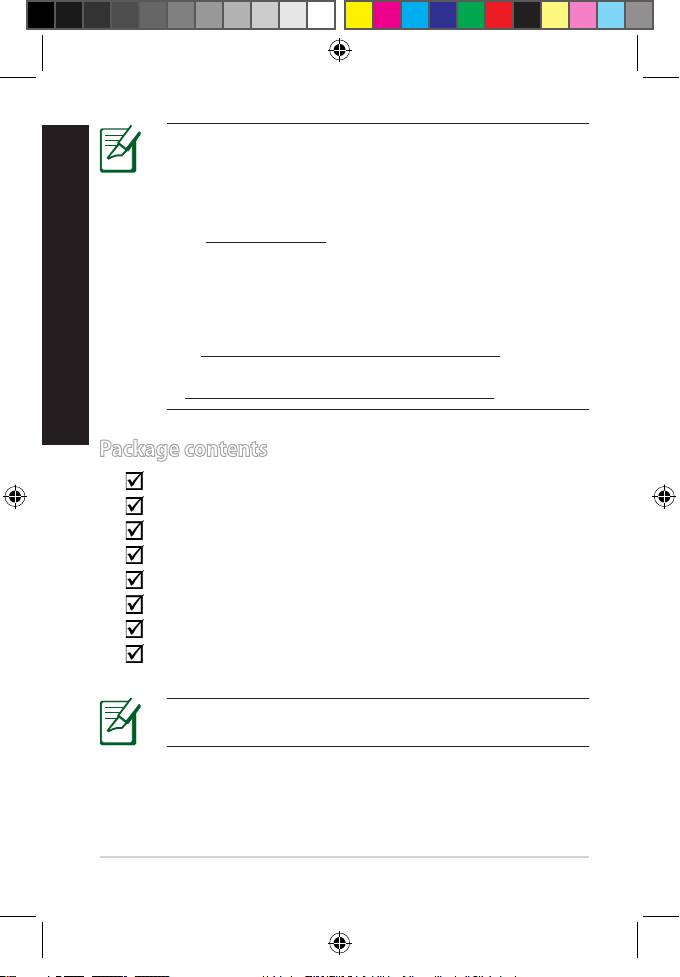
Package contents
DSL-N66U wireless modem router
Network cable (RJ-45)
AC adapter
Phone cable
Warranty card
Quick Start Guide
Support CD (User Manual/utilities)
Splitter (varies with regions)
If any of the items is damaged or missing, contact your
retailer.
Q8322_DSL-N66U_QSG_add_tr.indd 6 7/1/13 11:11:42 AM
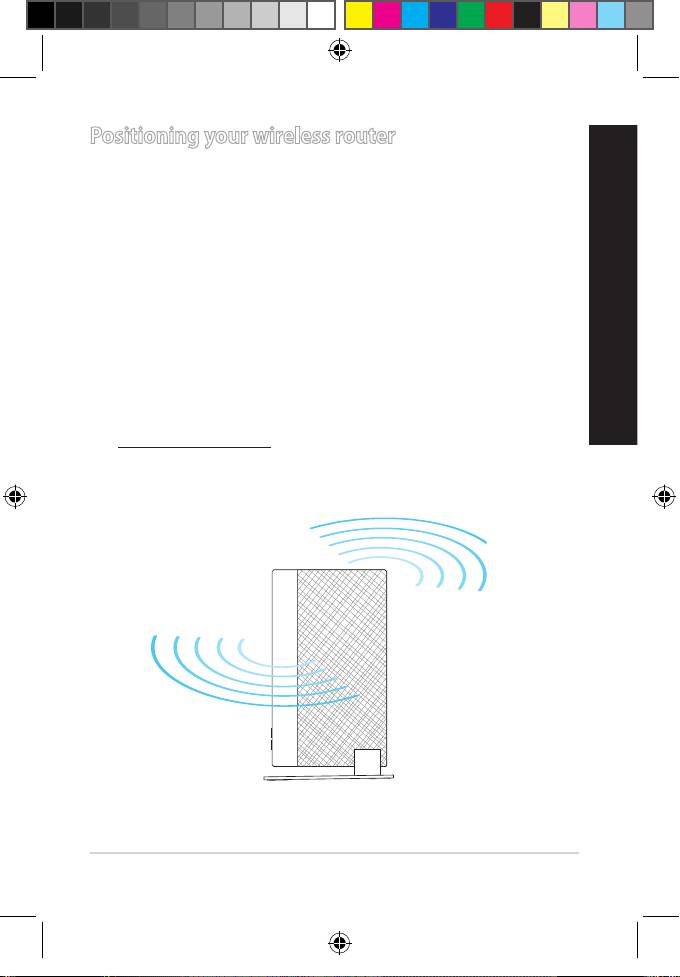
Positioning your wireless router
For the best wireless signal transmission between the wireless router
and the network devices connected to it, ensure that you:
• Place the wireless router at the center of your network for maximum
wireless coverage.
English
• Keep the device away from metal obstructions and away from direct
sunlight.
• Keep the device away from 802.11g or 20MHz only Wi-Fi devices,
2.4GHz computer peripherals, Bluetooth devices, cordless phones,
transformers, heavy-duty motors, uorescent lights, microwave
ovens, refrigerators, and other industrial equipment to prevent
signal interference or loss.
• For optimum performance, adjust the internal cooling system. Refer
to the user manual for details.
• Always update to the latest rmware. Visit the ASUS website at
http://www.asus.com to get the latest rmware updates.
7
R
outer
W
i-
Fi ADSL/VDSL Modem
L-N66U
Dual Band
DS
N900
Q8322_DSL-N66U_QSG_add_tr.indd 7 7/1/13 11:11:42 AM
8
English
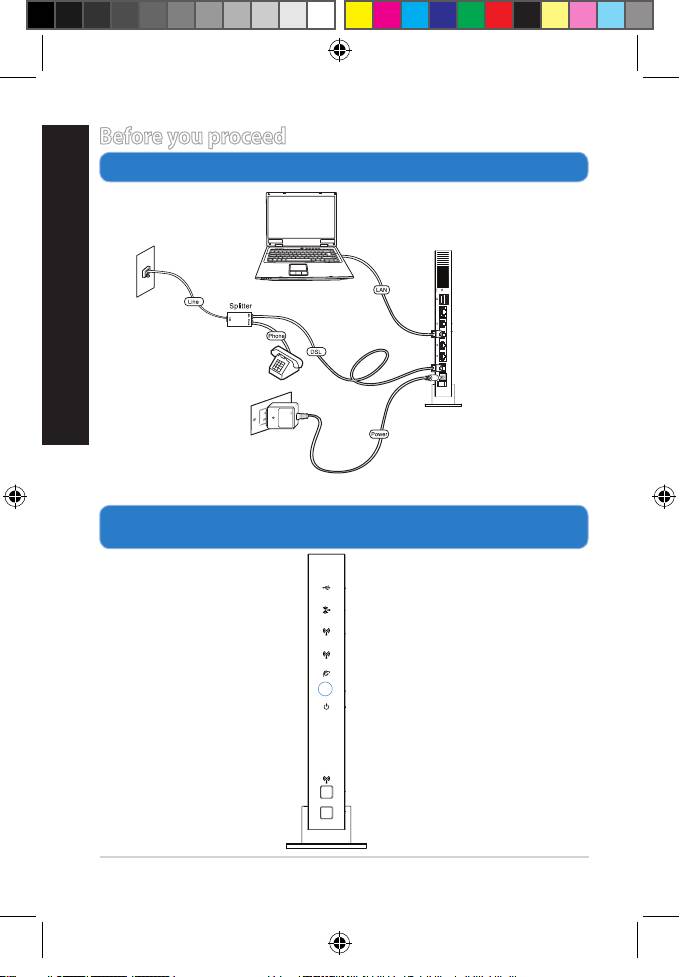
Before you proceed
1. Connect your devices.
2. Before setting up your network, ensure that the DSL LED
indicator is a solid light.
Network cable
Wall telephone
Ethernet WAN
outlet
DSL WAN
Wall power outlet
5GHz
2.4GHz
DSL
WPS
Q8322_DSL-N66U_QSG_add_tr.indd 8 7/1/13 11:11:43 AM
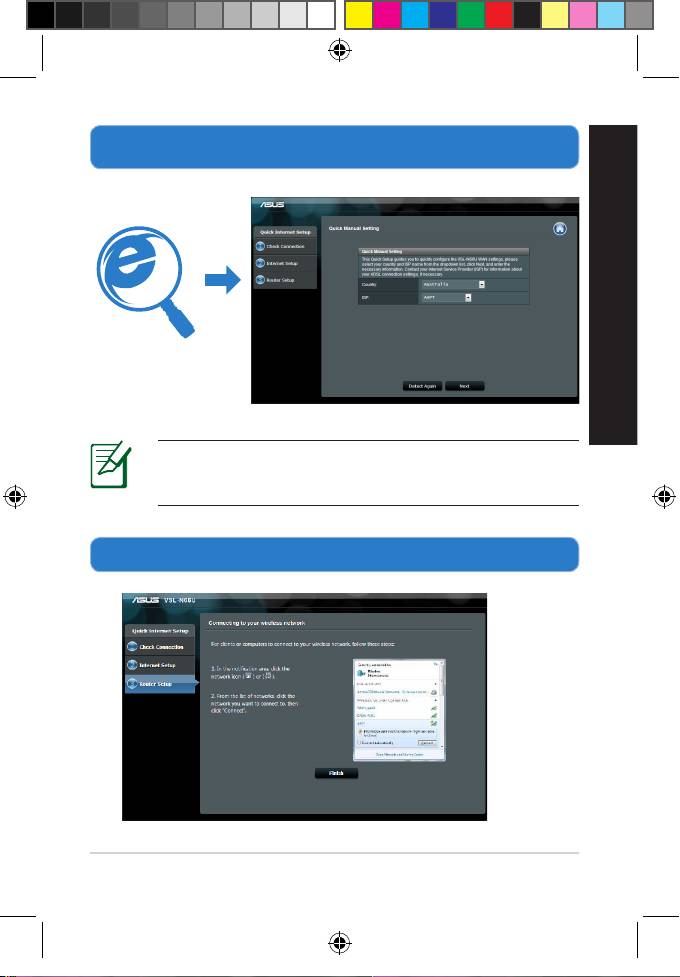
3. Launch the web browser and follow the Quick Internet Setup
(QIS) steps.
English
NOTE: If the QIS web page does not appear after you
launched the web browser, disable the proxy settings on
the web browser.
4. Setup is completed.
9
Q8322_DSL-N66U_QSG_add_tr.indd 9 7/1/13 11:11:44 AM
