
Sony CPD-E500E: Troubleshooting
Troubleshooting: Sony CPD-E500E
Table of contents
- Owner’s Record
- Table of Contents
- Precautions
- Identifying parts and controls
- Setup Step 1:Connect your monitor to your computer Step 2:Connect the power cord
- Step 3:Turn on the monitor and Selecting the on-screen menu computer language (LANG)
- Customizing Your Monitor Navigating the menu
- Adjusting the brightness and contrast
- Adjusting the size of the picture Adjusting the shape of the picture (SIZE) (GEOM) Adjusting the centering of the picture (CENTER) Enlarging or reducing the picture (ZOOM)
- Adjusting the convergence (CONV) Adjusting the quality of the picture (SCREEN)
- Adjusting the color of the picture (COLOR)
- Additional settings (OPTION)
- Resetting the adjustments Technical Features Preset and user modes Power saving function
- Troubleshooting
- Trouble symptoms and remedies Symptom Check these items
- Symptom Check these items
- Self-diagnosis function Specifications
On-screen messages
Troubleshooting
If there is something wrong with the input signal, one of the
Before contacting technical support, refer to this section.
following messages appears on the screen.
If NO INPUT SIGNAL appears on the screen
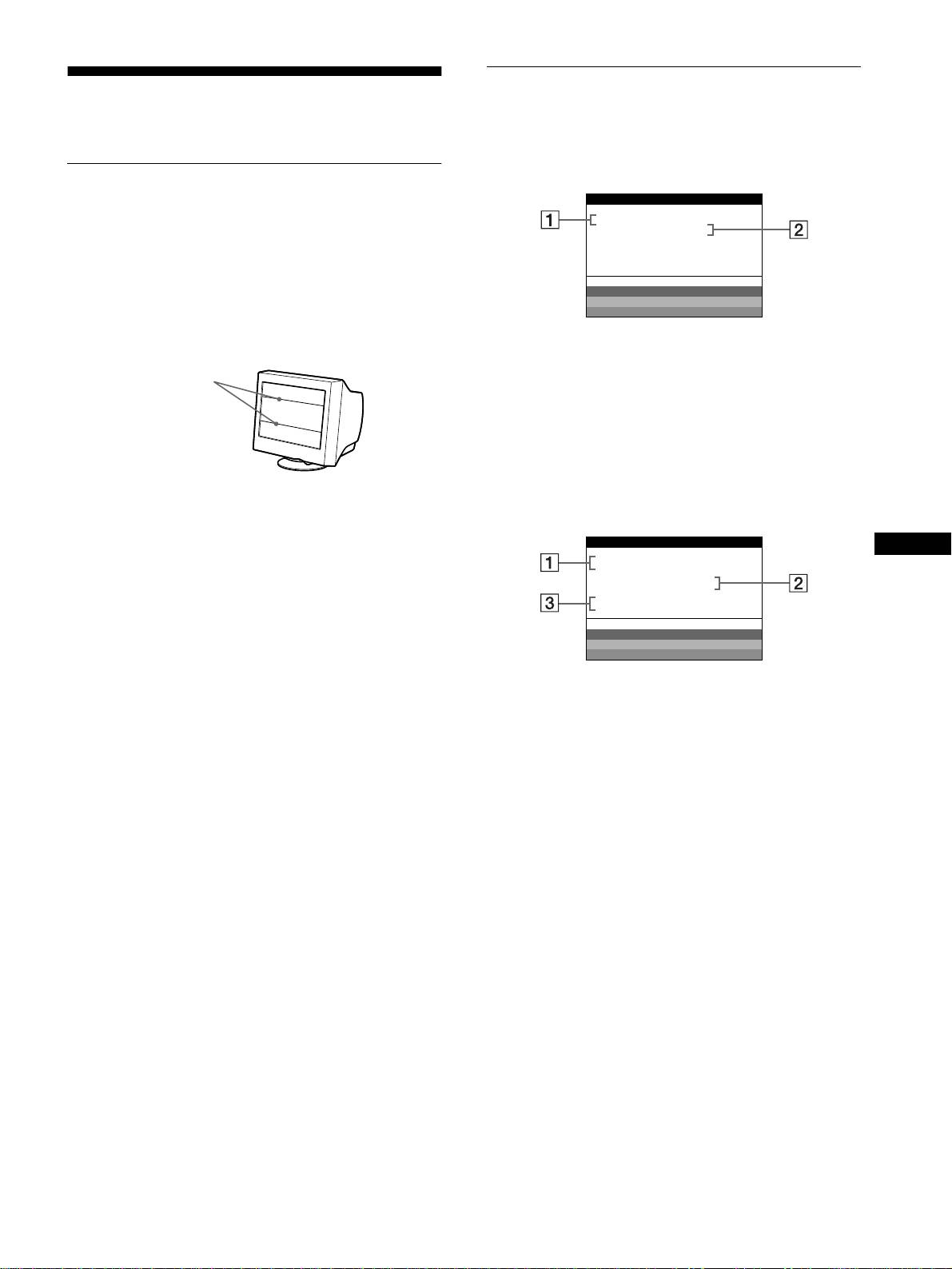
If thin lines appear on your screen
INFORMATION
(damper wires)
MON I TOR I S WORK I NG
INPUT : 68.7kHz/ H58z
NO INPUT S IGNAL
The lines you are experiencing on your screen are normal for the
Trinitron monitor and are not a malfunction. These are shadows
from the damper wires used to stabilize the aperture grille and are
WH I T E
RED
most noticeable when the screen’s background is light (usually
GREEN
white). The aperture grille is the essential element that makes a
BLUE
Trinitron picture tube unique by allowing more light to reach the
screen, resulting in a brighter, more detailed picture.
1
11
1 The frequencies of the current input signal
If the monitor recognizes the frequencies of the current input
Damper wires
signal, the horizontal and vertical frequencies are displayed.
2
22
2 The input signal condition
NO INPUT SINGAL
This indicates that no signal is input.
If OUT OF SCAN RANGE appears on the screen
INFORMATION
GB
MON I TOR I S WORK I NG
INPUT :130.0kHz/ H57
z
OUT OF SCAN RANGE
CHANGE S IGNAL T IM I NG
WH I T E
RED
GREEN
BLUE
1
11
1 The frequencies of the current input signal
If the monitor recognizes the frequencies of the current input
signal, the horizontal and vertical frequencies are displayed.
2
22
2 The input signal condition
OUT OF SCAN RANGE
This indicates that the input signal is not supported by the
monitor’s specifications.
3
33
3 The remedies
CHANGE SIGNAL TIMING appears on the screen. If you
are replacing an old monitor with this monitor, reconnect the
old monitor. Then adjust the computer’s graphic board so that
the horizontal frequency is between 30 - 109 kHz, and the
vertical frequency is between 48 - 160 Hz.
For more information, see “Trouble symptoms and remedies” on
page 16.
15
