
Sony CPD-E500E: Symptom Check these items
Symptom Check these items: Sony CPD-E500E
Table of contents
- Owner’s Record
- Table of Contents
- Precautions
- Identifying parts and controls
- Setup Step 1:Connect your monitor to your computer Step 2:Connect the power cord
- Step 3:Turn on the monitor and Selecting the on-screen menu computer language (LANG)
- Customizing Your Monitor Navigating the menu
- Adjusting the brightness and contrast
- Adjusting the size of the picture Adjusting the shape of the picture (SIZE) (GEOM) Adjusting the centering of the picture (CENTER) Enlarging or reducing the picture (ZOOM)
- Adjusting the convergence (CONV) Adjusting the quality of the picture (SCREEN)
- Adjusting the color of the picture (COLOR)
- Additional settings (OPTION)
- Resetting the adjustments Technical Features Preset and user modes Power saving function
- Troubleshooting
- Trouble symptoms and remedies Symptom Check these items
- Symptom Check these items
- Self-diagnosis function Specifications
Symptom Check these items
Picture is ghosting • Eliminate the use of video cable extensions and/or video switch boxes.
• Check that all plugs are firmly seated in their sockets.
Picture is not centered or sized
• Adjust the size (page 10) or centering (page 10). Note that some video modes do not fill
properly
the screen to the edges.
Edges of the image are curved • Adjust the geometry (page 10).
Wavy or elliptical pattern (moire)
• Set CANCEL MOIRE to ON and adjust the degree of moire cancellation until the moire is
is visible
at a minimum (page 11).
xProblems caused by the connected computer or other equipment
• Change your desktop pattern.
Color is not uniform • Degauss the monitor* (page 13). If you place equipment that generates a magnetic field,
such as a speaker, near the monitor, or if you change the direction the monitor faces, color
may lose uniformity.
• Adjust the landing (page 11).
White does not look white • Adjust the color temperature (page 12).
Letters and lines show red or blue
• Adjust the convergence (page 11).
shadows at the edges
Monitor buttons do not operate
• If the control lock is set to ON, set it to OFF (page 13).
( appears on the screen)
A hum is heard right after the
• This is the sound of the auto-degauss cycle. When the power is turned on, the monitor is
power is turned on
automatically degaussed for two seconds.
* If a second degauss cycle is needed, allow a minimum interval of 20 minutes for the best result. A humming noise may be heard, but this is not a
malfunction.
GB
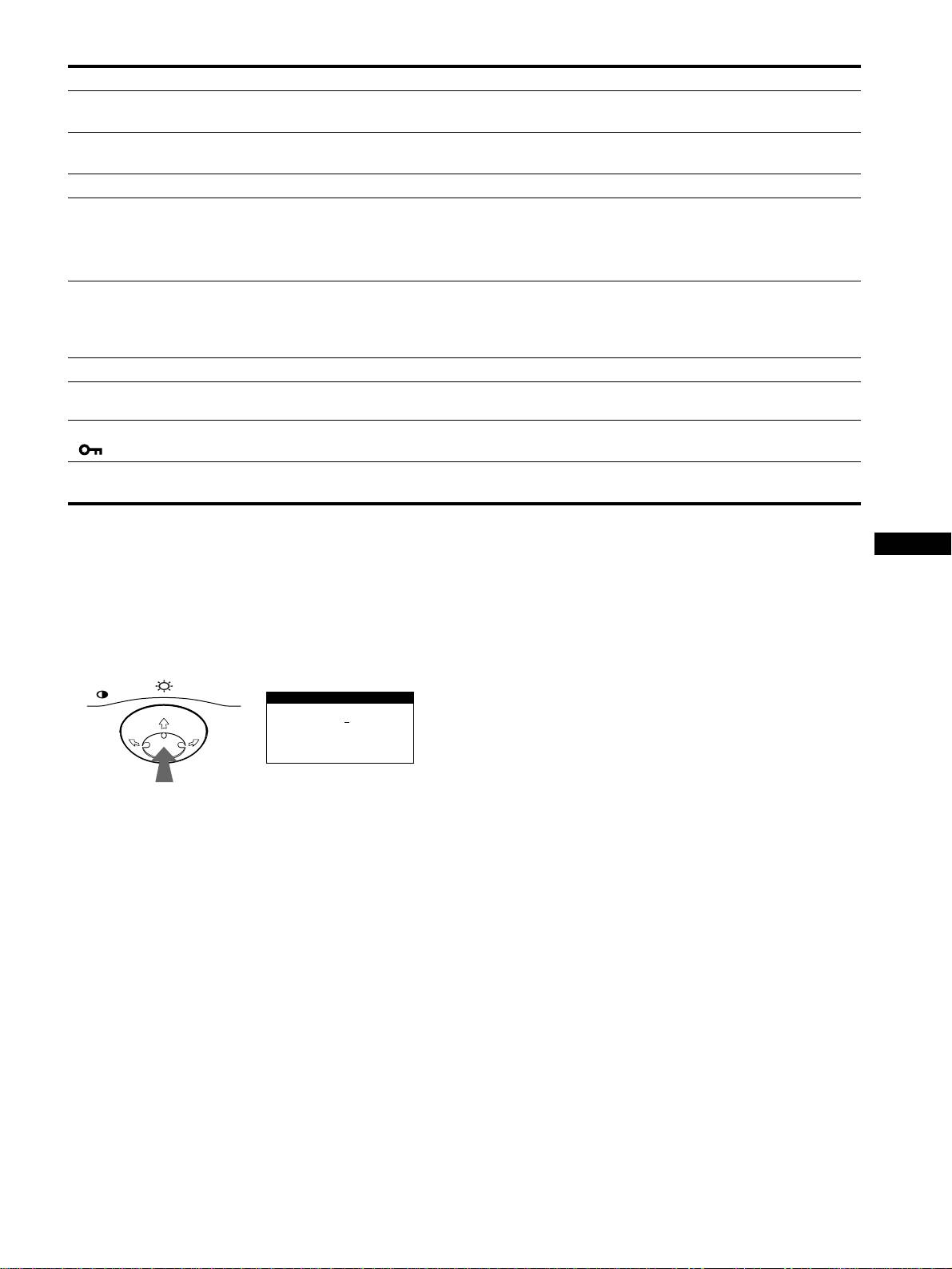
Displaying this monitor’s name, serial number,
If the problem persists, call your authorized Sony dealer and give
and date of manufacture.
the following information.
• Model name: CPD-E500E
While the monitor is receiving a video signal, press and hold the
• Serial number
center of the control button for more than five seconds to display
• Name and specifications of your computer and graphics board.
this monitor’s information box.
MENU
Example
INFORMATION
MODEL
:
CPD E500E
b
SER NO
:
1234567
MANUFACTURED
: 1999-52
17
