
Sony CPD-E500E: Self-diagnosis function Specifications
Self-diagnosis function Specifications: Sony CPD-E500E
Table of contents
- Owner’s Record
- Table of Contents
- Precautions
- Identifying parts and controls
- Setup Step 1:Connect your monitor to your computer Step 2:Connect the power cord
- Step 3:Turn on the monitor and Selecting the on-screen menu computer language (LANG)
- Customizing Your Monitor Navigating the menu
- Adjusting the brightness and contrast
- Adjusting the size of the picture Adjusting the shape of the picture (SIZE) (GEOM) Adjusting the centering of the picture (CENTER) Enlarging or reducing the picture (ZOOM)
- Adjusting the convergence (CONV) Adjusting the quality of the picture (SCREEN)
- Adjusting the color of the picture (COLOR)
- Additional settings (OPTION)
- Resetting the adjustments Technical Features Preset and user modes Power saving function
- Troubleshooting
- Trouble symptoms and remedies Symptom Check these items
- Symptom Check these items
- Self-diagnosis function Specifications
Self-diagnosis function
Specifications
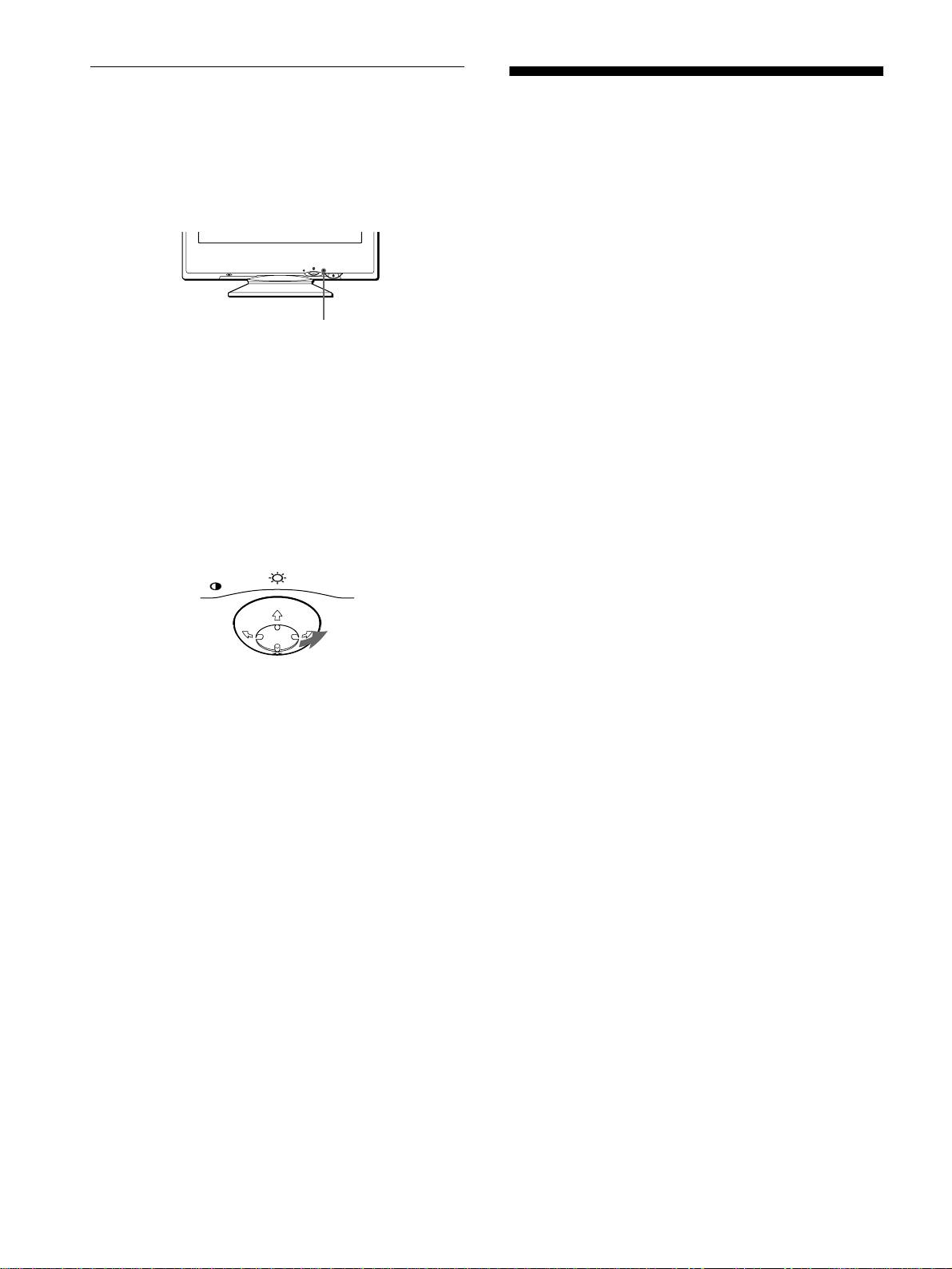
This monitor is equipped with a self-diagnosis function. If there is
a problem with your monitor or computer, the screen will go
CRT 0.24 mm aperture grille pitch
blank and the 1 (power) indicator will either light up green or
21 inches measured diagonally
flash orange. If the 1 (power) indicator is lit in orange, the
90-degree deflection
computer is in power saving mode. Try pressing any key on the
FD Trinitron
keyboard.
Viewable image size Approx. 403.8 × 302.2 mm (w/h)
(16 × 12 inches)
19.8" viewing image
Resolution
MENU
RESET
Maximum Horizontal: 2048 dots
Vertical: 1536 lines
Recommended Horizontal: 1600 dots
1
(power) indicator
Vertical: 1200 lines
Standard image area Approx. 388 × 291 mm (w/h)
3
1
(15
/
8
× 11
/
2
inches)
If the
1
(power) indicator is green
or
Approx. 364 × 291 mm (w/h)
1
Disconnect the video input cable or turn off the
3
1
(14
/
8
× 11
/
2
inches)
connected computer.
Deflection frequency* Horizontal: 30 to 109 kHz
Vertical: 48 to 160 Hz
2
Press the
1
11
1
(power) button twice to turn the monitor
AC input voltage/current 100 to 240 V, 50 – 60 Hz, 2.0 – 1.0 A
off and then on.
Power consumption Approx. 145 W
Dimensions
Approx. 497
×
480
×
478 mm (w/h/d)
3
Move the control button
,
for 2 seconds before the
5
7
(19
/
8
× 19 × 18
/
8
inches)
monitor enters power saving mode.
Mass Approx. 32 kg (70 lb 9 oz)
Plug and Play DDC1/2B/2Bi, GTF**
MENU
Supplied accessories See page 6
* Recommended horizontal and vertical timing condition
• Horizontal sync width duty should be more than 4.8% of total
horizontal time or 0.8 µs, whichever is larger.
• Horizontal blanking width should be more than 2.3 µsec.
If all four color bars appear (white, red, green, blue), the monitor
• Vertical blanking width should be more than 450 µsec.
is working properly. Reconnect the video input cable and check
** If the input signal is Generalized Timing Formula (GTF)
the condition of your computer.
compliant, the GTF feature of the monitor will automatically
provide an optimal image for the screen.
If the color bars do not appear, there is a potential monitor failure.
Inform your authorized Sony dealer of the monitor’s condition.
Design and specifications are subject to change without notice.
If the
1
(power) indicator is flashing orange
Press the
1
(power) button twice to turn the monitor off
and then on.
If the 1 (power) indicator lights up green, the monitor is working
properly.
If the 1 (power) indicator is still flashing, there is a potential
monitor failure. Count the number of seconds between orange
flashes of the 1 (power) indicator and inform your authorized
Sony dealer of the monitor’s condition. Be sure to note the model
name and serial number of your monitor. Also note the make and
model of your computer and video board.
18
