
Sony CPD-G400P: Symptom Check these items
Symptom Check these items: Sony CPD-G400P
Table of contents
- Owner’s Record
- Table of Contents
- Precautions
- Identifying parts and controls RearFront
- Setup Step 1:Connect your monitor to your computer
- Step 2:Connect the power cord Step 3:Turn on the monitor and computer
- Selecting the on-screen menu Selecting the input signal language (LANG)
- Customizing Your Monitor Navigating the menu
- Adjusting the brightness and contrast
- Automatically sizing and centering Adjusting the size of the picture the picture (AUTO) (SIZE) Enlarging or reducing the picture (ZOOM) Adjusting the centering of the picture (CENTER)
- Adjusting the shape of the picture Adjusting the color of the picture (GEOM) (COLOR)
- Adjusting the convergence (CONV) Additional settings (OPTION)
- Helpful hints and information (HELP)
- Resetting the adjustments
- Technical Features Troubleshooting
- Trouble symptoms and remedies Symptom Check these items
- Symptom Check these items
- Specifications
Symptom Check these items
Picture is ghosting
• Eliminate the use of video cable extensions and/or video switch boxes.
• Check that all plugs are firmly seated in their sockets.
Picture is not centered or sized
• Perform the (AUTO) function (page 11).
properly
• Adjust the size (page 11) or centering (page 11). Note that some video modes do not fill
the screen to the edges.
Edges of the image are curved
• Adjust the geometry (page 12).
Wavy or elliptical pattern (moire)
• Select MOIRE ADJUST and adjust the moire cancellation effect (page 13).
is visible
x
Problems caused by the connected computer or other equipment
• Change your desktop pattern.
Color is not uniform
• Degauss the monitor* (page 13). If you place equipment that generates a magnetic field,
such as a speaker, near the monitor, or if you change the direction the monitor faces, color
may lose uniformity.
White does not look white
• Adjust the color temperature (page 12).
Letters and lines show red or blue
• Adjust the convergence (page 13).
shadows at the edges
Monitor buttons do not operate
• If the control lock is set to ON, set it to OFF (page 14).
( appears on the screen)
IMAGE RESTORATION function
• Before using this function, the monitor must be in normal operation mode (green power
does not operate
indicator on) for at least 30 minutes, see “Restoring the color” on page 14.
OPT I ON
• Adjust the computer’s power saving settings to keep the monitor in normal operation
mode for more than 30 minutes.
AVAI LABLE
• The monitor may gradually lose its ability to perform this function due to the natural aging
AFTER
WARM– UP
of the picture tube.
IMAGE
RESTORATION
A hum is heard right after the
• This is the sound of the auto-degauss cycle. When the power is turned on, the monitor is
power is turned on
automatically degaussed for five seconds.
* If a second degauss cycle is needed, allow a minimum interval of 20 minutes for the best result. A humming noise may be heard, but this is not a
malfunction.
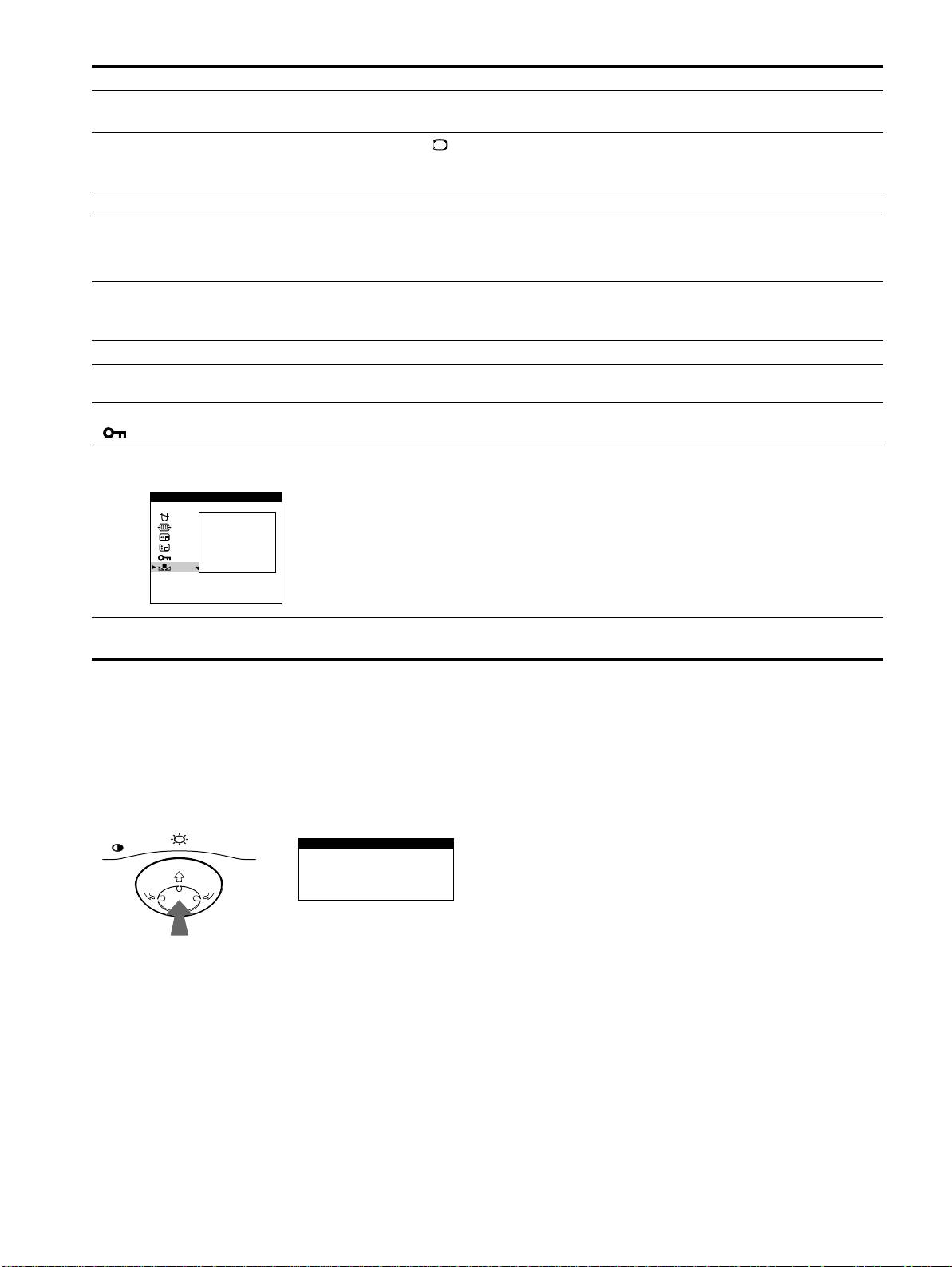
Displaying this monitor’s name, serial number,
If the problem persists, call your authorized Sony dealer and give
and date of manufacture.
the following information.
• Model name: CPD-G400P
While the monitor is receiving a video signal, press and hold the
• Serial number
center of the control button for more than five seconds to display
• Name and specifications of your computer and graphics board.
this monitor’s information box.
MENU
Example
INFORMATION
MODEL :CPD-G400P
SER NO:1234567
b
MANUFACTURED: 200
0-52
18
