
Sony CPD-120AS: Adjusting the picture contrast
Adjusting the picture contrast: Sony CPD-120AS
Table of contents
- Owner’s Record
- Table of Contents
- Introduction Plug and play
- Precautions Maintenance Transportation
- Warning on Power Connection
- Functions of Controls
- Functions of Controls
- Functions of Controls
- Getting Started Installation p Step 1: Connect the computer
- p CPD-120AS p CPD-220AS
- p Step 2: Connect the power cord p Step 3: Turn on the display and computer. p Step 4: If necessary...
- Using Your Display Preset and user modes
- Using the tilt-swivel
- Damper wire
- Adjustments Adjusting volume
- Adjusting the picture contrast
- Adjusting the picture brightness
- Adjusting the picture centering
- Adjusting the picture size
- Adjusting the picture rotation
- Adjusting the pincushion
- Setting the color temperature
- Resetting
- Available Features Selecting Graphic Picture Enhancement (GPE)
- Selecting Bass Boost
- Power Saving Function
- Specifications
- Troubleshooting
- Troubleshooting
- Troubleshooting
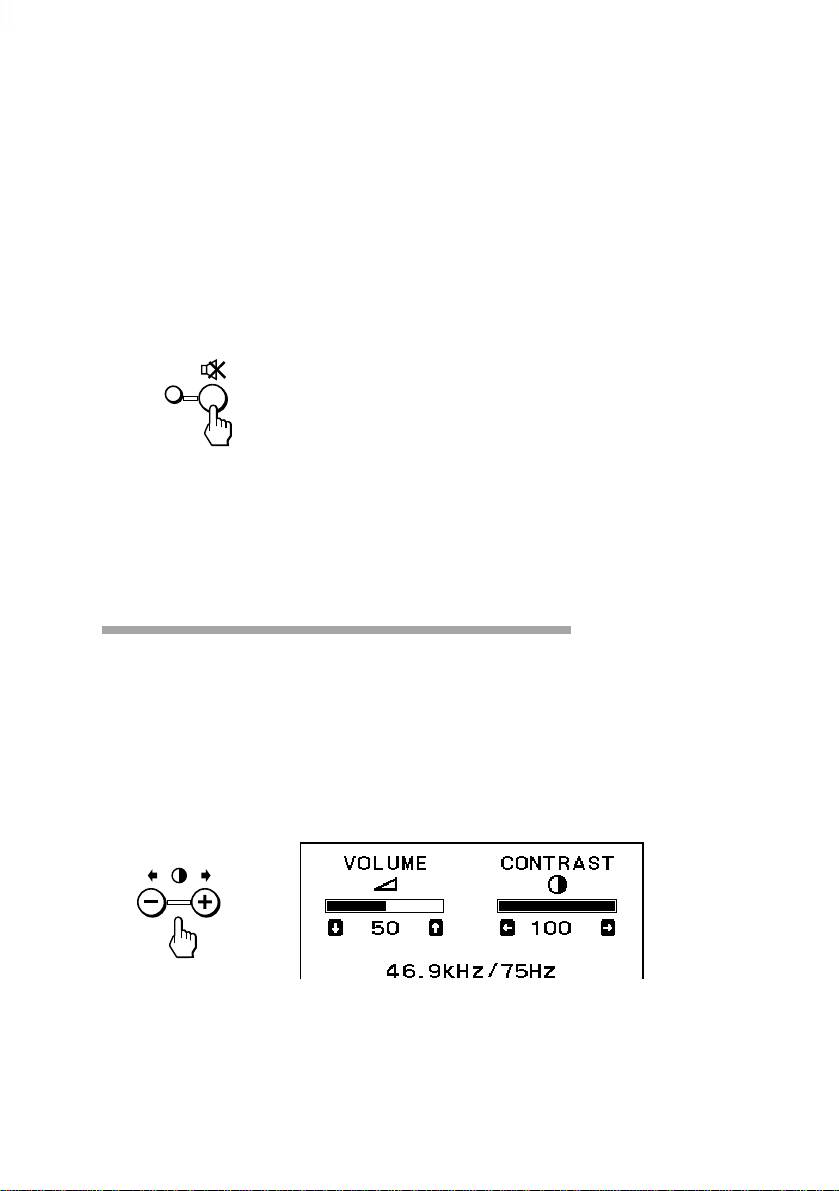
The VOLUME/CONTRAST OSD disappears 3 seconds after you release
the buttons.
✎ Tips
• The default setting of the volume level is 30 %.
• Adjust the volume while listening to the sound.
• Excessively high volume may cause howling.
p To mute the sound
Press the ¤ button. The ¤ indicator lights. The light indicates mute
function is in active mode.
Press again to cancel muting.
You can cancel muting also by pressing the . + button.
✎ Tip
¤ appears instead of . on the VOLUME/CONTRAST OSD while the sound is muted.
Adjusting the picture contrast
The adjustment data becomes the common setting for all input signals.
1. Press the > + or – button.
The VOLUME/CONTRAST OSD appears.
The horizontal and vertical frequencies for each input signal received
appear.
Continued to the next page ➔
Adjustments
GB
17
