
Sony CPD-E100E: Adjusting the brightness and contrast
Adjusting the brightness and contrast: Sony CPD-E100E
Table of contents
- Owner’s Record
- Table of Contents
- Precautions
- Identifying parts and controls RearFront
- Setup Step 1:Connect your monitor to your computer Step 2:Connect the power cord
- Step 3:Turn on the monitor and Selecting the on-screen menu computer language (LANGUAGE/ INFORMATION)
- Customizing Your Monitor Navigating the menu
- Adjusting the brightness and contrast
- Adjusting the horizontal size or Adjusting the curvature of the centering of the picture (H-SIZE/ picture’s sides (PIN/PIN BALANCE) CENTER) Adjusting the angle of the picture’s sides (KEY/KEY BALANCE) Adjusting the vertical size or centering of the picture (V-SIZE/ CENTER)
- Adjusting the picture’s rotation Adjusting the color of the picture (ROTATION) (COLOR) Enlarging or reducing the picture (ZOOM)
- Additional settings (DEGAUSS/ Resetting the adjustments CANCEL MOIRE)
- Technical Features Troubleshooting
- Trouble symptoms and remedies Symptom Check these items
- Symptom Check these items
- Self-diagnosis function Specifications
C:\WIN95-E\DESKTOP\CPD E100\386765911CPDE100EAEP\01GB03BAS-AEP.fm
masterpage:Right
x
Using the control button
Adjusting the brightness and
1
Display the main MENU.
contrast
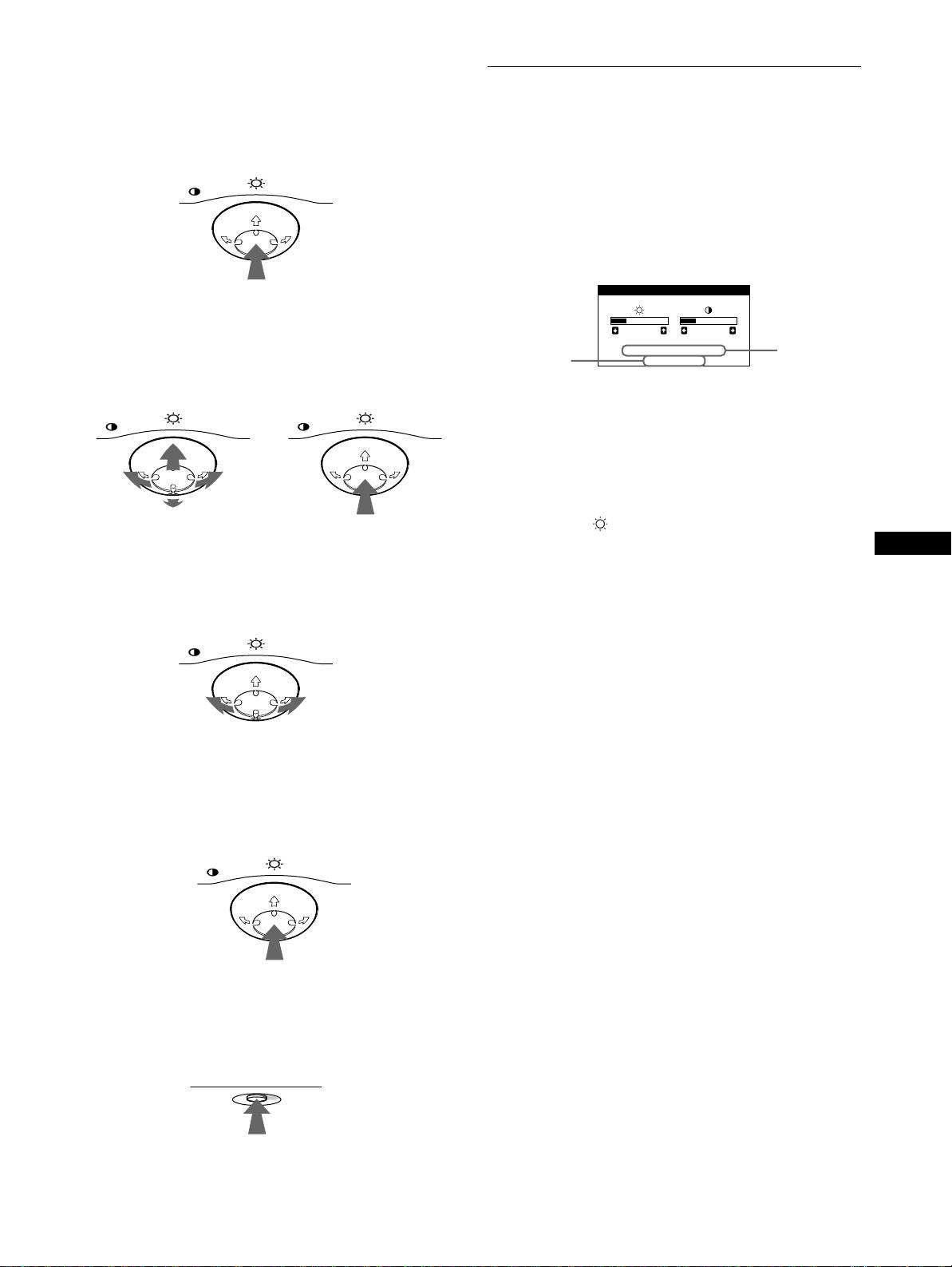
Press the center of the control button to display the main
MENU on your screen.
Brightness and contrast adjustments are made using a separate
BRIGHTNESS/CONTRAST menu.
MENU
These settings are stored in memory for all input signals.
1
Move the control button in any direction.
The BRIGHTNESS/CONTRAST menu appears on the
screen.
BRIGHTNESS/CONTRAST
2
Select the menu you want to adjust.
Highlight the desired menu by moving the control button
26 26
towards the rear to go up (M), towards the front to go down
the horizontal
the resolution
68.7kHz/85.0Hz
and vertical
(m), and left (<) or right (,) to move sideways.
1024X768
of the current
frequencies of
input signal
the current
FRONT
input signal
MENU MENU
The horizontal and vertical frequencies of the current input
signal are displayed in the BRIGHTNESS/CONTRAST
menu. If the signal matches one of this monitor’s factory
preset modes, the resolution is also displayed.
2
Move the control button m/M to adjust the
REAR
brightness ( ), and </, to adjust the contrast
(6).
GB
The menu automatically disappears after about 3 seconds.
3
Adjust the menu.
Move the control button left (<) or right (,) to make the
adjustment.
MENU
4
Close the menu.
Press the center of the control button once to return to the
main MENU, and press again selecting EXIT to return to
normal viewing. If no buttons are pressed, the menu closes
automatically after about 30 seconds.
MENU
x
Resetting the adjustments
Press the RESET button. See page 12 for more information on
resetting the adjustments.
RESET
9
3-867-659-
CPD-E100E
11
(1)
